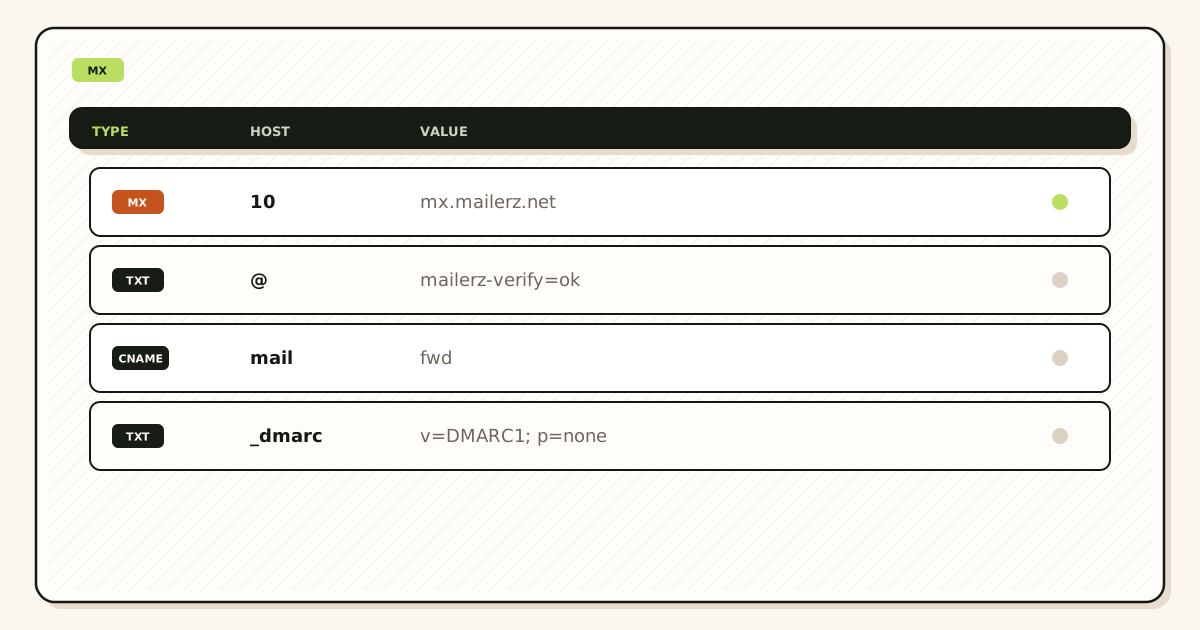
Change MX records without losing email by creating named aliases first, publishing one exclusive MX set, and deleting leftover hosts in the same window. Mail is lost when senders still hit the old exchanger, or when the new hop has no route for a printed address. Dual MX is not a safety net. Screenshot the old set from two public resolvers, prove inbound from a mailbox you do not own, then announce the cut.
Quick answer for change mx records without losing email
Losing email during an MX change is almost never “DNS being slow.” It is leftover Google, Microsoft, registrar, or host MX still published next to the new set. It is a printed hello@ that was never created as a named alias. It is a cut on the registrar panel while Cloudflare or another DNS host still owns the zone. It is a self-send from Gmail that never left Google. The safe order is verify, map, screenshot, exclusive publish, delete leftovers, prove inbound, watch TTL.
IETF RFC 5321 — Simple Mail Transfer Protocol delivers to the MX set the sender’s resolver returns. IETF RFC 1035 — Domain names is how that set is published. You cannot keep two operators “just in case.” Senders pick one host. The other never sees the message. That split is how invoices vanish while the dashboard looks healthy.
MailerZ Free is one domain, ten aliases, 14-day store, one seat, send-as disabled, SMTP and API disabled. Paid plans add domains, 90-day store, optional catch-all forward, and send-as. Solo is $40 per year. Starter is $8 or $80. Business is $19 or $190. Agency is $39 or $390. Confirm on MailerZ pricing. None of those cards replace exclusive MX.
Related pages already on the site: save the old MX set, leftover MX, DNS cutover runbook, and check MX before switching. This page is the no-loss order. Those pages are the screenshot, leftover, and day-of runbook.
Probe with the leftover checker and a public lookup: leftover MX and MX lookup. Pretty registrar tables lie. Two public resolvers and an external message do not.
The user problem and the decision criteria
Founders treat MX like a website A record. They publish the new host, keep the old host “until we are sure,” and wait for email to appear in Gmail. Half the internet still delivers to Google Workspace or the registrar mailbox they never open. Customers say “I sent it.” The founder says “we never got it.” Both are telling the truth. The message landed on a host that is no longer the archive.
The other failure is moving MX before the alias list exists. The new hop accepts the domain, then holds or rejects unknown local-parts. Printed invoices for billing@ sit in a hold queue or bounce while hello@ works. The founder thinks MX is broken. MX is exclusive and correct. The route was never created.
| Question | If yes | If no |
|---|---|---|
| Is every printed address a named alias? | Safe to schedule the cut. | Create the map first. Do not move MX. |
| Do you have a two-resolver screenshot of the old set? | You can roll back to exclusive old MX. | You are guessing. Screenshot first. |
| Will you keep Google MX beside MailerZ? | Stop. That is how mail is lost. | Publish one set. Delete leftovers. |
| Is the destination already the inbox people read? | Forward into that store. | You may be shopping for hosting, not a cut. |
| Are you editing the authoritative nameservers? | The change can take effect. | The registrar panel is a decoy. Find NS first. |
| Do you need catch-all on day one? | Paid forward after an abuse audit. Free holds unknown. | Named aliases only. Safer cut. |
Teams lose mail because they announce the new address before public resolvers agree. A customer on a slow resolver still hits the old host. A customer on a fast resolver hits MailerZ. Support hears both stories in the same hour. The fix is not a second MX. The fix is wait one old TTL, keep looking up from two resolvers, and do not print “we moved email” until both views match.
Phone registrar apps are a separate risk. Someone “fixes mail” from a hotel Wi-Fi and republishes the old Google MX. Treat the zone like production. One owner. One window. Slack the screenshot after the delete, not a thumbs-up emoji.
Technical mail flow when you change MX
A sender looks up MX for the domain on the envelope. The resolver returns a preference-ordered list. The sending server connects to the lowest-preference host that answers. If two companies are on that list, some senders will use Google and some will use MailerZ. Preference numbers are not load balancing. They are failover order. A leftover host with a worse preference still receives mail when the preferred host is slow, firewalled, or when a sender ignores preference and tries the next name.
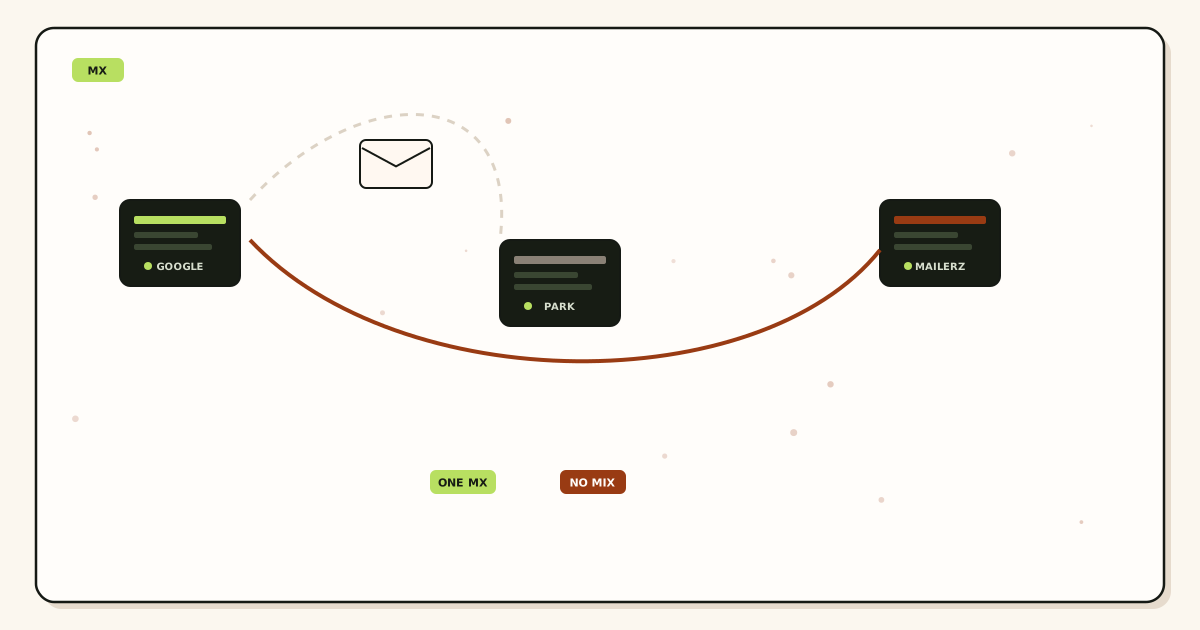
MailerZ accepts a named alias, stores required content for the plan window, returns 250, and forwards to the destination. Envelope MAIL FROM is rewritten with SRS. Header From stays the original sender. That is how the inbox still shows the customer, not a rewritten brand. See email forwarding. Free holds unknown recipients. Paid can forward unknown after you choose that path. Catch-all is not a substitute for creating the addresses you already printed.
Propagation is cache, not magic. If the old TTL was 3600 seconds, some resolvers will keep the old set for about an hour after you publish. If the old TTL was 86400, plan a day. Lower TTL a day before the cut if the old host lets you. Do not treat “instant” registrar banners as proof. Query 8.8.8.8 and 1.1.1.1. If they disagree, you are still in the window. Do not debug aliases during that disagreement unless both views already show exclusive MailerZ MX and mail is still missing.
Inbound MX and outbound SMTP are different conversations. Changing MX does not attach send-as. Free still has no send-as after a perfect cut. If replies must show the domain, upgrade and attach the dashboard pair later. Do not mix those tickets. A founder who “loses send” after an MX change usually never had paid SMTP. They had Workspace From. The suite left. The From left with it.
Null MX is a published refusal to accept mail. If you inherited a null MX from a parking host, delete it when you publish MailerZ. Leaving it beside a real MX is another split. The leftover MX article covers host names. This page covers the order so the split never starts.
Recovery storage is 14 days on Free and 90 days on paid. It is a failed-hop window, not a seven-year archive and not IMAP. If a message never reached MailerZ because a leftover host accepted it, there is nothing to recover in MailerZ. That is why leftover deletion is the no-loss step, not a later cleanup.
The no-loss checklist before you touch MX
Write this list in the runbook. Do not invent a shorter version on cut day.
List every address customers already use
Invoices, forms, app store listings, WHOIS, calendars, and the footer. Those strings must exist as named aliases or you will lose the mail that matters most.
Verify the domain and create those aliases
TXT match in public. Destinations confirmed. Free has ten aliases. If you print more than three, upgrade before the cut or stop printing the extras.
Find the authoritative nameservers
Edit the panel that matches public NS. A pretty registrar email product is often not that panel. See authoritative nameservers versus registrar DNS.
Screenshot the old exclusive set
Two public resolvers. Hostnames and preferences. Date the file. Rollback is that screenshot republished as the only set, not dual MX.
Lower TTL if you still can
A day before the window, if the old zone lets you. If you cannot, plan the wait after publish. Do not skip the wait because a UI said “updated.”
Agencies copy the printed-address list from the client, not from memory. The client will forget jobs@ and press@. Those are the messages that create a “you lost our email” thread. Catch-all hold on Free will keep unknown if you later decide to create the alias. Catch-all forward on paid will dump them into Gmail. Neither replaces reading the footer before the cut.
If the old host is Workspace, export what you still need from that store before you delete Google MX. MailerZ will not import the old mailbox. Changing MX without losing future email is this page. Changing MX without losing history is an export. Do those as two jobs.
Step-by-step: change MX records without losing email
Open the authoritative DNS panel only
Confirm NS in public. If you are not in that account, stop. Editing the registrar while Cloudflare owns NS is how “nothing changed” tickets start.
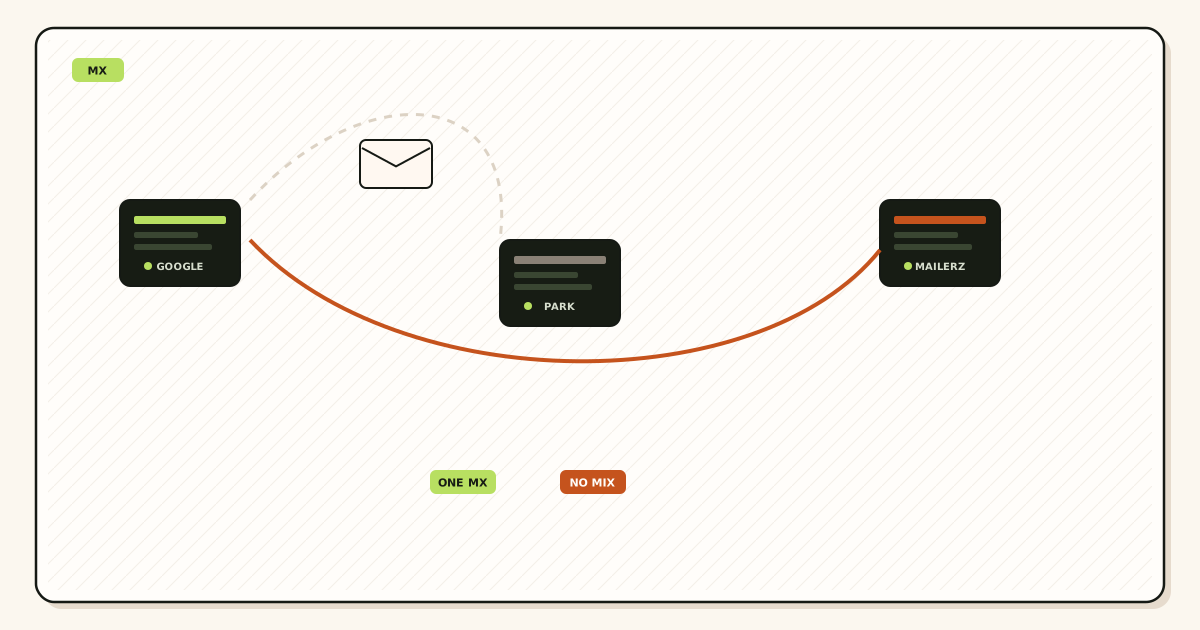
Publish the MailerZ MX set as the only exchangers
Copy hostnames and preferences from the dashboard. Do not invent values from a blog. Do not keep ASPMX.L.GOOGLE.COM “for a week.”
Delete leftover MX in the same hour
Google, Microsoft, registrar, host, and null MX. Demoting preference is not deletion. Run leftover MX until the old company names are gone from two resolvers.
Prove inbound from a mailbox you do not own
Unique subject to each named alias. Confirm Header From and a hop row. Self-send from Gmail to Gmail can hide leftover Google MX. See why emailing yourself is a bad test.
Watch public lookups for one old TTL
When 8.8.8.8 and 1.1.1.1 agree on exclusive MailerZ MX, tell the team the cut held. If they disagree, wait. Do not add the old host back to “help” the slow resolver.
Only then attach send-as if you need it
Upgrade off Free. Copy host, port, and TLS as one pair. Named From only. MX success is not SMTP success.
If a named alias probe fails after exclusive public MX, you have a route or destination problem, not a propagation problem. Check the alias exists, the destination is verified, and unknown policy is not holding a name you thought you created. If history is empty, the message never reached MailerZ. Recheck leftovers. If history shows a destination reject, that is Gmail or Outlook, not MX.
Weekend cuts are fine if the owner is awake. Friday 4 p.m. cuts with the only DNS admin on a plane are how leftover MX returns on Monday. Schedule the human, not only the record.
Failure modes and how you prove them
Dual MX looks like random delivery. Some messages arrive. Some do not. The ones that do not are on the old host. Proof: two public lookups still show a second company name. Fix: delete that name. Do not add a third host.
Missing alias looks like MX failure for one local-part. hello@ works. billing@ does not. Proof: the dashboard has no billing row. Fix: create it. On Free, unknown is held. Check hold before you republish Google MX.
Wrong panel looks like “DNS will not update.” Proof: public NS does not match the account you edited. Fix: open the host that owns NS. The leftover MX troubleshooting checklist is the sibling page when the panel looks correct and mail still splits: MX troubleshooting.
Self-send looks like success while customers fail. Proof: a third mailbox never received the unique subject, or Gmail never left Google. Fix: send from Outlook, a phone carrier, or a colleague. Repeat after leftovers are gone.
TTL impatience looks like a broken product. Proof: resolvers disagree. Fix: wait. Do not toggle MX every ten minutes. Oscillation creates two caches and a week of “sometimes.”
Registrar email upsell republishes old MX. Proof: a new Google or “parking” host appears after a phone call. Fix: delete it again and lock the zone. Write who may edit DNS.
Catch-all forward on an unaudited domain looks like a successful cut that flooded Gmail. Proof: the inbox fills with guessed local-parts. That is not lost customer mail. That is spam you asked for. Free hold is the safer unknown policy on day one. Audit before you forward unknown: audit catch-all abuse.
Workspace leftover users still accept mail at Google if Google MX remains. Proof: the message is in a Workspace account nobody reads. Fix: exclusive MailerZ MX, then decide whether that Workspace account is still a destination. Destinations are Gmail addresses you map. They are not leftover MX.
A CNAME at the apex that someone used for “the website” can break MX on hosts that do not allow both. Proof: MX lookup fails or follows a name that is not MailerZ. Fix: keep MX as MX. Do not flatten mail into a web CNAME. Website and mail are different records.
MailerZ workflow and the product boundary
Add the domain. Publish the verification TXT. Create named aliases. Copy MX from the dashboard. Delete leftovers. Probe. That is the inbound product. MailerZ is not Google Workspace, not Microsoft 365, not IMAP, and not an open relay. Unauthorized or unhosted send-as gets 550. See features and docs.
Header From is never rewritten on the forward. Envelope SRS only. If a competitor rewrites the visible From, DKIM and DMARC alignment die. That is a different article. For the cut, remember that preserving From does not preserve a leftover host. Leftover hosts steal the whole message.
Seats operate the dashboard. They are not extra inboxes. Adding a seat does not create sales@. Creating the alias does. Agencies on Agency at $39 or $390 still cut one domain at a time with exclusive MX. Domain count is not a reason to dual-publish.
MailerZ is not SOC 2, not ISO 27001, and not HIPAA. Controls live on security. Do not invent badges in a cutover email to a customer.
Failed hops store for 14 days on Free and 90 days on paid. If the old host accepted the message, MailerZ has no copy. The no-loss design is exclusive MX, not a longer store. A longer store helps when MailerZ accepted and the destination later rejected. That is recovery, not a time machine for leftover Google.
Cloudflare Email Routing can be the old hop you are leaving. Compare it as inbound routing without MailerZ leftover-MX stop, stored failed hops, or paid send-as: MailerZ vs Cloudflare Email Routing. ImprovMX is the closest competitor class: migrate from ImprovMX. Those pages are not this checklist.
Cost, suites, and when not to change MX this way
The MX change itself is DNS labor. MailerZ Free can receive one domain with three aliases if that is all you print. Solo at $40 per year is the usual first paid card when you need more aliases, 90-day store, or send-as. Starter, Business, and Agency scale domains and send ceilings. Annual Starter, Business, and Agency include two months free versus monthly. Solo has no monthly option. Confirm pricing.
Buy Google Workspace or Microsoft 365 when every human needs Calendar, Drive, a lockable hosted store, and native suite From. Then you are not changing MX to a forwarder. You are staying on a suite. Google Workspace — product overview is that product. This page is for teams who already read Gmail or Outlook and only need the brand domain to arrive there.
Do not buy Agency to “prevent loss.” Loss is leftover MX and missing aliases. Agency does not make dual MX safe. A one-domain founder on Free can cut safely if three named aliases cover the printed set and leftovers are gone.
Time is the real cost. An hour of screenshots and probes beats a week of “I sent it.” Write the old set, the new set, the alias list, and the probe subjects in one note. The next domain reuses the note.
If you must keep the old host as a destination, map it as a Gmail or Outlook address MailerZ forwards to. Do not keep it as MX. Destination and exchanger are different jobs. Mixing them is the entire outage.
Registrar “free email” is usually a leftover MX trap. The price is zero until a customer invoice lands in a webmail nobody opens. Delete that MX. If you still want that webmail, export it, then treat Gmail as the store.
FAQ
What is the safest way to change MX records without losing email?
Create named aliases and verify the domain before cut day. Screenshot the old exclusive MX set from two public resolvers. Publish one MailerZ MX set, delete leftover Google, Microsoft, registrar, or host MX the same hour, then prove inbound from a mailbox you do not own. Dual MX is not a safety net.
Does this require a new mailbox?
No. Changing MX names the receiving hop for the brand domain. Destinations stay Gmail or Outlook. MailerZ is Mail Box portal webmail (Inbox, Sent, New email). It is not IMAP or POP. Buying a suite seat does not replace exclusive MX.
Will it work with Gmail or Outlook?
Yes as destinations after the custom domain’s MX points at MailerZ. You do not change Gmail or Outlook MX. You change the brand zone only. Self-send from Gmail to Gmail can hide a leftover host.
What DNS records are involved?
Authoritative NS so you edit the real panel, a verification TXT before the cut, exclusive MX on cut day, leftover host deletion, and SPF, DKIM, and DMARC if you also send. CNAME at the apex is not a mail cut.
What should I test before production?
Before cut day: public TXT match and every printed alias created. After MX: unique inbound from a third mailbox plus two public MX lookups with no leftover company names. Watch one old TTL before you tell customers the address moved.
Key takeaways
- Create named aliases before you change MX.
- Screenshot the old exclusive set from two public resolvers.
- Publish one MailerZ MX set. Delete leftovers the same hour.
- Dual MX is how mail is lost, not how you stay safe.
- Demoting old preference is not deletion.
- Prove inbound from a mailbox you do not own.
- Self-send from Gmail can hide leftover Google MX.
- Wait one old TTL before you announce the cut.
- Free holds unknown. Printed names still need aliases.
- MX success is not send-as. Free still cannot send.
- Rollback is the old exclusive screenshot, not two operators.
- Edit the panel that matches public NS.
- MailerZ is not IMAP, not a suite, and not SOC 2.
Conclusion and next action
You change MX records without losing email when every printed address already has a route and only one host is allowed to answer. The work is aliases, a screenshot, exclusive publish, leftover deletion, and a third-mailbox probe. Everything else is a different ticket.
Next action: list the printed addresses, create them in MailerZ, screenshot the current public MX, publish the dashboard set, delete leftover hosts, send a unique message from another provider. If a resolver still shows Google or the registrar, you are not done. If history is empty, the message never arrived. If one alias works and another does not, create the missing name. Do not put the old MX back “for safety.”
Keep the screenshot next to the alias list. The next cut, or the rollback, should take minutes. That is the only reason this order exists.
Ready to cut one domain cleanly
Start free, create the aliases, then move MX.
Free receives one domain. Sign in if the domain is already there.
Review quarterly, or sooner if dashboard MX hostnames change. Author: MailerZ editorial, Secuno LLC.