Leftover MX records are why some mail reaches Gmail and some still lands at Google, Microsoft, or the registrar after you “switched.” Senders look up MX and pick a host. Two hosts means two owners. MailerZ cannot recover the half that never arrived. Paying does not merge the sets. Delete the old exchangers. Then prove inbound from another mailbox.
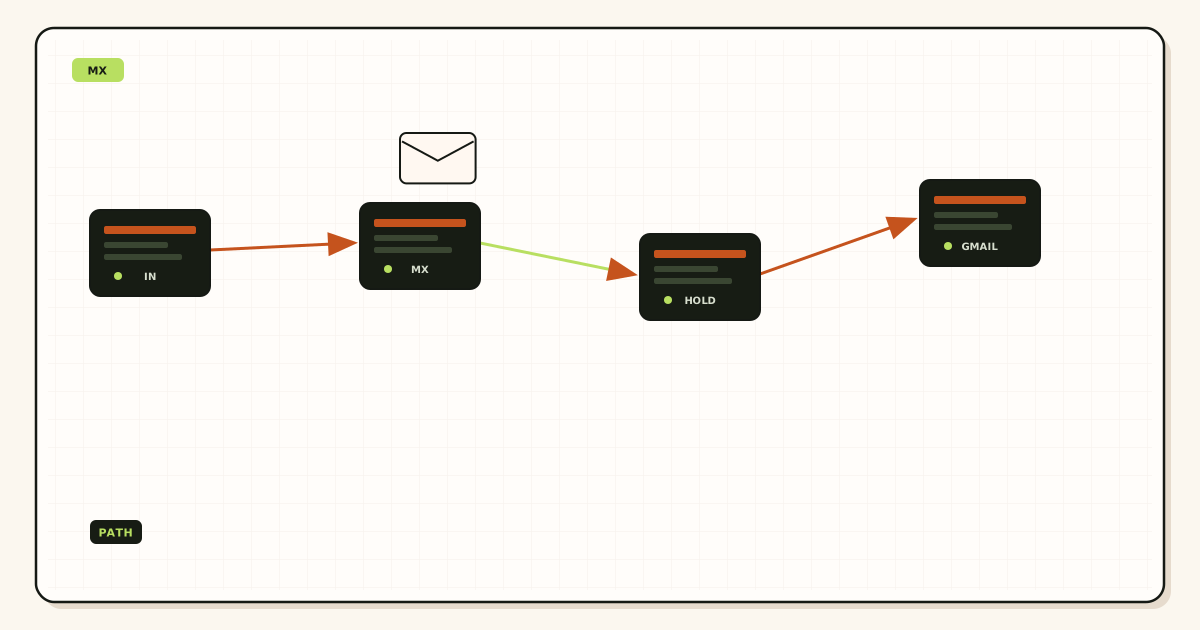
Quick answer for leftover mx records
Copy the MX hosts from the MailerZ dashboard. Publish only those. Query two public resolvers. If you still see ASPMX, outlook, mail.yourregistrar, or an old cPanel name, delete those rows. Then send a uniquely titled message from a mailbox that is not the destination. Match delivery history. Product diagnostics live on troubleshooting and the tools hub.
MX selection is in IETF RFC 5321 — Simple Mail Transfer Protocol. The sending server prefers the lowest preference number, then tries others if the first fails—or, when priorities are equal, may pick either. Keeping the old host “just in case” is how customers vanish. Domain names themselves are in IETF RFC 1035 — Domain names. The panel that edits MX is the one the NS set points at, not always the registrar homepage.
Cloudflare’s email routing docs describe their own MX; see Cloudflare Email Routing if that is the leftover you are deleting. Quote them live. Dual-publishing Cloudflare MX beside MailerZ MX is leftover MX with extra branding. One inbound owner.
Google’s people-first guidance is about pages, not SMTP; see creating helpful, reliable, people-first content. A leftover MX article that only says “wait for TTL” without listing hosts is how the old provider keeps a quiet copy of invoices.
MailerZ Free can prove inbound on one domain once MX is exclusive. Solo is $40 per year when you also need send-as. Starter is $8 or $80. Business is $19 or $190. Agency is $39 or $390. Unlimited is $99/month or $990/year. Confirm MailerZ pricing. No plan heals a split set.
The user problem and the decision criteria
The symptom is “some people get through.” Your probe worked. A customer did not. Gmail Send mail as sometimes verifies and sometimes does not. Support asks if you checked spam. The hidden cause is leftover MX: the old host still answers a subset of senders. Your dashboard looks fine because the mail you sent to yourself never used the old row.
| Question | If yes | If no |
|---|---|---|
| Does public MX list more than the MailerZ set? | Delete extras. Hard stop. | Look at alias, destination filter, or HOLD. |
| Did you keep Google MX as backup? | That is leftover MX. Remove it. | Good. Still verify from two resolvers. |
| Are you editing the registrar while NS is at Cloudflare? | You are editing theater. Edit the authoritative zone. | The panel matches NS. Continue. |
| Is this a parallel-run on purpose? | Accept split delivery. Do not call it cutover. | You want one owner. Delete the old set. |
| Self-send worked? | Prove nothing. Use another mailbox. | Good. Still read public MX. |
Registrar “email included” is the quiet leftover. A parking MX or mail.domain.com row survives after you added MailerZ. Aunts still reach the old webmail. You never open that webmail. The mail is gone from your Gmail story.
Google Workspace leftovers are the loud leftover. ASPMX.L.GOOGLE.COM and friends stay published because someone feared cutover. Those hosts still accept mail for the domain if the Workspace account exists—or bounce if it does not. Either way, MailerZ never saw the envelope.
Microsoft leftovers look like mail.protection.outlook.com. Same physics. Equal priority with MailerZ is not load balancing. It is two products fighting.
Technical mail flow
The sending server resolves MX for the recipient domain, sorts by preference, connects, and offers the envelope recipient. If the first host is the old provider, MailerZ never runs alias policy, HOLD, or FORWARD. Envelope SRS and Header From preservation do not apply to a hop you did not receive. IETF RFC 5321 — Simple Mail Transfer Protocol does not require the sender to try every MX when the first accepted the message.
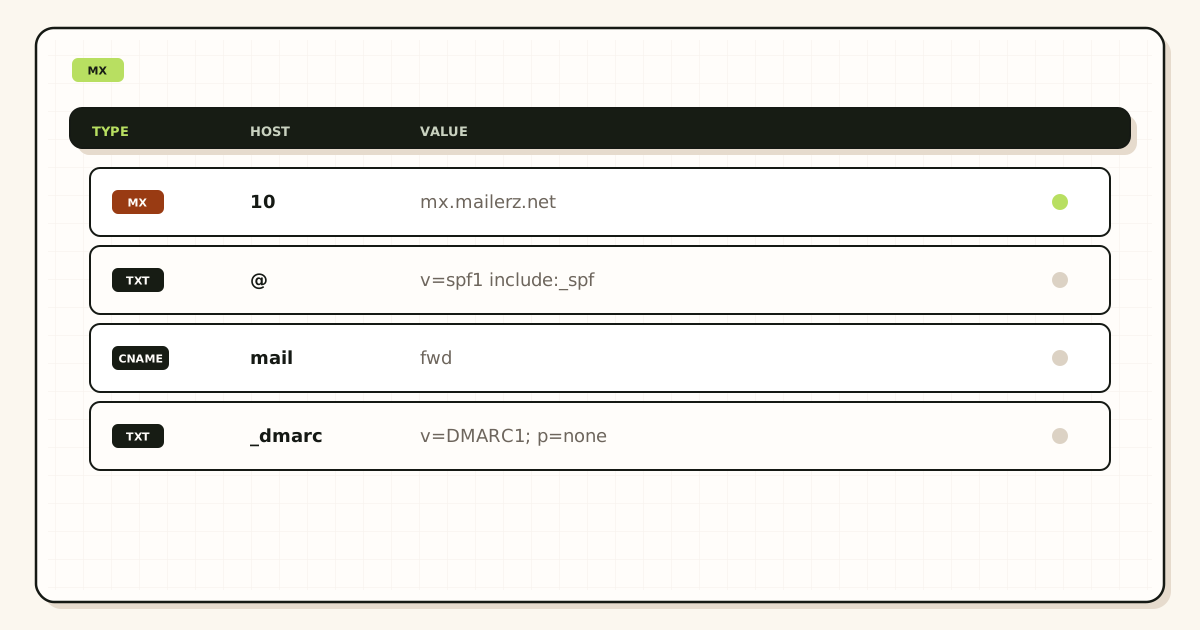
TTL delays what resolvers cache. After you delete a row, some senders still use the old set until their cache expires. That is not a reason to keep the old row. It is a reason to wait out TTL, then re-query two resolvers, then probe again. “Wait forever” without deleting is how leftovers survive.
NS mismatch is leftover MX’s cousin. You edit MX at the registrar. Cloudflare NS still serves yesterday’s set. Public resolvers never see your “fix.” Read NS first. Edit the zone the NS names. Authoritative versus registrar DNS is its own job; the leftover MX job assumes you are editing the real zone.
Gmail Send mail as sends a confirmation to the alias. If leftover Google MX answers that confirmation, Gmail may accept a path that never proved MailerZ inbound—or the confirmation dies on the old host. Delete leftovers before you paste SMTP. Free still cannot send-as after you clean MX.
Self-send from Gmail to the same Gmail account can skip public MX. Thunderbird “Send Later” does not change physics. Budget an external mailbox every time leftover MX is in question.
Catch-all FORWARD cannot collect mail that went to the old host. HOLD cannot show it. Delivery history cannot show it. The old host’s spam folder might. Log in there once during cutover, then close it after MX is exclusive. Leaving it open is how you keep two archives by accident.
SPF, DKIM, and DMARC do not file MX. IETF RFC 7208 — Sender Policy Framework (SPF) and IETF RFC 7489 — Domain-based Message Authentication, Reporting, and Conformance (DMARC) evaluate authorization after a hop exists. A perfect DMARC policy on a split MX still loses the half that never arrived.
Parallel run “for safety” is leftover MX you named on purpose. If you must drain an old host, do it as a dated project with the migration planner, not as equal-priority MX forever. One owner when you call the cutover done.
IPv6-only or odd resolver paths still read the same MX set. “It works on my phone” is one resolver. Query 1.1.1.1 and 8.8.8.8. If they disagree, TTL or a hidden second zone is in play.
Subdomain mail (mail.example.com versus example.com) has its own MX. Cleaning the apex does not clean a leftover on a name you still print. List every name that receives. Each needs exclusive MX if it should hit MailerZ.
CNAME at the apex cannot sit next to MX on most zones. People “point the domain at the website” with a CNAME and delete MX by accident, or they leave old MX on a name that no longer exists. After a site migration, re-read MX. Leftover MX is not only old email hosts. It is also collateral damage from a CDN cutover.
Email forwarding at the registrar is often implemented as MX to the registrar plus a hidden rewrite. If that MX remains, MailerZ is not the only hop. Turn off registrar forwarding in the same change as you delete the host. Otherwise the registrar may republish MX on save.
Split horizon DNS (internal versus public) can show you a clean internal MX while the world still sees ASPMX. Your laptop on VPN is not the internet. Use a resolver that is not your office DNS. Two public resolvers, not two tabs in the same corporate network.
IPv4 versus IPv6 A/AAAA on the MX hostname is a different failure. Leftover MX is extra names in the MX set. If MailerZ hosts are exclusive but one hostname does not resolve, that is a host problem, not leftover MX. Still start by listing the MX names. Then ping resolution. Do not mix the two diagnoses in one ticket.
Priority 0 versus 10 versus 20 looks like a slide deck. If any non-MailerZ name remains at any priority, leftover MX is present. “We set the old one to 100 so it is only backup” still delivers there when MailerZ is unreachable—or when a sender ignores preference and picks randomly among equals. Delete the name.
Mobile carriers and some enterprise outbound gateways cache MX longer than your TTL. After cleanup, keep the old host’s mailbox readable for one TTL window plus a day, then close it. That is drain, not dual publish. The MX row should already be gone.
Multiple domains on one MailerZ account each have their own leftover story. Cleaning example.com does not clean example.net. Agencies: checklist per zone. Client.com can be clean while Client.org still lists outlook.com.
Step-by-step setup and decision path
Read NS, then open that zone
If NS is Cloudflare, Route53, or the registrar, edit there. Do not publish MX in a panel that does not answer.
Copy the MailerZ MX set
Hosts and preferences exactly. Do not invent a backup row. Do not keep ASPMX “at 20.”
Delete every leftover host
Google, Microsoft, registrar, old cPanel, old Cloudflare routing MX if you left that product. One owner.
Query two public resolvers
List every MX. If extras remain, you edited the wrong zone or TTL has not passed. Wait, re-query, do not add the leftovers back.
Probe from another mailbox
Unique subject. Header From intact. Delivery history present. If history is empty, MX or the alias is still wrong.
Drain the old host once
Open the old webmail or Workspace. Move anything still arriving. Then disable that mailbox. Do not keep its MX.
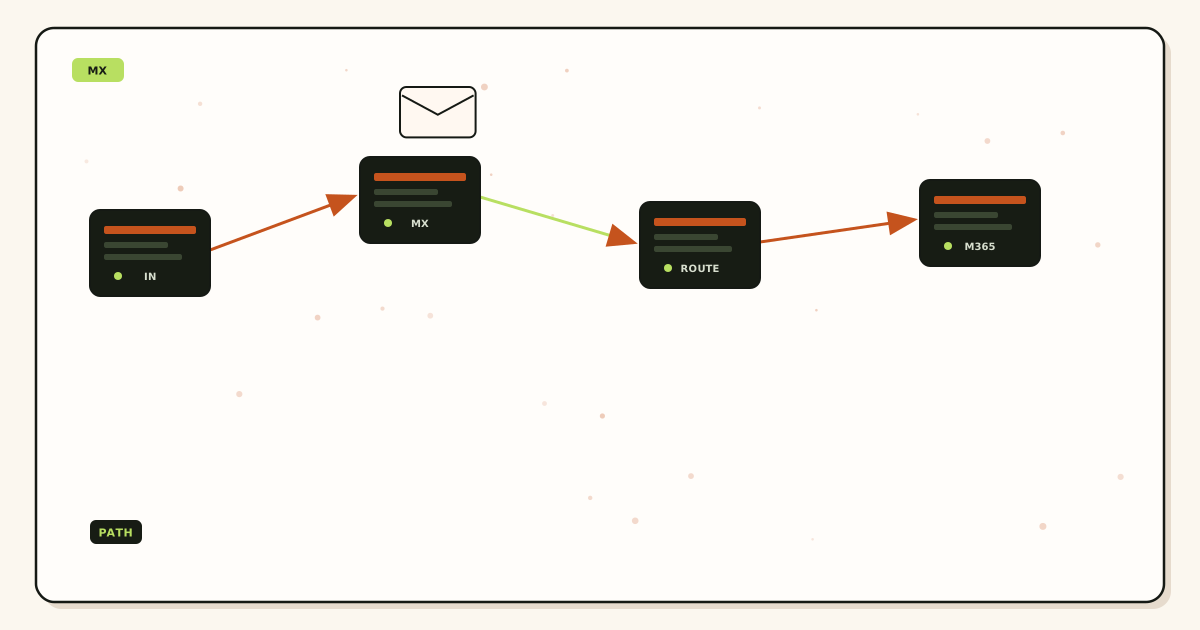
Failure modes and proof
| What you see | Likely cause | Proof |
|---|---|---|
| Some senders hit the old host | Leftover MX or cached TTL. | Two resolvers. Old webmail. Delete extras. |
| Dashboard MX looks right, public does not | Wrong zone or NS mismatch. | Read NS. Edit the authoritative panel. |
| Gmail Send mail as flakes | Confirmation hit leftover Google MX. | Exclusive MX. Then inbound probe. Then SMTP. |
| Self-send works, customers fail | Client short-circuit plus leftover MX. | External probe. Public MX list. |
| History empty | Mail never reached MailerZ. | MX set. Alias. Not an inbox SLA. |
| History 250, empty Gmail | Destination filter. Not leftover MX. | Spam, promotions. Different job. |
| Old Workspace still accepts | ASPMX still published or Workspace catch-all. | Delete MX. Then disable the old user. |
| Registrar webmail still gets aunts | Included-email MX leftover. | Delete that host. Close the webmail. |
Proof is a public MX listing plus a MailerZ event. Do not send DNS panel passwords. Do not publish verification tokens. A leftover mx records argument that only shows the dashboard copy-paste is still incomplete until two resolvers agree.
Secondary MX “for reliability” from a second vendor is leftover MX unless MailerZ documents that pair. Do not add a friend’s server at priority 20. Unauthorized hosts that accept mail are a different outage.
Wildcard MX and apex MX are easy to confuse. If you receive on the apex, clean the apex. If you also printed staff.example.com, clean that name too.
MailerZ workflow and product boundary
MailerZ is a custom-domain delivery layer operated by Secuno LLC. Point MX at MailerZ only. Mail for a verified alias lands in Gmail or Outlook. Paid plans add SMTP. Site: mailerz.net. App: mail.mailerz.net.
- Free $0: 1 domain, 10 aliases, 14-day store, send-as disabled, SMTP and API disabled.
- Solo $40/yr: 5 domains, 25 aliases, 90-day, 2,500 outgoing, 20 send-as/hr.
- Starter $8/$80: 8 / 50 / 5 seats, 5,000 outgoing, 40/hr.
- Business $19/$190: 25 / 200 / 25, 12,000 outgoing, 60/hr.
- Agency $39/$390: 100 / 500 / 50, 20,000 outgoing, 60/hr.
MailerZ is not IMAP, not a suite, not an open relay, not an inbox SLA, not SOC 2 / ISO 27001 / HIPAA. Controls: Security and Trust Center. Unauthorized send returns 550 / 550 5.7.1. Leftover MX is a hard stop on every plan. Annual Starter, Business, and Agency include two months free versus monthly. Solo has no monthly option.
Cost, alternatives, and trade-offs
The cheap-looking choice is keeping old MX as backup. The expensive choice is invoices in a webmail nobody opens. Cleaning leftover MX is free. Solo at $40 per year does not include a second inbound owner. Do not buy Agency to “fix DNS.”
| Approach | You get | You give up |
|---|---|---|
| Exclusive MailerZ MX | One path. History can match Gmail. | The old host as a silent copy. |
| Leftover dual MX | A false sense of backup. | Deterministic delivery. |
| Dated parallel drain | Time to move people. Use a planner. | A clean story until the old MX dies. |
| Stay on the suite | Suite MX only. Quote live. | MailerZ inbound. That is a different product. |
Time is a line item. TTL waits cost less than a week of split mail. Self-send tests that skip leftover MX cost more than Solo.
Registrar cost sits next to MX. Quote your registrar. Included email is often the leftover host. Turning off the free mailbox product may be required after you delete its MX, or the registrar will republish it. Watch for that.
Monthly versus yearly is unrelated to leftover MX. Clean DNS on Free first. Upgrade when send-as is a named job.
If every teammate needs a hosted mailbox, keep suite MX and do not add MailerZ beside it. Dual MX is not a hybrid. If two people live in Gmail and three printed names are routes, exclusive MailerZ MX plus Gmail is the smaller object.
Open a body on the old host during drain and expect an audit row. That is a control, not a SOC 2 badge. Do not send zone passwords to support. The artifacts that close a leftover mx records argument are NS, two resolver listings, a deleted-host screenshot you keep privately, and one external inbound probe with history.
Agencies must clean MX per client zone. Copying a “working” set that still includes ASPMX onto twenty domains is twenty leftover outages. Agency’s 100 domains are capacity, not a reason to skip the two-resolver check.
Quote vendors the day you cut over. Google, Microsoft, and registrars rename MX hosts. MailerZ dashboard hosts can change. The test does not: one owner, two resolvers, external probe, no backup row.
DNSSEC and leftover MX are independent. Signing a zone that still lists two owners signs the split. Fix MX first. Then worry about signatures if you use them.
CAA and HTTPS records do not move mail. People paste them into the same panel and think they “fixed email.” MX is the row that names the inbound host. Everything else is a different job.
Time is still a line item after cleanup. Tell customers the cutover day. Watch history for a week. If a sender still hits the old host, their cache or a second leftover name is in play. Do not republish the old MX to “help” them. Help them flush or wait. Republish is how leftover MX comes home.
If you remember one command, remember: list public MX twice, delete every name that is not MailerZ, probe from another mailbox. When those three proofs exist, leftover mx records are no longer the hidden reason. If mail still fails, you have a different job: alias, HOLD, destination filter, or SMTP. Do not stay in the MX ticket out of habit.
Board decks that say “redundant email” often mean leftover MX. Redundancy that accepts on two products is split delivery. Real redundancy is MailerZ receiving, Gmail storing, and leftover hosts gone. If you need a second store, buy a backup of Gmail, not a second MX owner.
Ticket templates should ask for the public MX listing before “check spam.” A screenshot of the dashboard MX copy box is not public DNS. A screenshot of two resolver answers is. Train support on that difference. Leftover MX is the most expensive mis-tag on a forwarding desk.
After a merger, both companies’ MX may sit on one brand domain. That is leftover MX with legal stationery. Pick one inbound owner for the printed domain. Map destinations to both teams if both must read. Do not publish both companies’ historic MX “until IT finishes.” IT finishes when the extra names are gone.
International senders with older MTAs still honor MX preference, but some retry poorly. If MailerZ is exclusive and a sender fails, that is a destination or alias issue, not a reason to add the old host back. Adding it back recreates leftover MX for everyone else to fix one noisy sender.
Print the clean MX list in the runbook next to the alias list. The next person who “adds Google just in case” is how this article gets used again. Exclusive MX is a habit, not a one-time ticket.
Hosting control panels like to “enable email” with one click and rewrite MX. After a PHP or WordPress install, re-query public MX. A leftover cPanel row is how a site launch steals invoice mail. Treat every panel save as hostile to MX until you prove otherwise.
Microsoft 365 “connect domain” wizards republish outlook MX. If you abandoned the suite and moved to MailerZ, a helpful admin who clicks Connect Domain recreates leftover MX in one afternoon. Write “do not run the Microsoft domain wizard” on the same runbook line as the MailerZ hosts.
Google “set up MX” buttons do the same. Workspace onboarding is leftover MX in a tuxedo. If Gmail is only the destination inbox, you do not need Google MX. You need MailerZ MX and a Gmail destination map. Those are different objects.
When the three proofs exist—exclusive public MX, matching dashboard set, external inbound history—print the domain. Until then, leftover mx records are still allowed to steal the half you cannot see.
FAQ
What is the safest way to handle leftover mx records?
Publish one MailerZ MX set, query two public resolvers, and delete every Google, Microsoft, registrar, or old-host exchanger. Do not keep the old set as backup. Prove inbound from another mailbox. Paying does not merge two owners.
Does this require a new mailbox?
No. Leftover MX is a DNS problem. Gmail or Outlook can stay the store. MailerZ is not IMAP. Dual MX is not a hybrid mailbox.
Will it work with Gmail or Outlook?
Inbound reaches those destinations only for senders who hit MailerZ MX. Senders who still hit the old host never arrive. Gmail Send mail as confirmation can vanish into leftover Google MX. Delete leftovers before you debug the client.
What DNS records are involved?
MX on the zone apex (or the name you actually receive on), plus the NS set that tells you which panel is real. Verification TXT and, if you send, SPF, DKIM, and DMARC. Leftover MX is extra MX you forgot to delete. See RFC 1035 for how names resolve.
What should I test before production?
Read public MX from two resolvers. Confirm only MailerZ hosts remain. Send a uniquely titled message from an unrelated mailbox. Match delivery history. Self-send from Gmail to the same Gmail account can hide a split.
Key takeaways
- Leftover MX records send some mail to the old provider. That is a hard stop.
- Delete Google, Microsoft, and registrar exchangers. Do not keep a backup row.
- Read NS. Edit the authoritative zone. Query two resolvers.
- Self-send lies. Probe from another mailbox. Match delivery history.
- Catch-all and SMTP cannot recover hops MailerZ never saw.
- Free proves inbound after MX is exclusive. Solo $40/yr starts send-as.
- Not IMAP, not an inbox SLA, not SOC 2. Paying does not merge two owners.
- Dated parallel drain is a project. Forever dual MX is an outage.
Conclusion and next action
If some mail still goes to the old provider, read public MX before you blame Gmail. One owner. Two resolvers. External probe. Delete the leftover hosts. MailerZ can forward what it receives. It cannot invent the half that accepted elsewhere. Start free on one domain after the set is exclusive.
Ready to own inbound MX
Start free with one domain after leftovers are gone.
Prove inbound on Free. Solo when send-as is the job. Sign in if the domain is already there.
Review quarterly, or sooner if MailerZ MX hostnames or provider leftover patterns change. Author: MailerZ editorial, Secuno LLC.