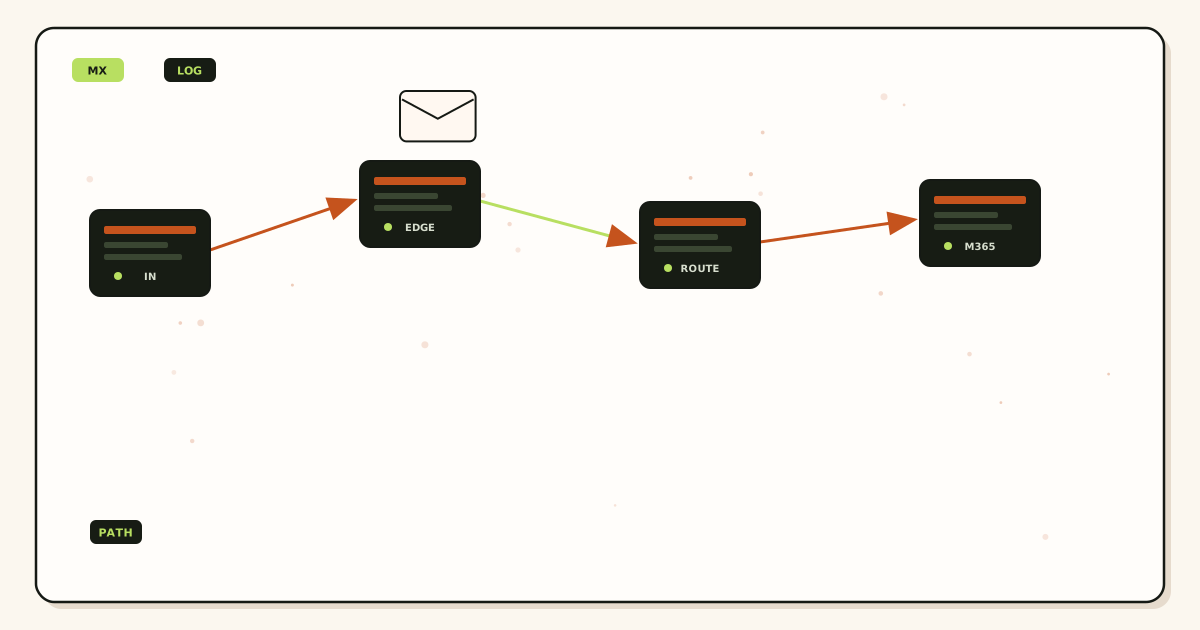
Wildcard email routing is not a special MX record. It is what happens after MX delivers a message and the local-part does not match a named alias. The host accepted the connection. The policy then forwards, holds, or rejects that unknown name. Mixing those three layers—MX, local-part, destination—is how teams turn a convenience toggle into a spam cannon or a silently dead domain.
Quick answer for wildcard email routing
IETF RFC 5321 — Simple Mail Transfer Protocol says the internet delivers to a mailbox at a domain. MX tells sending servers which host answers for that domain. The local-part is the string before the at-sign. Named aliases are local-parts you created on purpose. A wildcard, or catch-all, is the rule for every other local-part. Destination logic is the inbox, group, or helpdesk that receives a match. Those are three decisions. One dashboard toggle cannot replace all three if you do not know which layer you are changing.
Safe default: one MX set, named aliases for everything you printed, unknown held. Wildcard FORWARD is a watched exception while you inventory typos, not a forever setting on a public brand domain. MailerZ Free holds unknown recipients. That is local-part policy, not an MX trick. See aliases and catch-all for the control and delivery and recovery for hop proof.
Do not publish a second MX “for wildcard.” Do not buy a mailbox named Star. Do not change Gmail’s MX. Change unknown policy on the host that already receives your domain. Prove a made-up local-part stays out of the destination inbox. Then print the named addresses you actually staff.
Docs describe setup. This article names the layers so a leftover Google MX, a hold queue, and a catch-all FORWARD stop looking like the same bug.
User problem and decision criteria
People say “we turned on wildcard routing” and mean four different things. Some mean a DNS wildcard that has nothing to do with mail. Some mean every local-part forwards to the founder. Some mean the panel’s catch-all checkbox on leftover registrar email. Some mean a helpdesk that accepts any To: header. When mail breaks, they edit the wrong layer. MX surgery on a hold-queue problem loses named aliases. A Gmail filter on a leftover-MX problem looks random. You need language that separates the host, the local-part, and the destination.
Decision criteria: can you list printed local-parts; is unknown hold available; is leftover MX gone; can hop history show accept versus hold; do destinations have owners; are alias slot limits public. MailerZ Free allows three named aliases. If you have ten printed names, wildcard FORWARD is not the fix for slot limits. A paid plan or fewer public strings is the fix.
Criteria that do not belong: “unlimited routing” without an unknown policy, inboxing promises, or treating plus-addressing at Gmail as wildcard on your domain. you+tag@gmail.com is a Gmail convention. Wildcard email routing in this article is unknown local-parts on your domain after your MX.
Agencies inherit client domains that already have registrar catch-all plus a new alias provider. Two unknown policies can fire depending on which MX a resolver hits. That is not “advanced routing.” That is split brain. The first criterion is exclusive MX. Local-part logic only matters on the host that actually receives the message.
Destination logic fails when every wildcard match dumps into the CEO and the CEO is also the named destination for invoices. The hold queue, if you have one, should not be the same unread pile as billing@. If the product can only forward unknowns to the same inbox as named aliases, prefer hold. Convenience that shares a pile is how invoices drown.
Role addresses and wildcards fight. support@ is a contract. A wildcard that also accepts support1@ looks helpful and trains customers to invent variants. Promote a typo when hop history shows a real human. Do not advertise the wildcard as a feature on the contact page.
DNS wildcards for websites (*.example.com A or CNAME) are a different object. They do not route mail. Editing them will not change catch-all. Mention that in the runbook so a contractor does not “fix email” by touching CDN records.
Subdomain mail is another mix-up. user@app.example.com needs MX on app.example.com, not a website wildcard and not the apex catch-all. Apex unknown policy does not receive subdomain envelope recipients. If you need @app addresses, verify that host as its own mail domain or publish MX there. Operators who “turned on wildcard” on the apex and wait for app mail are sitting on the wrong layer.
Internationalized local-parts and plus tags on your domain are still local-parts. If your provider treats billing+stripe@ as unknown, hold or FORWARD applies. Do not assume Gmail plus semantics exist on a custom domain. Name the exact string you printed on the processor dashboard.
Technical mail flow
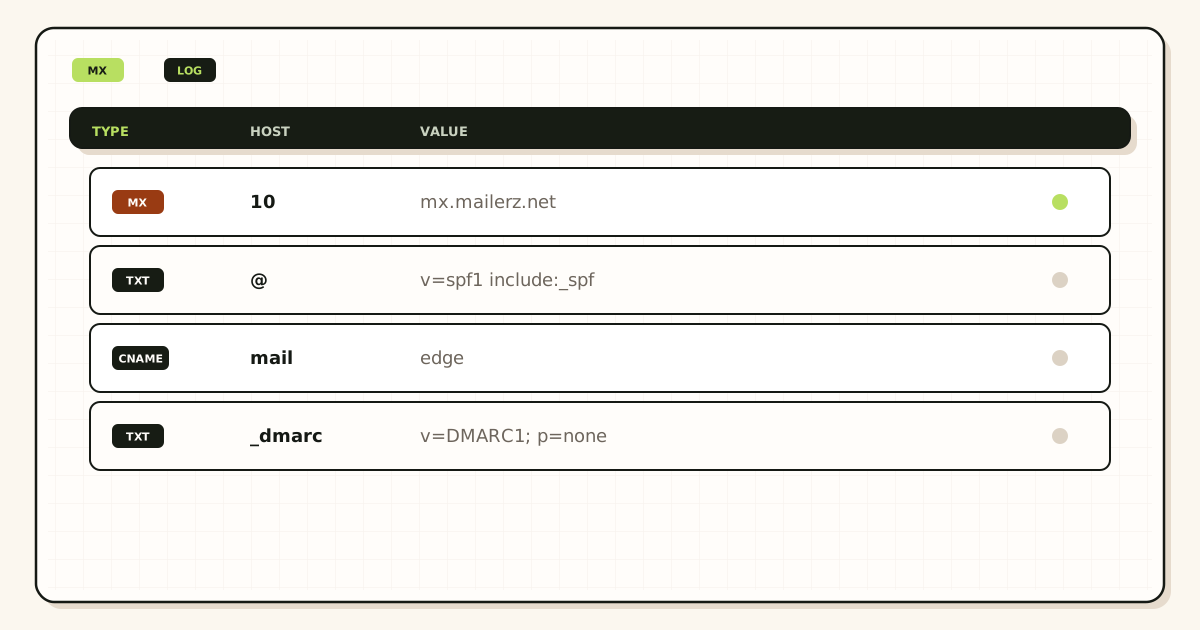
Layer one: MX. The sending server looks up the domain’s mail exchanger and delivers to that host, following priority as IETF RFC 5321 — Simple Mail Transfer Protocol describes. Priority is not load-balancing in the casual sense. Lower numbers are tried first. Two providers at once is leftover risk, not clever redundancy, unless you designed a dual-delivery system on purpose. Most small domains want one set.
Layer two: local-part. The receiving host reads the envelope recipient. If it matches a named alias, that route wins. If it does not, unknown policy applies. Hold keeps a copy for review. Reject tells the sender the mailbox does not exist. FORWARD copies the message to a destination as if the name were real. That last path is wildcard routing in the sense operators fear and love.
Layer three: destination. A match—named or wildcard—needs a mailbox that will accept the forward. Envelope recipient is often rewritten (SRS on MailerZ) so Gmail or Outlook accepts the hop. Header From, Subject, Date, Message-ID, body, and MIME stay intact on MailerZ. You still see who wrote the guessed name. Useful in an audit. Painful in a cannon.
Outbound send-as does not implement wildcard. You cannot SMTP-send as every possible local-part because a catch-all exists. Paid send-as is named identities with dashboard host, port, and TLS or STARTTLS. Free has no send-as. Open-relay attempts get 550. Disallowed authenticated traffic gets 550 5.7.1.
Authentication results on the destination inbox describe the forward hop and the original, depending on ARC and what the receiver shows. A green SPF on the forwarder is not a wildcard design review. Do not use a Gmail authentication badge as proof that unknown policy is hold.
Retention: fourteen days on MailerZ Free, ninety on paid. Held messages live in that window. They are not a year-long archive. Destination Gmail keeps what Gmail keeps. Know which store is the record.
Step-by-step setup / decision path
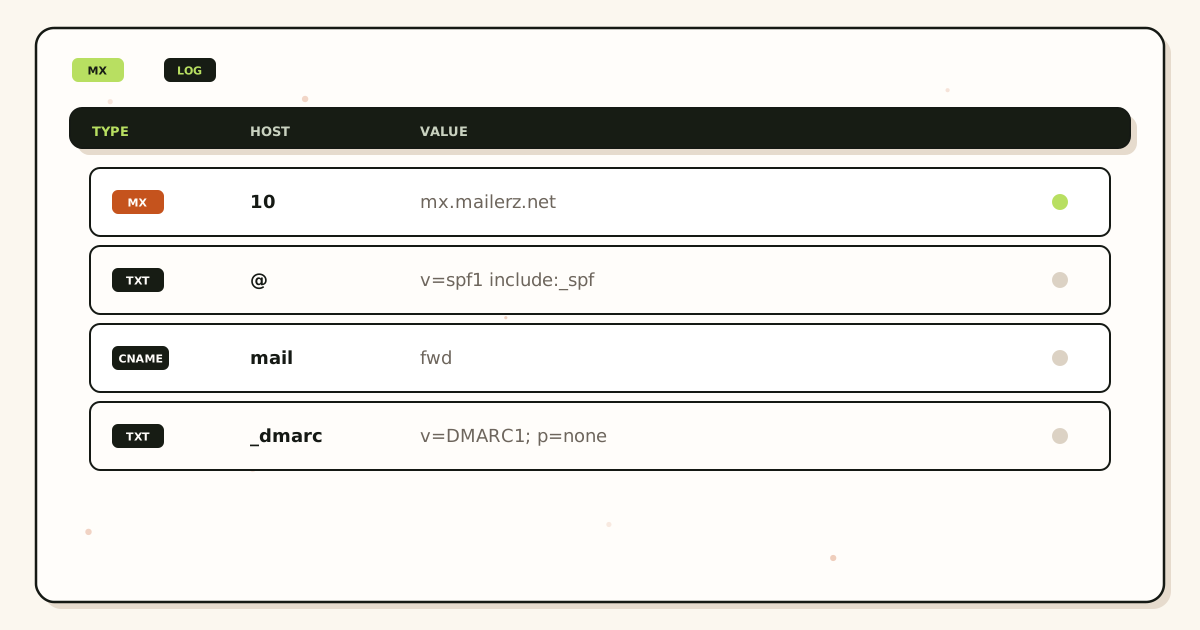
- Look up MX from a public resolver. Write every host. Remove leftover Google, Microsoft, or registrar exchangers until one provider remains.
- Verify the domain with the TXT the alias service shows. Do not skip this and “just add MX.” Ownership and routing are different records.
- List printed local-parts. Create each as a named alias to an owned destination. Do not point everything at one founder unless that is honestly the team.
- Set unknown to hold. If the product only offers silent FORWARD, you do not have safe wildcard control. MailerZ Free holds unknown.
- Prove named delivery from a third mailbox. Unique subject. Header From plus hop row.
- Prove unknown policy with a local-part you never created. You want hold or reject, not a Gmail arrival.
- If you still need typo discovery, enable FORWARD for a staffed calendar week. Promote real names. Turn FORWARD off. Write the list.
- Leave personal mailbox MX unchanged. You edited the custom domain’s host and policy, not Gmail.
- Count alias slots against pricing. Free is ten. Solo is twenty-five at forty dollars a year. Wildcard is not extra slots.
If two domains share a destination, repeat MX and unknown policy on each domain. A parked domain with FORWARD-all still fills the same inbox.
Document which layer a teammate is allowed to edit. DNS people should not toggle catch-all “to help.” Support people should not publish MX. Split ownership without a written map is how leftover hosts return.
Walk a new contractor through one sentence: “MX is who answers. Named aliases are who we invited. Hold is everyone else.” If they cannot repeat it, they are not ready to touch the domain. Most email outages in small teams are layer confusion, not vendor downtime.
Keep a one-page diagram next to the registrar login: apex MX, any mail subdomains, named aliases, unknown policy, destination owners. Update the page when you promote a typo. A stale diagram is how jon@ gets created twice and john@ stays only in someone’s head.
Failure modes and proof
Split MX: some senders hit hold, others hit an old host that accepts everything. Proof: public MX has two providers.
Named alias paused, wildcard still FORWARD: the “disabled” name still lands. Proof: send to that name after pause.
DNS website wildcard edited for mail: nothing changes. Proof: MX lookup unchanged.
Gmail filter as unknown policy: hop history still accepts. Proof: delivery rows for a made-up local-part.
Self-send test: Gmail short-circuits and you think routing works. Proof: third-mailbox unique subjects.
Destination without an owner: hold queue or FORWARD pile dies unread. Proof: no name next to the destination in the runbook.
Send-as assumed for every wildcard name: SMTP rejects or you impersonate addresses you never verified. Proof: only named paid identities send. Free cannot.
Registrar catch-all left on after MX cut: depends whether leftover MX still answers. Proof: both MX list and a made-up local-part test.
Treating hold as downtime: vendors used a typo, nobody staffed the queue. Proof: hop history shows held. Promote the typo or answer from hold.
Open-relay myth: wildcard inbound is not outbound freedom. 550 / 550 5.7.1 on MailerZ.
MailerZ workflow and product boundary
MailerZ is custom-domain aliasing and forwarding with optional paid send-as. Secuno LLC operates mailerz.net. The app is mail.mailerz.net. It is not Workspace, not Microsoft 365, not IMAP, and not an open relay.
MX you publish is the MailerZ set from the dashboard. Local-part logic is named aliases plus hold-unknown on Free. Destination logic is existing mailboxes. Envelope SRS only. Headers and body intact. Recovery fourteen or ninety days. Copy SMTP values from the dashboard for paid send-as. Do not invent ports.
Free: one domain, ten aliases, one seat, fourteen-day store, send-as disabled, hold unknown. Solo: forty dollars a year, twenty-five aliases, ninety-day store, 2,500 outgoing, 20 send-as per hour. Starter eight or eighty. Business nineteen or one hundred ninety. Agency thirty-nine or three hundred ninety. Quote the live pricing page.
This article does not invent SOC 2, ISO, HIPAA, SLAs, or inboxing rates. Wildcard FORWARD, if you enable it on a plan that offers it, is still your policy choice. MailerZ will not staff the audit.
Cost, alternatives, and trade-offs
Wildcard FORWARD is priced as noise: Gmail time, missed invoices, and a domain you fear to touch. Hold-unknown on Free is cheaper if three named aliases cover what you print. More names need Solo or higher, not a wildcard to dodge the alias cap.
Suites reject unknown users if you never create them. They still charge per seat when you create a user per role. Compare seats versus named aliases when the only ask was “route anything.”
Helpdesks that accept any To: are destination logic, not MX. You can still put a named alias in front so the public string stays stable. Do not confuse a ticket parser with DNS.
Doing nothing on a domain that already catch-alls is a daily cost. Defuse unknown FORWARD before you add more printed roles.
A staffed FORWARD week costs labor once. Forever FORWARD costs labor every morning. Pick once.
If a client demands wildcard forever, write that they accepted harvested local-parts in the destination. Charge for staffing or decline. Silent yes is how agencies inherit cannons.
Hosting control panels still expose “catch-all to admin@” next to PHP settings. That checkbox is local-part policy on whatever MX the panel last published. After you move MX to MailerZ, the panel checkbox does nothing unless leftover MX still points at the old host. People toggle it anyway and think they changed MailerZ. Teach the layer: panel catch-all dies when that host no longer answers MX.
Multi-destination wildcard is the worst shape: every guessed name copies to founder, helpdesk, and Slack. You have not built resilience. You have built three cannons. If a product allows several destinations, reserve that for named support@ with owners, not for unknown FORWARD.
Compliance conversations sometimes ask whether wildcard means you “collect all mail to the company.” Hold-unknown is the opposite: you refuse to ingest guessed names into the production inbox. FORWARD-all increases data you never asked for. If a customer questionnaire asks about unnecessary personal data, silent catch-all is a worse answer than a short named-alias list. This is not legal advice. It is why the cheap toggle is not free.
Field notes for wildcard routing
Wildcard is not a namespace
Wildcard or catch-all routing means unknown local-parts can match a rule. It is not twenty named roles. It is not stealth. Free holds unknowns and does not send-as. Paid may forward unknowns. Everyday production should hold. Promote a leftover only when a real person used it. Catch-all forward into two inboxes trains two spam buttons.
MX still has one owner
Wildcard logic does not excuse leftover Google MX. Public MX is still an ordered list. Dual MX is leftover. Named hello@ still needs to exist if you printed it — do not rely on wildcard to invent the homepage address after the fact. Create the printed names. HOLD the rest.
Local-part versus destination
The local-part is the left side of the printed address. The destination is the Gmail or Outlook that should keep the copy. Wildcard maps unknowns to a dest you named. That dest must terminate. If it forwards back to the domain, you built a loop. MailerZ is not IMAP. Header From stays the sender. Envelope SRS on the hop.
Plan math
Free is ten named aliases plus HOLD. Solo is twenty-five named. Starter is fifty. Wildcard does not add cap. It adds noise if you forward. Confirm pricing. Agencies: per-client HOLD default. Do not sell wildcard as unlimited aliases.
Worked story
A shop enabled paid unknown forward so they would not create billing@. Harvested guesses filled the founder Gmail. They switched to HOLD, created billing@ as a named alias, probed, and the noise stopped. Wildcard was the hose. The named alias was the job.
Done
Printed names exist as named aliases. Unknowns held on production. Exclusive MX. Destinations terminate. No leftover MX. No loop. Start free. Upgrade when the named list needs more than three. Related aliases and catch-all, prevent forwarding loops, twenty roles with three inboxes.
Definition of done
Wildcard routing is finished when every printed local-part is a named alias, unknowns are held on production, destinations terminate, MX is exclusive, and a foreign probe of a printed name has history. Catch-all forward is a hose, not extra cap. Free holds unknowns and has three named aliases. Confirm pricing. Start free. Upgrade when the named list needs more than three.
Loops happen when the dest forwards home. Leftover MX happens when Google still answers. Stealth does not happen on a domain you own. Related prevent-loops and aliases-catch-all pages. Do not sell wildcard as unlimited aliases. Agency HOLD default. Client A’s catch-all does not bless client B.
MailerZ is inbound MX plus authenticated SMTP. Envelope SRS. Header From intact. Not IMAP. Not an open relay. Not SOC 2. Unauthorized send is 550 / 5.7.1. Self-send lies. Dual MX is leftover. Those sentences do not change because someone enabled a wildcard.
Proof you can keep
A wildcard you can defend
Printed names are named aliases. Unknowns are held. Destinations terminate. MX is exclusive. A foreign probe of hello@ has history. That is defensible wildcard policy: the wildcard is off or holding, and the names you print exist. Paid unknown forward as a substitute for a noun list is not defensible. It is a hose.
Loops, leftover MX, and stealth claims are different tickets. Free is ten named aliases and HOLD. Solo is twenty-five. Starter is fifty. Wildcard does not raise those numbers. Confirm pricing. Start free. Upgrade for the named list, not for a louder hose. MailerZ will not strip plus tags on your domain the way Gmail does on gmail.com.
Agencies default HOLD per client. Catch-all forward sold as unlimited aliases becomes a junk retainer. Put HOLD in the SOW. Exclusive MX still applies. Client A’s green probe does not bless client B’s leftover Google plus a wide wildcard.
FAQ
- What is the safest way to handle wildcard email routing?
- Treat wildcard as unknown-recipient policy after MX, not as a second mail host. Publish one MX set. Create named aliases for printed local-parts. Hold unknown by default. Time-box any catch-all FORWARD. Prove named delivery and unknown hold from a third mailbox. Leave personal Gmail MX alone.
- Does this require a new mailbox?
- No. Wildcard routing decides which local-parts are accepted on your domain. Destinations are mailboxes you already use. MailerZ is Mail Box portal webmail (Inbox, Sent, New email). It is not IMAP or POP. A new seat does not replace local-part logic.
- Will it work with Gmail or Outlook?
- Yes when destinations are those products’ mailboxes. Wildcard FORWARD dumps guessed names into the same inbox. Hold-unknown keeps guessed names out. Self-send from Gmail to Gmail can hide both outcomes.
- What DNS records are involved?
- MX names the host. Verification TXT proves you own the domain. Leftover Google or Microsoft MX must be removed so only one set answers. SPF, DKIM, and DMARC apply if you also send. Wildcard is not an MX type. It is policy after delivery.
- What should I test before production?
- Send a unique message to a named alias and confirm Header From plus a hop row. Send a unique message to a local-part you never created and confirm hold or reject. Repeat after leftover MX cleanup. Self-send can lie.
Key takeaways
- Wildcard email routing is unknown local-part policy after MX, not a magic DNS type.
- One MX set. Leftover hosts split the policy you think you set.
- Named aliases are the routes you staff. Hold the rest.
- Destination is an existing inbox with an owner, not a new seat per guess.
- Prove named delivery and unknown hold from a third mailbox.
- Website DNS wildcards do not route mail.
- Send-as is named and paid. Catch-all does not mint outbound identities.
- MailerZ Free holds unknown. That is the safe local-part default.
Conclusion
Separate the host, the local-part, and the destination. Publish one MX set. Name what you printed. Hold what you did not. Time-box any FORWARD audit. Leave Gmail’s MX alone.
Add the domain on MailerZ, keep unknown held, prove both paths, then print the aliases you can actually answer.