Role-based email aliases are public names that outlive the person who reads them. sales@, support@, and billing@ stay printed when the operator changes. Map those local-parts to inboxes you already use. Do not buy a mailbox seat for each stamp. Do not use Gmail plus tags as vendor-facing roles.
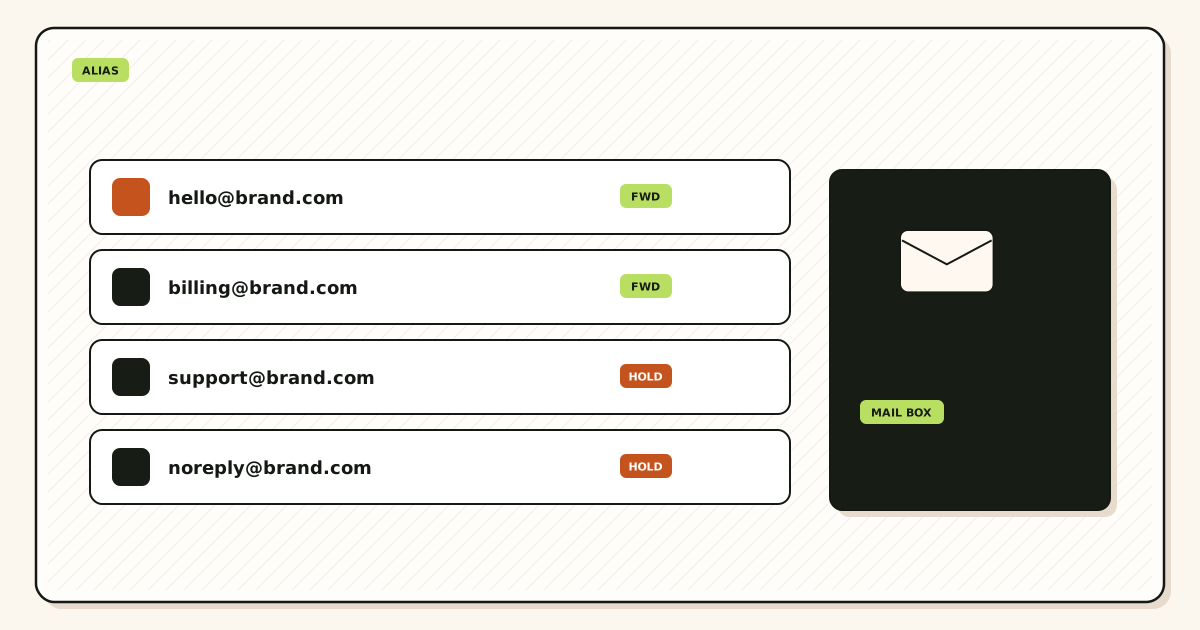
Quick answer for role based email aliases
A role alias is a durable recipient on your domain. The internet delivers to support@yourdomain.com because MX says so and the alias table matches that local-part. The human who answers can change next quarter. The printed string should not.
MailerZ maps those names into Gmail or Outlook. Envelope MAIL FROM can use Sender Rewriting Scheme. Header From, Subject, Date, Message-ID, body, and MIME are never rewritten. It is not Workspace, not IMAP, and not an open relay. Positioning: durable aliases that route to existing inboxes. Product surface: aliases and catch-all.
IETF RFC 5321 — Simple Mail Transfer Protocol is the transport standard. RCPT TO is the role string. Plus addressing on Gmail’s own domain is a mailbox trick; see Google Gmail Help — Using an address alias (plus addressing). IETF RFC 5233 — Sieve Email Filtering: Subaddress Extension describes subaddressing for filters. Neither document makes you+support@gmail.com a professional billing address.
Free allows ten aliases. That is enough for hello, support, and billing on day one. Solo allows twenty-five at $40 per year. Starter, Business, and Agency raise the ceiling to 50, 200, and 500. Confirm MailerZ pricing. Free has no send-as. Paid SMTP is required if those roles must send as themselves.
Catch-all is not “every role for free.” Unknown local-parts are held on Free. Paid catch-all forward collects typos and harvested guesses. Map sales@ instead of hoping catch-all invents a sales team.
The user problem and the decision criteria
The usual mess is a founder Gmail printed as the company. Vendors store sam@gmail.com. Sam leaves. Password resets go nowhere. Or the team bought Workspace seats for support and billing that nobody logs into. Or plus tags broke bank forms.
Decide with jobs.
| Question | If yes | If no |
|---|---|---|
| Must the address survive a staffing change? | Named role alias. Destination you control. | A personal mailbox local-part may be enough. |
| Will a form reject plus signs? | Do not use plus tags as the role. | Plus tags remain fine for private filters. |
| Does someone need Calendar on that identity? | That person needs a suite seat, not just an alias. | Route the role into Gmail they already have. |
| Must replies show the role? | Paid send-as for that exact alias. | Inbound-only on Free can be the whole job. |
| Is leftover MX still published? | Hard stop. Role mail will split. | Prove inbound next. |
Destinations must be accounts the company keeps. Pointing billing@ at a contractor Gmail is a temporary route, not a finance control. Changing the alias later does not pull old invoices out of that personal account.
Shared legal inboxes with vendor hold are a suite job. An alias into one founder Gmail is a hop. Call it that internally.
Technical mail flow
Customers do not look up your teammate. They look up MX for the domain and offer the role as RCPT TO.
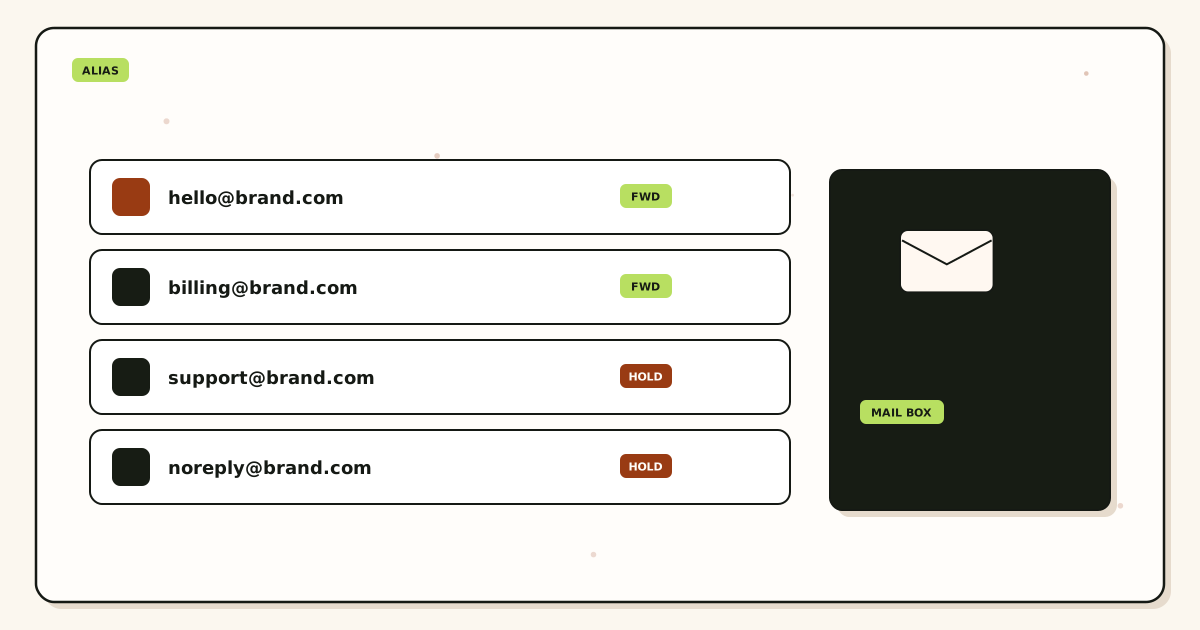
Inbound
MailerZ accepts for verified domains and mapped aliases, then forwards. Visible From stays the original sender. Envelope may use SRS. History records the destination response. Gmail can still file the copy in spam. Unknown roles on Free are held. That is safer than catch-all inventing asdf@.
Outbound
Replies as support@ need paid authenticated SMTP and that identity in Gmail Send mail as or Outlook SMTP. Google’s client help: Google Gmail Help — Send mail from a different address. Unauthorized send is 550 / 550 5.7.1. Publish SPF, DKIM, and DMARC from the dashboard. IETF RFC 7208 — Sender Policy Framework (SPF), IETF RFC 6376 — DomainKeys Identified Mail (DKIM), IETF RFC 7489 — Domain-based Message Authentication, Reporting, and Conformance (DMARC) authorize. They do not inbox. See send and reply.
Self-send lies. Test each role from another provider. Leftover MX splits role mail so “support works” and “billing vanished” can both be true.
Step-by-step setup and decision path

Write the printed roles
Start with hello, support, billing, sales. Cut names you will not staff. Count them against Free’s ten aliases.
Pick destinations the company keeps
A shared ops Gmail, a founder account you control, or Outlook. Not a freelancer’s personal address unless you accept the offboard risk.
Add the domain and map aliases
Verification TXT. One route per role. No loops. Destination verification if asked.
Publish MX and delete leftovers
Copy MailerZ MX. Remove Google, Microsoft, or registrar leftovers. DNS diagnostics if the set looks mixed.
Prove inbound per role
Unique subjects. Unrelated provider. Header From and history. Then update website footers.
Add send-as only for roles that reply
Free stops here. Paid SMTP. Gmail send-as guide. Billing may only receive. Support usually sends.
Failure modes and proof
| What you see | Likely cause | Proof |
|---|---|---|
| Vendor mail still hits a departed inbox | They stored a personal address, not the role. | Ask them to change the account email to the alias. |
| Fourth role rejected on Free | Ceiling is three. | Pricing card. Upgrade or drop a name. |
| Replies leave as @gmail.com | No paid send-as. | Plan and From selector. |
| Some senders miss billing@ | Leftover MX. | Public MX from two resolvers. |
| Self-send never appears | Gmail short-circuit. | Other provider. |
| 550 on send | Unauthorized From or Free plan. | History SMTP text. |
| Loop | Destination is another alias. | Route table. |
Proof is destination copy plus history. Recovery is 14 days on Free, 90 on paid—not a finance archive. Legal hold stays in the mailbox.
MailerZ workflow and product boundary
Secuno LLC operates MailerZ. Site: mailerz.net. App: mail.mailerz.net. Roles are aliases, not seats.
What MailerZ does
- Accept mapped role aliases on verified domains.
- Preserve Header From on the forward.
- Hold unknown local-parts on Free.
- 14- or 90-day hop recovery.
- Paid SMTP from approved role identities.
- Delivery history.
What MailerZ does not do
- Give every role a hosted mailbox or Calendar.
- Strip plus tags on your domain.
- Rewrite Header From or MIME.
- Send-as on Free.
- Inbox SLAs, review counts, SOC 2, ISO 27001, HIPAA. Controls: Security and Trust Center.
- Open relay or newsletters.
Seats: 1 / 1 / 5 / 25 / 50 across Free through Agency. Those are dashboard operators, not support agents. Forwarding model: email forwarding.
Cost, alternatives, and trade-offs
Role aliases save money when you were about to buy seats for stamps. They waste money when you needed a real shared mailbox with vendor retention.
| Approach | You get | You give up |
|---|---|---|
| MailerZ role aliases | Stable names, movable destinations, optional paid send-as. | Finite alias counts. No hosted role mailbox. |
| Workspace seat per role | Vendor mailbox and suite. | Per-user cost for names nobody logs into. |
| Plus tags on founder Gmail | Free filters. | Form breakage. Not transferable. |
| Catch-all as infinite roles | Unknowns arrive on paid plans. | Spam and no ownership. |
Solo: 20 send-as/hour, 2,500/month. Starter 40/5,000. Business 60/12,000. Agency 60/20,000. Annual Starter/Business/Agency includes two months free versus monthly. Solo is yearly only. Google’s suite prices: Google Workspace — product overview.
Do not score roles by invented reviews. Score them by an external inbound to each printed name and a destination you still own after offboarding.
Print roles you will staff, not roles a harvest expects
Role-based email aliases — sales@, support@, billing@, and more — are named local-parts mapped to inboxes the company can keep when a person leaves. They are not plus tags on a personal Gmail. They are not extra Workspace seats. MailerZ will not strip plus addressing on your domain the way Gmail does on @gmail.com. Print only the roles you will answer. Publish exclusive MailerZ MX. Delete leftover hosts. Prove inbound from another mailbox for every printed role. Self-send lies.
Map each role to a dest the company owns. A founder’s personal Gmail as support@ works until vacation. A shared group dest works until two people hit spam on the same thread. Prefer a dest mailbox the company can keep. When someone leaves, change the dest, not the public string, unless the string itself leaked. Disabling a compromised role is a one-string cut. Do not delete the domain. Do not enable catch-all so “nothing breaks.” Hold unknowns. Catch-all fan-out trains spam and hides loops when a dest forwards back to the public name.
Paid send-as uses Gmail Send mail as or Outlook’s manual SMTP identity when replies must show the role. Free has no send-as. Copy the dashboard pair. Set From to the role identity you created. Catch-all does not mint a From. Creating inbound support@ does not approve outbound. Unauthorized send is 550 / 550 5.7.1. Confirm /pricing. Solo is forty dollars per year when those roles must send. Hourly ceilings are on the live cards.
Envelope SRS only. Header From stays the original sender on inbound so the dest can see who wrote support@. We do not rewrite Subject, Date, Message-ID, body, or MIME. A dest filter that forwards “everything from this domain” back to support@ is a loop. Disable that dest rule. Named aliases. One dest you control.
HR and vendor changes
When HR changes, change the dest on careers@ or jobs@. Do not leave the old contractor’s Gmail. When billing staff changes, change billing@ dest the same hour you revoke dashboard seats. Seats are not mailboxes. Offboard SMTP if that person could send as the role. Rotate the secret. Do not mail the new pair.
Agencies keep roles per client zone. Do not pour every client support@ into one agency inbox that auto-forwards back. Separate SMTP. Offboard means delete MX you own and stop the dest forwards you asked the client to create.
A role list that survived a departure
A five-person shop printed hello@, sales@, support@, billing@, and careers@. Destinations were four personal Gmails and one group. The salesperson left. Sales@ still landed in their personal store. Customers waited. The fix was remap sales@ to the founder dest the same day, rotate send-as because the laptop had the pair, and probe from Outlook.com. They did not buy a suite seat. They did not enable catch-all. They did not reprint the homepage.
A second shop used plus tags sales+west@gmail.com on the homepage. Harvest and filters treated it as noise. They moved the public string to sales@ on the domain, mapped to the same Gmail, exclusive MX, leftover Workspace deleted. Two views. Foreign probe. History showed accepted then forwarded. That is the role pattern.
Related: features, aliases and catch-all, send and reply, security. MailerZ does not wear a SOC 2 or HIPAA badge. Fourteen-day Free store and ninety-day paid store are recovery windows, not archives. If you cannot print the role list, you are not ready for a bigger alias ceiling. Free has ten named aliases. Solo has twenty-five. Confirm the cards on pricing.
Role probe order
For each printed role: unique subject from an unrelated provider. Dest including spam. History. Header From intact. Then, on a paid plan only, one send-as from that role to a third mailbox. Do not test all roles by mailing yourself. Do not add a second dest “for safety” during the first week. Fan-out trains two spam buttons.
If leftover MX is still public, stop naming roles. The map you built never saw that copy. Delete leftovers. Wait TTL. Probe again. The next physical action is print the list and remap dests you cannot keep. Start free on one domain you can break. Sign in if the zone already lives here.
Quarterly, or after a departure, reprint the roles, dests, and whether send-as still exists. That is how role-based email aliases stay a company asset instead of a leftover PDF.
Role dests versus shared passwords
A role alias should not require a shared mailbox password. The dest can be a group inbox or a company Gmail the company owns. People leave. The public string stays. Change dest and revoke SMTP in the same hour. Do not print the dest Gmail on the homepage. Do not give every contractor the MailerZ pair for billing@. Seats and SMTP are separate. Confirm pricing for seat and alias ceilings. Free has ten named aliases. That is enough for hello@, billing@, and support@ on a one-domain shop, with room for invoices@ and careers@ if you will staff them. Solo has twenty-five when the role list grows.
Plus addressing on Gmail is not a custom-domain role. Customers will type sales@, not sales+west@. MailerZ will not strip plus tags on your domain. If you already printed plus tags, migrate the public string to a named alias, keep the dest, exclusive MX, leftover delete, two views, foreign probe. Do not run plus tags and a catch-all together. Harvest plus catch-all is a dest flood.
When two dests receive the same role, both people can hit spam. Prefer one dest during the first month. Add a second dest only when you will staff both and you accept two classify paths. Fan-out is not a backup MX. Backup MX is leftover. Delete leftovers.
Probe order stays: each role, unique subject, other mailbox, history, dest folder, then paid send-as once per role that must reply with that From. Self-send hides a dest that is wrong. A green self-send on sales@ while customers miss is leftover MX or a dest you do not open. Print MX. Open the dest you mapped. Related: features, aliases and catch-all, send and reply, security.
Careers, security, and vendors
careers@ and jobs@ change dest when HR changes. security@ for vulnerability reports should land in a dest that is monitored, not a leftover contractor. vendor@ is optional; if you print it, staff it. Do not enable catch-all to cover vendor mail you never named. Hold. Promote when a real vendor used a leftover. Probe the new dest the same day you remap. Unique subject. Other mailbox.
If a role leaked on a PDF, disable that local-part. Keep exclusive MX and neighbor roles. Rotate SMTP if that From could send. Do not delete the domain. Confirm /pricing if you need a replacement string on a higher alias ceiling. Related: security, aliases and catch-all, send and reply.
Homepage strings versus dashboard strings
If the homepage prints sales@ and the dashboard only has hello@, customers will hit hold or a leftover host. Print the same list in both places. After a rename, update the footer, the contact form From, and the dest map in one change window. Probe the new string. Leave the old string disabled if it leaked, or mapped if people still have it on invoices. Do not leave both live plus catch-all. Confirm /pricing for the extra named alias. Related: features, aliases and catch-all.
Sign-off
Roles printed, dests company-owned, exclusive MX, leftovers gone, each role probed from another mailbox, send-as only on paid identities. If a line is blank, do not add catch-all. That is role-based email aliases done as a list, not a harvest target.
Vendor accounts, invoices, and the public string
Role-based email aliases earn their keep when a bank, registrar, or payment processor still has a current address after the person who opened the account leaves. The public string on the invoice is the asset. The destination Gmail is replaceable. If Stripe, the domain registrar, and the accountant each have a different personal inbox on file, a departure becomes three password-reset tickets. Move those vendor accounts to billing@ or accounts@ before you need the remap.
Print the same list on the homepage, the footer, the contact form, and the dashboard. A site that advertises sales@ while the map only has hello@ sends customers into hold on Free, or into leftover Google MX if you never cut. After a rename, change the footer, the form From, and the alias map in one window. Probe the new string from another mailbox. Leave the old string mapped if invoices still show it. Disable it if it leaked on a PDF.
Accounting workflows want a quiet inbox, not a catch-all. invoices@ and billing@ should land in a destination the company can open during close. Do not point them at a contractor who also receives support@. Mixed streams teach filters that billing looks like noise. Hold unknowns so harvest does not sit next to the payment PDF. If you also send as billing@, that is paid SMTP and an approved identity. Free cannot finish that hop.
Agencies keep vendor strings per client zone. Do not file every client’s Stripe alerts into one agency Gmail that auto-forwards back to billing@ on the client domain. That loop looks like a flood and trains two junk buttons. Offboard means remap or delete the alias, revoke SMTP if they could send as the role, and stop leftovers from arriving in the agency inbox.
Prove each printed role with a unique subject from an unrelated provider. Open the destination, including junk. Read history. Confirm Header From is still the sender. Then, on a paid plan only, send once as that role to a third mailbox. Self-send hides a destination you do not open. Exclusive MailerZ MX and leftover host removal still come first. If public MX is mixed, stop naming roles until the hop is honest.
FAQ
What is the safest way to handle role based email aliases?
Print only the roles you will staff. Map each local-part to an inbox the company can keep when a person leaves. Publish one MX set, delete leftover MX, and prove inbound from another mailbox for every printed role. Do not use plus tags or extra mailbox seats for sales@, support@, or billing@.
Does this require a new mailbox?
No. A role alias is a routing rule. MailerZ is not IMAP. Gmail or Outlook stays the store. Buy a suite seat only if someone needs a hosted mailbox and Calendar, not because you printed support@.
Will it work with Gmail or Outlook?
Yes for destinations. Paid send-as uses Gmail Send mail as or Outlook’s manual SMTP identity when replies must show the role. Free has no send-as. Labels vary by Outlook version.
What DNS records are involved?
A verification TXT, one MX set, leftover MX removal, and SPF, DKIM, and DMARC if those roles send. Split leftover MX loses role mail in a pattern that looks random.
What should I test before production?
Send a uniquely titled message from an unrelated provider to each role. Confirm Header From, destination, and history. Then test send-as only on a paid plan. Self-send from Gmail to the same Gmail can hide routing errors.
Key takeaways
- Role aliases are public local-parts that outlive the operator.
- sales@, support@, and billing@ should not be plus tags or extra seats.
- Point destinations at inboxes the company keeps.
- Free allows ten aliases and no send-as.
- Catch-all is not an infinite role list.
- One MX set. Leftover MX splits role mail.
- Header From stays original inbound. Envelope SRS is the allowed rewrite.
- Prove each printed role from another mailbox.
- MailerZ is not SOC 2, not IMAP, and not a suite.
Conclusion and next action
If you came here for role-based email aliases, print the roles you will staff, map them to owned inboxes, and prove inbound. Do not buy a seat for a stamp. Do not leave billing@ on a contractor Gmail. Do not turn on catch-all to avoid naming support@.
MailerZ fits durable roles into Gmail or Outlook with hop history. It does not fit hosted shared mailboxes, certified compliance, or bulk mail. Start on Free for three roles. Pay when you need more names or send-as.
Next action: write sales, support, and billing. Add one domain, map them, and send unique tests from another mailbox. Then update vendor account emails to those aliases. Register path is one domain.
Ready to map the roles you print
Start free with one domain and prove the path.
Three aliases on Free. Paid send-as when support must reply as support@.
Review quarterly, or sooner if alias ceilings or DNS guidance changes. Author: MailerZ editorial, Secuno LLC.