Apple Mail custom domain SMTP is two servers, not one Internet Accounts wizard. Incoming stays IMAP to the Gmail or Outlook inbox that already stores the forwarded alias. Outgoing is paid MailerZ SMTP so the named address can leave as From. MailerZ is not IMAP, not iCloud, and not Hide My Email. Free has no send-as. Copy the dashboard host, port, and encryption pair. Do not invent 465 versus 587.
Quick answer for apple mail custom domain smtp
Create the named alias, publish one MX set, delete leftover host MX, and prove inbound from another mailbox. Then add the Gmail or Outlook account to Apple Mail as incoming. Then add an outgoing SMTP server that matches MailerZ on Solo or higher. Solo is $40 per year. Starter is $8 or $80. Business is $19 or $190. Agency is $39 or $390. Unlimited is $99/month or $990/year. Confirm MailerZ pricing. Free cannot finish the send hop.
Other forwarders publish their own SMTP fields. ImprovMX’s public SMTP page is competitor research, not MailerZ docs: ImprovMX SMTP. Apple Mail will accept whatever host you type. Wrong host is a timeout or 550, not an inbox-placement SLA.
Transport still follows IETF RFC 5321 — Simple Mail Transfer Protocol. Inbound, senders look up MX and offer the alias. MailerZ forwards into Gmail. Envelope SRS may rewrite the return path. Header From stays the author on that hop. Outbound, Apple Mail authenticates to MailerZ and offers the named From. Unauthorized or unhosted recipients get 550 / 550 5.7.1. Product language: send and reply.
Apple’s own Custom Email Domain on iCloud is a hosted mailbox product. Hide My Email is a privacy mask on Apple’s domain. Neither is this article. This page is a forwarded custom-domain alias into an inbox you already use, read in Mail.app, sent through paid SMTP. Google’s send-as help is the Gmail-web cousin: Google Gmail Help — Send mail from a different address.
Apple Mail identities and “send from” pickers are how you choose From. Create or edit the account so the alias is an available From and the outgoing server for that identity is MailerZ. Keep the Gmail identity for personal mail if you must. Role threads leave as the role. Mixing them is how customers learn the Gmail address.
The user problem and the decision criteria
People open Mail on a Mac because it is already there, it syncs with iPhone, and they want the domain in the From field. They type hello@brand.com into Internet Accounts and hope Apple invents IMAP on MailerZ. The wizard is looking for a mailbox host. MailerZ will not answer IMAP. The safe setup is boring: Gmail incoming, MailerZ outgoing, named From.
| Question | If yes | If no |
|---|---|---|
| Is Gmail or Outlook already the archive? | IMAP Apple Mail to that store. | You may want iCloud custom domain or a suite. |
| Must From be the domain? | Paid SMTP. Free cannot. | Incoming-only Mail.app is enough. |
| Can leftover MX be deleted? | Inbound can reach Gmail for Mail to sync. | Stop. The client cannot heal split MX. |
| Want IMAP folders on iCloud? | Buy Apple’s hosted domain mail. Different product. | Keep Gmail folders. Add SMTP. |
| Sharing one Mac login for the company? | Stop. That is a shared password with extra steps. | Each person keeps their own inbox login and Mail account. |
Gmail IMAP on Apple Mail now prefers OAuth on many accounts. App passwords still exist for some. That is Google’s rule the day you configure it. MailerZ does not issue Gmail app passwords. Outlook IMAP has its own modern auth story. Quote Microsoft live. The SMTP secret is a different secret. Do not reuse the Apple ID password as MailerZ SMTP.
iCloud Hide My Email is not a custom-domain alias you control. You cannot attach MailerZ send-as to a mask on icloud.com. If the printed address must be yours next year, create a MailerZ alias on a zone you own. See aliases and catch-all.
Catch-all leftovers cannot send from Apple Mail any more than from Gmail. If you must reply as an old nickname, create that named alias first. Enabling leftover FORWARD does not mint an SMTP identity.
Technical mail flow
A sender looks up MX, offers the alias, and transfers content. MailerZ accepts a verified domain and matching alias, stores required content, and forwards to Gmail or Outlook. Envelope SRS may rewrite the return path. Header From stays the author. Apple Mail then fetches that copy over IMAP from Gmail. If you pointed incoming at MailerZ, the fetch fails. There is no mailbox there.
Outbound: Apple Mail connects to the SMTP host in the dashboard, negotiates TLS, authenticates, offers the named From, and submits. Solo allows 2,500 outgoing per month and 20 send-as per hour. Starter is 5,000 and 40. Business is 12,000 and 60. Agency is 20,000 and 60. A 550 on cap is not an Apple Mail bug.
SPF, DKIM, and DMARC evaluate the outbound hop. IETF RFC 7208 — Sender Policy Framework (SPF), IETF RFC 6376 — DomainKeys Identified Mail (DKIM), and IETF RFC 7489 — Domain-based Message Authentication, Reporting, and Conformance (DMARC) are the documents. Publish dashboard values. They do not move mail into Primary. They do not turn Free into send-as.
STARTTLS upgrades. Implicit TLS starts encrypted. Copy the pair MailerZ shows. Apple Mail’s SSL versus STARTTLS labels must match that pair. Mixing them fails before DATA. Do not guess from a 2014 blog.
Self-send from Apple Mail to the same Gmail account can short-circuit. Budget an external mailbox for inbound and another for outbound. Local Sent is not proof of Header From. iCloud.com as the third mailbox is fine if you do not own that thread as the destination.
Leftover MX is a hard stop. Old Google, Microsoft, or registrar records beside MailerZ MX split inbound. Apple Mail will sync whatever reached Gmail and miss the rest. Read public MX from two resolvers before you debug IMAP passwords. IETF RFC 1035 — Domain names is still the DNS text.
Campaign mail is out of scope. Do not point a mail-merge script at MailerZ SMTP and spray. Caps are stop signs. MailerZ is not an open relay.
Operator seats are dashboard logins. They do not create Apple IDs. Each human keeps their own Gmail login for IMAP and, if they send, access to SMTP you can revoke. Feature surface: MailerZ features.
Unknown local-parts on Free are held. Paid FORWARD is optional. Apple Mail will not see held mail unless you open recovery in the app. HOLD is not an IMAP folder and not a Mail.app smart mailbox.
Mac Mail, iOS Mail, and iCloud traps
On macOS, Internet Accounts will happily add Gmail. After that account exists, edit the outgoing mail server and add MailerZ as an SMTP server for that account, or add a second identity that uses MailerZ. Apple’s click paths move between Ventura, Sonoma, and later. Quote Apple’s current Mail settings the day you configure. This article will not invent menu names that rot.
On iOS, Mail uses the same split: Gmail account for incoming, custom SMTP for the alias From. If iOS keeps sending as @gmail.com, the outgoing server on that account is still Google. Open the account, inspect SMTP, and set MailerZ as the server used for that From. Repeat after an iOS update; Apple has reset outgoing servers before.
iCloud Custom Email Domain points MX at Apple and stores mail in iCloud. That is hosting. If you already did that, you are not on a MailerZ inbound path until you move MX exclusively and change the destination. Do not run Apple MX and MailerZ MX together. Dual MX is a coin flip.
Hide My Email addresses are Apple-issued. They are useful for shopping. They are wrong on invoices and registrar recovery. A forwarded custom-domain alias is the durable object. Do not print a Hide My Email string as the company role.
Handoff and Mail drop between Mac and iPhone share the account configuration. Fix SMTP on one device and verify the other. A Mac that sends as the alias and an iPhone that still sends as Gmail is the usual split-brain after a partial setup.
Focus modes and VIP lists change what you see, not what MX does. An empty inbox in Mail.app with a full Gmail web view is a sync or filter issue, not leftover policy. Check MailerZ history first. If history shows delivered to Gmail, the hop succeeded. Then debug IMAP.
Offline drafts on a laptop flush when the Mac returns to the network. A burst can trip Solo’s 20 send-as per hour. If you wrote invoices on a plane, wait or upgrade before Mail.app sends the queue. The 550 will look like a random Mail error. It is a cap.
Signatures in Apple Mail are per account. A hello@ signature that lists a Gmail address teaches the leak you paid SMTP to avoid. Keep personal signatures on the Gmail identity.
Contacts auto-complete old Gmail addresses. Mail may pick the Gmail recipient on To: while you set From to the alias. Check both fields on every role send until muscle memory exists.
Mail rules on the Mac filter the IMAP copy after Gmail already accepted it. A rule that files role mail into a local folder does not change MX, hold, or SMTP. Do not build “catch-all” behavior in Apple Mail rules. Unknown leftovers belong in MailerZ policy, not in a client filter you will forget on the next laptop.
Two Macs—studio and travel—each need the same incoming and outgoing split. iCloud Keychain may copy the Gmail login and still omit the custom SMTP server. Repeat the outward probe on every Mac that sends as the alias. A travel laptop that still sends as Gmail is the usual post-trip incident.
Recovery storage on MailerZ is 14 days on Free and 90 days on paid. Apple Mail’s local mailbox is a cache of Gmail. Compacting or rebuilding Mail.app does not extend the MailerZ window and does not create an archive product. If you need seven-year hold, keep it in Gmail or buy hosting. Do not treat On My Mac folders as legal hold.
Step-by-step apple mail custom domain smtp setup
Prove the alias without Apple Mail
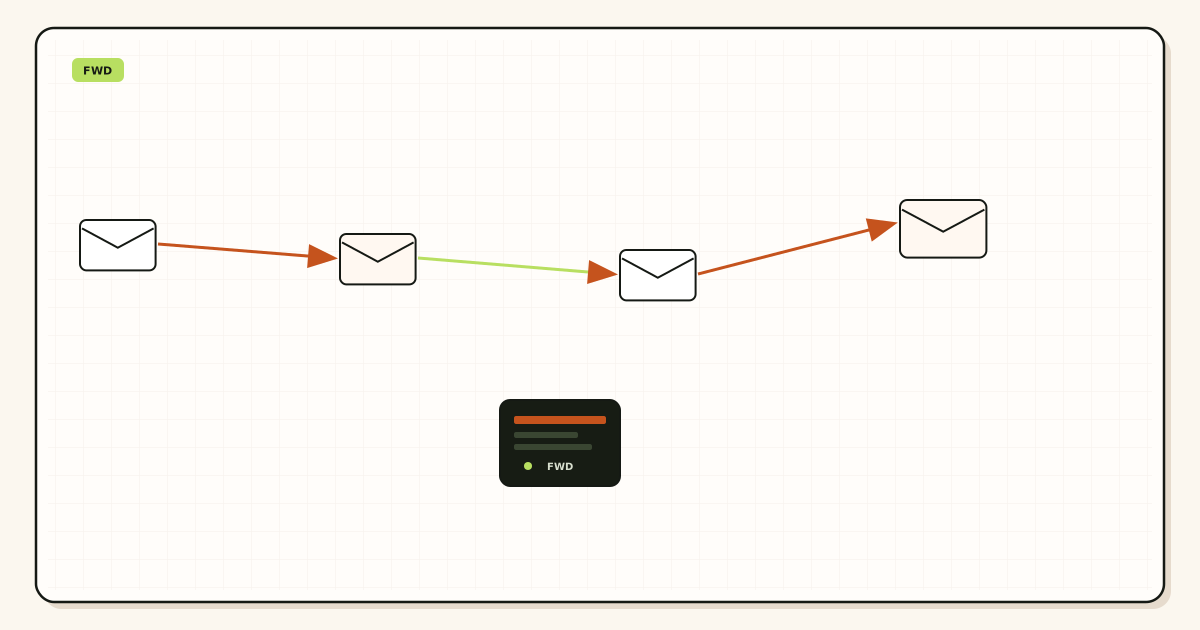
Verify TXT. Map Gmail or Outlook. One MX set. Delete leftovers. External inbound probe. Header From intact. History present. If this fails, Mail.app cannot save you.
Add incoming as Gmail or Outlook
IMAP preferred. Use Google or Microsoft’s current auth method. Confirm Mail downloads the probe. Incoming host is not MailerZ.
Upgrade and copy SMTP
Solo or higher. Confirm pricing. Copy host, port, encryption, username, and password from the dashboard. Do not paste Free.
Attach SMTP to the alias From
Outgoing server is MailerZ. Email address is the named alias. Display name is what customers see. Do not leave Gmail as the default From for role mail.
Publish SPF, DKIM, and DMARC as shown
Dashboard values only. Then send a new message and a reply to a mailbox you do not own. Confirm Header From. Check counters.
Repeat on iPhone
Same incoming account. Same SMTP pair. Same outward probe. Write the offboard step: unmap destinations and rotate SMTP when someone leaves.
Failure modes and proof
| What you see | Likely cause | Proof to collect |
|---|---|---|
| Cannot create account for the domain | Wizard looking for IMAP on MailerZ. | Add Gmail incoming instead. Domain is the alias, not the IMAP host. |
| Received From is @gmail.com | Outgoing still Google, or Free plan. | Received copy. SMTP server name. Plan card. |
| SMTP 550 / 5.7.1 | Unauthorized From or open-relay refusal. | Exact response. Approved identity list. |
| Cannot connect to SMTP | Wrong host/port/TLS pair. | Dashboard pair. Do not guess 465 vs 587. |
| Inbox empty, Gmail web full | IMAP auth or leftover MX. | MailerZ history. Public MX. Gmail IMAP setting. |
| Mac sends as alias, iPhone as Gmail | iOS outgoing not updated. | Repeat SMTP attach. Third-mailbox probe from the phone. |
| Self-send empty | Gmail short-circuit. | Third mailbox. |
| Hourly 550 after offline drafts | Send-as ceiling. | Solo 5/hr, Starter 40, Business 60, Agency 60. |
Proof is the third-mailbox copy plus MailerZ history plus public MX. Do not send SMTP passwords to support. Inbox placement is not proof the From is correct. A spam folder on the third mailbox is their filter, not a MailerZ SLA.
Docs and DNS help live on MailerZ docs and troubleshooting. Those pages do not invent Apple menu names.
MailerZ workflow and product boundary
MailerZ is a custom-domain email delivery layer operated by Secuno LLC. Site: mailerz.net. App: mail.mailerz.net. Positioning: authenticated SMTP from verified domain identities around the inbox you already use. Apple Mail is a client, not a competitor and not a MailerZ feature.
What MailerZ does
- Accept inbound aliases on verified domains.
- Preserve Header From on the forward. Envelope SRS only.
- Paid SMTP from approved identities.
- Hold unknowns on Free. Optional paid catch-all forward.
- 14- or 90-day recovery store. Delivery history.
What MailerZ does not do
- Host IMAP or webmail. Apple Mail cannot “log into MailerZ.”
- Replace iCloud Custom Email Domain or Hide My Email.
- Offer send-as on Free.
- Send as harvested leftover names.
- Rewrite header From, Subject, Date, Message-ID, body, or MIME.
- Promise inbox placement, uptime SLAs, or review counts.
- Claim SOC 2, ISO 27001, or HIPAA. Security.
- Act as an open relay or campaign sender.
Cost, alternatives, and trade-offs
Apple Mail is free on hardware you already own. The cost is the plan that can send. Free proves inbound. Solo at $40 per year starts send-as for one person. iCloud Custom Email Domain plus iCloud+ is a hosted alternative if you want Apple to store the mail. Workspace is the suite if the team needs Drive and Calendar. Do not buy all three for one From string.
| Approach | You get | You give up |
|---|---|---|
| Apple Mail + Gmail IMAP + MailerZ SMTP | Native Mail.app. Domain From. Existing archive. | You operate DNS. Free has no send-as. |
| Apple Mail + Gmail only | Speed. No SMTP attach. | Recipients see @gmail.com. |
| iCloud Custom Email Domain | Apple-hosted store. Mail.app native. | You left Gmail as the archive. Different MX. |
| Workspace + Apple Mail | Suite IMAP. Official Google account. | Per-user cost you may not need. |
| Thunderbird + same split | Same hops, different client. | Not native on iPhone. |
Annual Starter, Business, and Agency include two months free versus monthly. Solo has no monthly option. Seats operate the router. They are not extra Apple IDs. Alias count is what mints names you can send as. Three on Free—but Free still cannot send.
Agencies should copy one Apple Mail runbook per client: named From, dashboard pair, third-mailbox proof from Mac and iPhone, leftover MX screenshot. Do not share one SMTP password across ten brands. Rotate when a contractor returns a laptop.
Time is a line item. An hour to prove inbound and attach SMTP is cheaper than a year of unused iCloud+ or Workspace seats. Leftover MX after a failed hosting trial costs more than Solo. Budget the third-mailbox probe as required.
Display names are not identities. You can set the friendly name to “Ava at Acme” while From remains hello@acme.com. Receivers care about the address and the signatures. Do not “fix” a revert-to-Gmail problem by changing only the display name in Mail.app. The received Header From is the artifact.
Password managers should store the SMTP credential next to the dashboard login. When you rotate, update Mac Mail and iOS Mail in the same hour. A stale iPhone will 550 and look like an outage. The printed From stays through a rotation. That is the point of the alias: the identity is the route, not the Apple ID.
Related client guides already on the site: Thunderbird and Outlook send from a custom domain. The hops are the same. The menus are not.
FAQ
What is the safest apple mail custom domain smtp setup?
Point Apple Mail incoming at Gmail or Outlook IMAP. Point outgoing at paid MailerZ SMTP after inbound is proven. Copy the dashboard host, port, and encryption pair. Use a named alias as From. Free has no send-as. MailerZ is not IMAP and not iCloud Custom Email Domain.
Does this require a new mailbox?
No. Apple Mail is a client. The store stays Gmail or Outlook. MailerZ forwards inbound and, on paid plans, accepts SMTP. Buy iCloud custom domain or a suite only if you want Apple-hosted mailboxes.
Will it work with Gmail or Outlook?
Yes. Incoming uses that provider’s IMAP. Outgoing uses MailerZ SMTP on Solo or higher. Gmail may require an app password or OAuth for IMAP on Apple Mail. That is Google’s rule. MailerZ does not issue Gmail passwords. Self-send can hide both hops.
What DNS records are involved?
A verification TXT, one MailerZ MX set, leftover host MX removed, and SPF, DKIM, and DMARC if you send. Apple Mail settings are not DNS. Dual MX still splits inbound before the Mac can sync anything.
What should I test before production?
Inbound probe from another mailbox into Gmail, then confirm Apple Mail downloads it. Then send as the alias to a third mailbox. Confirm Header From. Do not trust Sent on the Mac as the only proof.
Key takeaways
- Apple Mail custom domain SMTP is IMAP to Gmail or Outlook plus paid MailerZ outgoing.
- MailerZ is not IMAP. The account wizard will fail if you treat it as a mailbox host.
- Free has no send-as. Solo at $40 per year starts it.
- Prove inbound and exclusive MX before you attach SMTP.
- Copy the dashboard host, port, and encryption pair. Do not invent ports.
- Prove Header From on a third mailbox. Local Sent lies. Self-send lies.
- Repeat the SMTP attach on iPhone. Handoff does not always copy outgoing.
- iCloud Custom Email Domain and Hide My Email are different products.
- Catch-all does not create send-as identities.
- MailerZ is not SOC 2 and not a bulk sender.
- Mail rules on the Mac are not leftover policy. Unknown names stay in MailerZ hold or paid forward.
- Keychain may copy Gmail and omit custom SMTP. Probe every Mac that sends as the alias.
- On My Mac folders are a cache, not MailerZ recovery and not a seven-year archive.
Conclusion and next action
Apple Mail can use a forwarded custom-domain address without hosting a mailbox on Apple or MailerZ. Receive in Gmail. Read in Mail.app. Send through paid SMTP as the named alias. iCloud hosting remains the right buy if you want Apple to store the mail. It is the wrong buy if you only needed a From string on hardware you already own.
Next action: add one domain, create the From alias, prove inbound from another mailbox, add Gmail to Apple Mail, then upgrade and send to a third inbox from the Mac and the iPhone. If the received From is the alias on both, you are done. If either device still shows Gmail, that device’s outgoing server is still Google. If Mail.app cannot add the domain as a mailbox host, that is expected: add Gmail incoming instead. Repeat the third-mailbox probe after the first iOS update that resets accounts. Apple Mail can drop a custom SMTP pair and silently return to Google. That is a client regression, not leftover MX.
Ready to send from Mail.app
Start free with one domain and prove inbound first.
Free receives. Solo starts send-as. Sign in if the domain is already there.
Review quarterly, or sooner if Apple Mail SMTP menus or MailerZ send-as limits change. Author: MailerZ editorial, Secuno LLC.