How to configure Gmail send-as with a custom SMTP server is a copy-and-prove job, not a branding job. Gmail stays the inbox. A paid MailerZ identity sends the domain From. You copy the dashboard host, port, username, password, and TLS pair into Gmail’s Send mail as wizard, treat the address as an alias, and prove Header From on a mailbox that is not the destination. Free has no send-as. Invented ports fail.
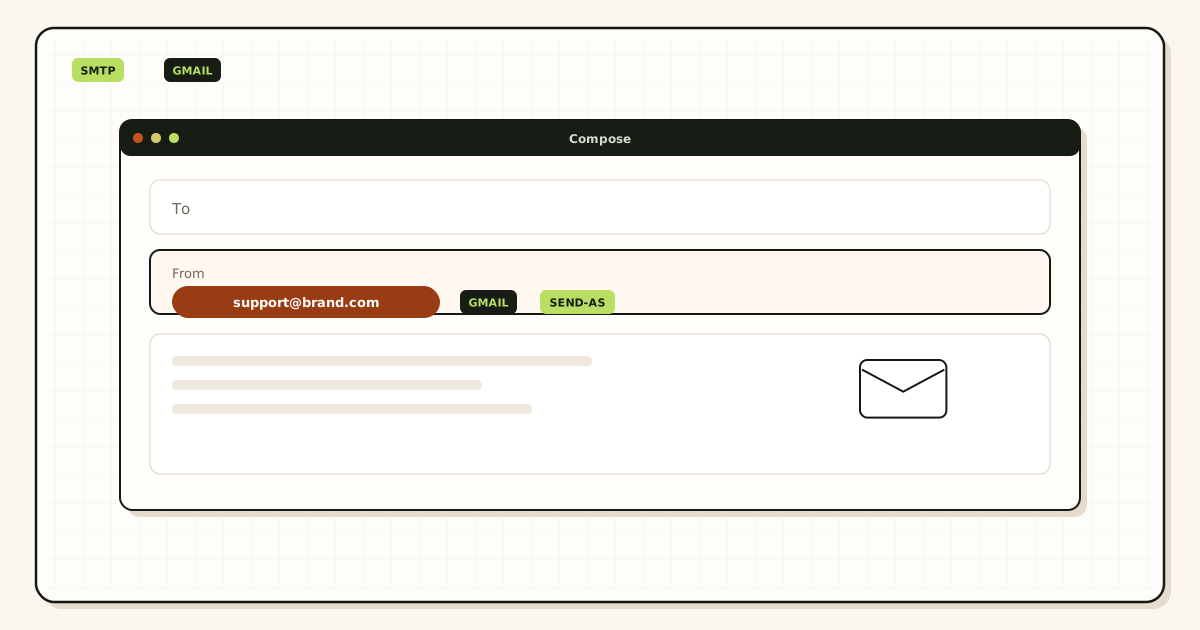
Quick answer for Gmail send as smtp server
Gmail can send as hello@yourdomain.com without Google Workspace when an authenticated SMTP server accepts that From. MailerZ is that server on paid plans. The Gmail help article for sending from a different address is Google Gmail Help — Send mail from a different address. Transport rules live in IETF RFC 5321 — Simple Mail Transfer Protocol. Authentication still follows IETF RFC 7208 — Sender Policy Framework (SPF), IETF RFC 6376 — DomainKeys Identified Mail (DKIM), and IETF RFC 7489 — Domain-based Message Authentication, Reporting, and Conformance (DMARC).
This page is the wizard. The broader “keep Gmail, drop Workspace” path is a different article. Here you already decided inbound works. You need the composer to stop leaving as you@gmail.com. That is send-as, not forwarding.
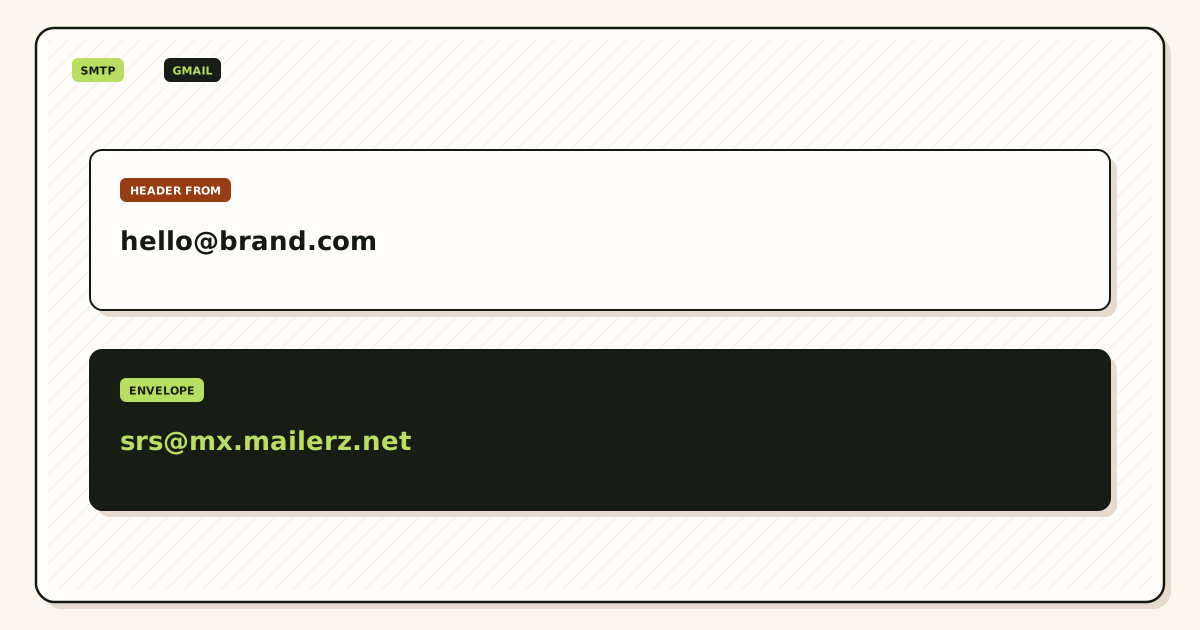
MailerZ is inbound MX plus paid send-as, operated by Secuno LLC. Envelope MAIL FROM can use SRS. Header From, Subject, Date, Message-ID, body, and MIME are never rewritten. It is not Workspace, not IMAP, and not an open relay. Unhosted or unauthorized send gets SMTP 550 / 550 5.7.1.
Free is one domain, ten aliases, one seat, a 14-day store, send-as Off, SMTP Off, API Off. Solo is $40 per year: 5 domains, 25 aliases, 2,500 outgoing, 20 per hour, send-as On. Starter is $8 or $80. Business is $19 or $190. Agency is $39 or $390. Unlimited is $99 or $990 with a 180-day store and 100,000 outgoing. Confirm MailerZ pricing. Limits are not an inbox SLA.
Features live on MailerZ features. The send-as product page is send and reply. The docs cover MX order if inbound is still messy. Do not open the Gmail SMTP wizard until a foreign inbound probe already landed.
The user problem and the decision criteria
The usual mess is a Gmail account that receives hello@brand.com and still replies as Gmail. Customers see the domain inbound and a consumer From outbound. That is not a filter bug. Gmail will not secretly borrow your MX to send.
A second mess is pasting smtp.gmail.com into the custom-SMTP fields and hoping the domain From survives. That path authenticates as Gmail. Recipients see Gmail. The MailerZ dashboard values are the pair that match the domain identity you created.
| Question | If yes | If no |
|---|---|---|
| Does inbound already land from a foreign mailbox? | Proceed to paid SMTP. | Fix MX and leftover hosts first. |
| Are you still on Free? | Upgrade. The wizard will 550. | Copy the dashboard pair. |
| Is the From a named alias you created? | Use that exact local-part. | Create the alias. Catch-all does not mint a From. |
| Do you need Workspace Calendar and admin? | You may be shopping a suite, not SMTP. | Stay on Gmail plus custom SMTP. |
| Is this a newsletter blast? | Use a campaign platform. Caps will stop you. | Operational send-as is the right hop. |
“Treat as an alias” is not optional folklore. When Gmail treats the address as an alias, replies stay on the domain identity you just attached. When it does not, Gmail may keep a second identity that still defaults to @gmail.com. Check the box unless you have a documented reason not to.
A Gmail App Password is not a MailerZ SMTP password. Do not paste a Google secret into the MailerZ form, and do not paste a MailerZ secret into a Google “less secure apps” story. Two hops, two credentials.
Technical mail flow
Inbound still looks like this: a stranger writes to the alias, their server looks up MX, MailerZ accepts a hosted verified recipient, and a copy lands in Gmail. Header From stays the stranger. Envelope return path may use SRS.

What the wizard actually changes
Send mail as stores an SMTP client profile inside Gmail. When you pick that From, Gmail opens a session to the host you typed, authenticates, and submits the message. MailerZ checks the identity, the plan, and the hourly and monthly caps. A 250 in delivery history is the hop. A toast inside Gmail is not.
What Gmail still controls
Gmail still stores the message, still applies its own spam model on inbound copies, and still can default the composer to the Gmail address if you forget to pick the identity. Custom SMTP does not turn Gmail into Workspace. It does not move Calendar. It does not change IMAP — MailerZ has none.
Authentication
Publish the SPF, DKIM, and DMARC values the dashboard shows. A recipient that evaluates alignment will see the domain you send as. Rewriting Header From is how other forwarders break that story. MailerZ does not rewrite Header From on inbound, and it will not let you send as an identity you did not create.
Step-by-step setup and decision path
Inventory first. Then the wizard. Then a foreign outbound probe. In that order.
Prove inbound
Send a uniquely titled message from an unrelated provider to the alias. Confirm Header From and a history row. If leftover Google MX still answers, stop. The troubleshooting path is leftover MX, not SMTP.
Create the send identity
The From must be a named alias you mapped.
hello@inbound does not approvebilling@outbound. Catch-all does not mint a From.Leave Free
Solo is the smallest send-as plan at $40 per year. Starter and above if you need more domains, aliases, seats, or outgoing. Confirm the live cards.
Copy the dashboard pair as one unit
Host, port, TLS or STARTTLS, username, password. Do not mix last year’s ImprovMX host with this month’s MailerZ password. Do not assume port 587 because a blog said so.
Open Gmail Send mail as
Settings → See all settings → Accounts and Import → Send mail as → Add another email address. Name the display string humans will see. Enter the exact alias. Check Treat as an alias. Choose Send through SMTP and paste the pair.
Finish Gmail’s confirmation
Gmail may send a confirmation to the alias. That confirmation must be able to inbound. If leftover MX ate it, the wizard dies and looks like an SMTP bug.
Send outward to a second mailbox
Pick the domain From. Send a unique subject to an inbox that is not this Gmail account. Read Header From. Read MailerZ history. If From is still Gmail, you attached the wrong host or the composer used the default identity.
Keep SMTP secrets out of tickets. Send a 550 line, a timestamp, and a Message-ID. Rotate if a secret already leaked. The docs will not ask for a password.
Failure modes and proof
Most Gmail send-as SMTP failures are Free, leftover MX, a mixed host/password pair, or a self-send that never left Google. Proof is a received copy plus a history row.
| Symptom | Likely cause | What to check |
|---|---|---|
| 535 or authentication failed | Wrong username, password, or host. | Copy the live dashboard pair again. |
| 550 / 550 5.7.1 | Free, unauthorized From, or open-relay guard. | Paid plan. Mapped identity. Not a guessed local-part. |
| Gmail cannot confirm the address | Confirmation mail never inbound. | One MX set. Foreign inbound probe first. |
| Composer still leaves as Gmail | Default identity or smtp.gmail.com in the fields. | Pick the domain From. Dashboard host only. |
| Mid-month 550 after a good week | Hourly or monthly outgoing cap. | Plan counters. Campaign mail elsewhere. |
| Self-send looks perfect | Gmail short-circuit. | Second provider. Expected. |
| TLS handshake fails | Port and TLS pair do not match. | Copy both from the dashboard. Do not guess 465 versus 587. |
MailerZ does not claim SOC 2, ISO 27001, HIPAA, review counts, or an uptime SLA. Controls wording lives on Security and Trust Center. Mailbox is the stored-hop view, not IMAP.
MailerZ workflow and product boundary
MailerZ is a custom-domain email delivery layer operated by Secuno LLC. Point MX at MailerZ. Mail for a hosted, verified domain can land in Gmail. Paid plans add authenticated SMTP so Gmail can send as that domain. The site is mailerz.net. The app is mail.mailerz.net.
What MailerZ does in this workflow
- Accept inbound mail for verified domains and named aliases.
- Preserve Header From on the forward into Gmail.
- Authenticate outbound SMTP from approved identities on paid plans.
- Record delivery history for inbound and outbound hops.
- Cap domains, aliases, seats, and send volume by plan.
- Reject unauthorized send with 550 / 550 5.7.1.
What MailerZ does not do
- Replace Gmail with IMAP or webmail.
- Offer send-as on Free.
- Rewrite header From, Subject, Date, Message-ID, body, or MIME.
- Promise inbox placement or an uptime SLA.
- Claim SOC 2, ISO 27001, or HIPAA.
- Act as an open relay or a campaign platform.
A MailerZ seat is an operator of the dashboard, not a Gmail login. One person can attach send-as for a whole team of Gmail accounts if each person uses the same SMTP pair carefully. Prefer one operator and documented rotation over six copies of the password in browsers.
Cost, alternatives, and trade-offs
Workspace is the expensive habit when the only missing piece was SMTP. A registrar “send as” toggle is the thin habit: often no leftover-MX stop and no stored failed hop. Pasting smtp.gmail.com is the lying habit. MailerZ sits in the operational middle: inbound plus paid SMTP around the Gmail you already search.
| Approach | You get | You give up |
|---|---|---|
| Google Workspace | Hosted store, admin, Calendar. Quote Google live. | Per-user cost if Gmail already held the mail. |
| Gmail + smtp.gmail.com | A wizard that authenticates as Gmail. | A domain From that will not stick. |
| MailerZ Free + Gmail | Inbound aliases. | Any branded reply. |
| MailerZ paid SMTP + Gmail | Domain From, hop evidence, published caps. | No hosted mailbox. No inbox SLA. |
Solo is enough for one person who replies as the domain under 2,500 outgoing per month. A support queue that replies all day may need Starter or Business for hourly and monthly caps, not for more Gmail accounts. Confirm cards on pricing before you quote a board deck.
Compare adjacent guides without cannibalizing them. Send-as from Gmail without Workspace is the category page. This page is the wizard. What SMTP send-as is, and why forwarding is not enough, is the object lesson. If you already decided you need the wizard, the remaining work is inbound proof, a paid plan, and a foreign outbound probe.
The Gmail wizard, field by field
Labels move. Google’s own article is the live map. The fields do not. Name, address, treat as alias, SMTP host, port, username, password, TLS. If a field is missing, you are in the wrong settings surface — classic Gmail versus a Workspace account you thought you left.
Name is display. It is not authentication. A cute display name will not fix a 535. Address must match the alias byte for byte. Hello@ and hello@ are not a debate you want with a mail server. Type the local-part you created.
Username is whatever the dashboard shows. It is often not the destination Gmail address. People paste me@gmail.com because that is the account they are sitting in. That authenticates as the wrong principal. Copy the SMTP username from MailerZ.
Port and TLS travel together. A STARTTLS port with “SSL” forced, or an implicit-TLS port with STARTTLS forced, fails in a way that looks like a firewall. Corporate laptops sometimes intercept 587. If the same pair works from a home network and fails on the office Wi-Fi, you have a middlebox, not a MailerZ outage.
After the wizard saves, open a new compose window. The From selector should list the domain address. If it does not, Gmail stored the profile and hid it behind a default. Refresh. If it still missing, you confirmed the wizard on a different Google account than the one you compose in — a common agency laptop problem.
Replies to inbound mail will use the domain From only if Gmail’s reply identity tracks the recipient address and you treated the address as an alias. If a customer wrote to support@ and you reply as Gmail, you did not pick the identity. Train the habit before you print the address on invoices.
Multiple Gmail accounts on one browser profile will attach SMTP to the wrong one. Complete the wizard while signed into the destination inbox that actually receives the alias. Then send the probe from that same account. Agencies should keep client SMTP off personal Gmail.
Rotating the MailerZ password breaks every Gmail profile that still holds the old secret. Rotate on purpose, then update Gmail the same hour. Do not rotate because a ticket asked you to “try a new password” while leftover MX is the real fault.
WordPress, a VPS cron, and Gmail can share one MailerZ identity and one monthly cap. If the site already burns 2,400 of Solo’s 2,500, Gmail replies will 550 and look like a wizard regression. Count the hop before you add another client.
Outlook users on the same domain follow Microsoft Learn — Send email from a device or app using Microsoft 365 for device SMTP and their own account screens for a From identity. Do not paste Gmail’s wizard values into Outlook and assume the labels match. Copy from the MailerZ dashboard into each client separately.
When the wizard is closed, the next physical action is an outbound probe, not another settings tab. Start free on a domain you can break if inbound is not proven. Sign in and upgrade if the zone already lives here. Review quarterly, or sooner after a password rotation, a Gmail redesign, or a leftover-MX cleanup.
Field notes
A second pass for Gmail send as smtp server: write the last change on a sticky note before you open Settings. Nameserver move, leftover MX, new form plugin, contractor laptop, or a registrar forwarding toggle are the usual five. MailerZ history only shows hops that reached this layer. If the sticky note says leftover MX, you do not have a wizard mystery. You have a split. Delete the leftover. Wait for TTL. Probe inbound again. Only then reopen Send mail as.
Agencies should keep Gmail send as smtp server per client zone. Separate SMTP credentials. Do not pour every client into one Gmail profile because the laptop is shared. Offboard means revoke SMTP, remove the Send mail as identity, and stop forwarding leftovers into the agency inbox. Agency plan capacity exists so you can hold more domains. It does not replace a named list of From identities.
Legal and security questions have published answers on the security, privacy, terms, DPA, and subprocessors pages. MailerZ is not SOC 2, not ISO 27001, and not HIPAA. The 14-day Free store, the 90-day Solo–Agency store, and the 180-day Unlimited store are recovery windows for hops this layer saw. They are not an archive and not legal hold. If counsel wants eDiscovery, buy eDiscovery.
Comparisons only help after the hop is honest. Cloudflare Email Routing is inbound routing. A privacy-mask product hides a destination on a provider domain. A suite hosts mailboxes, Calendar, and admin. MailerZ is the delivery layer when you already have Gmail and you need a domain From you can prove. Cite the other product’s documentation. Do not invent feature parity. Google’s own Send mail as article remains the live label map.
FAQ
What is the safest way to handle Gmail send as with a custom SMTP server?
Prove inbound on one MailerZ MX set first. Upgrade off Free. Copy host, port, username, password, and TLS from the dashboard as one pair. In Gmail, add Send mail as, treat the address as an alias, and send a uniquely titled message to a second external inbox. Confirm Header From. Do not invent ports from a generic ESP tutorial.
Does this require a new mailbox?
No. MailerZ is Mail Box portal webmail (Inbox, Sent, New email). It is not IMAP or POP. Gmail stays the store. The custom SMTP server is an outbound hop for an approved domain identity. Buy a hosted mailbox only when someone needs a suite archive, not because the From must look like the domain.
Will it work with Gmail or Outlook?
Yes. Gmail uses Settings → See all settings → Accounts and Import → Send mail as. Outlook uses a manual SMTP identity. Interface labels vary by Gmail and Outlook version. Free has no send-as on either client.
What DNS records are involved?
A verification TXT, one MailerZ MX set, leftover Google or Microsoft MX removed, and the SPF, DKIM, and DMARC values the dashboard shows for sending. SMTP host and port are not DNS. Copy them from the app.
What should I test before production?
Send inbound from an unrelated provider, then send outward through the new Gmail identity to a second external mailbox. Read Header From and delivery history. Self-send from Gmail to the same Gmail account can hide both paths. A 550 on Free is expected.
Key takeaways
- Gmail send-as with a custom SMTP server is a paid outbound hop. Forwarding is inbound only.
- Copy host, port, TLS, username, and password from the MailerZ dashboard as one pair.
- Treat the address as an alias. Pick the domain From on every reply.
- Free has no send-as. A 550 on Free is the product working.
- smtp.gmail.com will not make Header From your domain.
- Prove inbound before the wizard. Prove outbound on a second mailbox.
- Leftover MX blocks Gmail’s confirmation mail and looks like SMTP failure.
- Caps are shared across Gmail, forms, and crons that use the same identity.
- MailerZ is not IMAP, not Workspace, not SOC 2, and not a campaign platform.
- Do not mail SMTP passwords to support.
Conclusion and next action
If you came here to configure Gmail send-as with a custom SMTP server, prove inbound, leave Free, copy the dashboard pair, treat the address as an alias, and send a uniquely titled message to a mailbox that is not this Gmail account. Read Header From. That is the whole job.
MailerZ fits when Gmail already holds the archive and the domain From must travel. It does not fit when you need a hosted mailbox for every user, a certified compliance report, or list-scale sending. Start on Free if you only need to watch inbound. Move to Solo or another paid plan when the composer must leave as the domain.
Next action: add one domain, map hello@, probe inbound, upgrade if the From must travel, then finish the Gmail wizard with values from the app — not from memory. The register path is one domain, not a Workspace migration.
Ready to attach the hop
Start free with one domain and prove inbound first.
Inbound on Free. Paid SMTP when Gmail must send as the domain. Sign in if the zone already lives here.
Review quarterly, or sooner if MailerZ SMTP values, Gmail’s Send mail as labels, or plan limits change. Author: MailerZ editorial, Secuno LLC.