An email provider migration checklist is four objects, not a hero cutover. DNS is who accepts inbound. Aliases are which local-parts exist. SMTP is who may send as the domain. Rollback is the old MX, SPF, and SMTP host written down before you delete them. Skip one and the outage looks like “the new vendor is down.” It is usually a leftover MX, a missing alias, Gmail still AUTH-ing the old host, or no way home.
Quick answer for email provider migration checklist
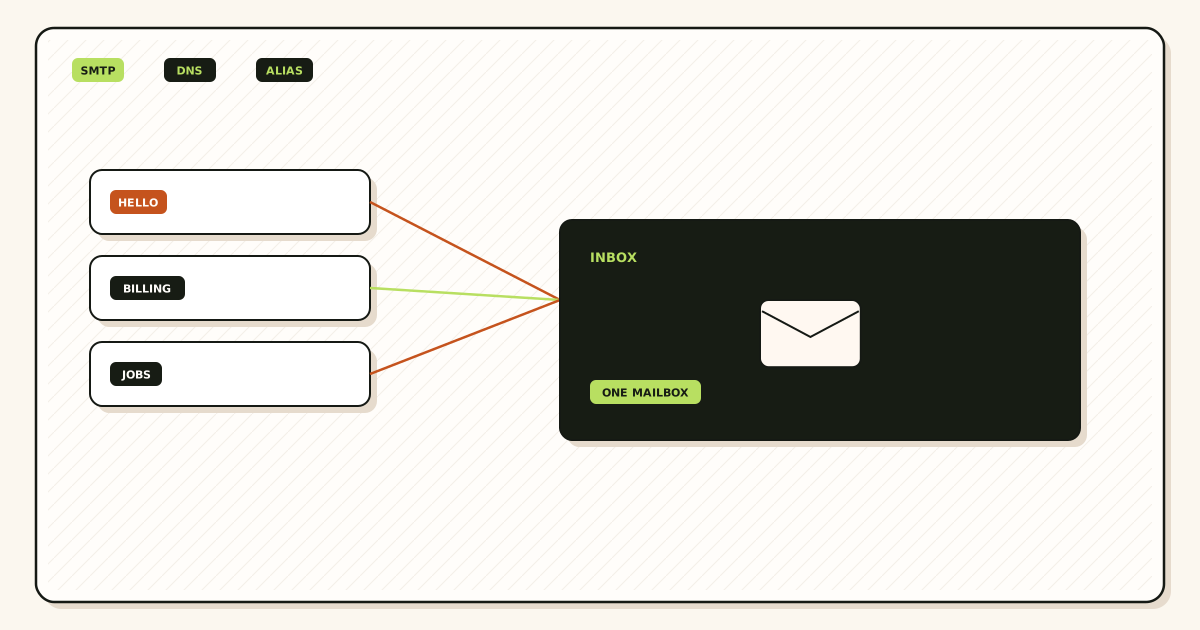
Print the domain, the current MX set from two resolvers, every alias and destination, catch-all behavior, and every SMTP identity in clients. That packet is the project. A verbal “we only use hello@” is how billing@ dies.
Recreate aliases on the new hop while the old hop still owns MX. Verification TXT is safe. You are not stealing mail yet. On MailerZ Free, unknowns are held. Named aliases must exist before customers notice.
Cut DNS once: exclusive new MX, leftovers deleted. Wait remaining TTL if resolvers disagree. Do not keep the old product at priority 20. That is leftover MX.
Move SMTP after inbound history is green. Free MailerZ cannot send. Paid send-as uses dashboard host, SPF, DKIM, and DMARC. Unauthorized From is 550 / 550 5.7.1. Leaving the old SMTP host in Gmail is the most common “outbound broken” ticket.
Cancel the old provider after the probe list is checked and the rollback card is filed, not after the first 250. Retention windows differ. Export anything you still need from the old logs.
Transport is still IETF RFC 5321 — Simple Mail Transfer Protocol. Migration planner. MailerZ docs. Troubleshooting.
Print the four objects before anyone publishes MX. SMTP last. Rollback written first.
Start free — one domainThe real decision
Migrations fail because three people own three objects and nobody owns rollback. DNS lives at the registrar. Aliases live in a spreadsheet from 2023. SMTP lives in one founder’s Gmail. When inbound looks empty, someone restores Google MX and now you have two problems.
The checklist exists to force a single owner and a single change window. Parallel edits — new MX plus new SPF plus new SMTP plus catch-all FORWARD — destroy causality. You cannot name the failure.
Workspace or Microsoft 365 in the mix is a store decision, not a hop checklist. If you need IMAP, you are not doing this checklist. You are buying seats. If you keep Gmail as the store, you are doing this checklist.
Agencies must not blend clients. One domain, one packet, one cutover. Agency limits (100 domains, 500 aliases, 50 seats) do not make a blended ticket safer.
When this path is enough
- You can name DNS, aliases, SMTP, and rollback as four lines.
- You will recreate aliases before MX.
- You will move SMTP after inbound proof.
- You will keep the old account until probes pass.
When this is the wrong ticket
- You need Calendar or Drive. Buy a suite.
- You want dual MX for “safety.”
- You will rotate SMTP in the same commit as MX.
- You have no written old MX.
Technical mail flow
Inbound is RFC 5321 to whoever MX names. The new hop only sees mail after exclusive publish and leftover delete. Envelope SRS on MailerZ. Header From intact.
Aliases are recipient policy at accept. Missing name is 550 or HOLD. That is not DNS.
SMTP is a later conversation from the client to the new host. It does not repair inbound. Inbound does not authorize From.
Rollback is republishing the copied old MX and pointing SMTP back. If you never copied, rollback is archaeology.
NS must match the zone you edit. Editing the registrar while Cloudflare owns NS is a checklist fail before MX.

Step-by-step decision path
- Build the packet Two-resolver MX, alias map, SMTP hosts in every client, NS hosts.
- Write rollback first Old MX, old SPF include, old SMTP hostname. Timestamp it.
- Recreate aliases and destinations On MailerZ, before MX. Free HOLD for unknowns.
- Publish exclusive MX; delete leftovers One change window. No priority-20 souvenir.
- Probe critical aliases Other mailbox. Unique subjects. Copy history.
- Fix holds and missing names Do not touch SMTP yet.
- Swap SMTP on a paid plan Dashboard values only. Test outward.
- Cancel old provider after the list is green Keep the packet in the ticket.
Worked examples
A two-founder shop printed hello, founders, and invoices. They cut MX Friday, probed Saturday from Fastmail, swapped Gmail SMTP Sunday on Solo. Old forwarder cancelled the next Friday. Boring. Correct.
A firm moved MX and SMTP the same hour. Inbound was leftover Microsoft MX. Outbound was 550. They undid SMTP, deleted leftovers, then waited TTL. Two failures had been one story.
An agency used a shared “migration” SPF that included both vendors. Permerror. They reverted to one include after inbound was exclusive.
Rollback saved a missed jobs@ that was never in the spreadsheet. They restored old MX for four hours, added the alias, cut again.
Someone cancelled the old vendor the cutover morning. Logs vanished. The destination inbox was the only archive — which is normal, but they had wanted hop rows.
Order the cutover so inbound proof happens before SMTP swaps.
Open the migration plannerFailure modes and proof
| Symptom | Likely cause | Proof |
|---|---|---|
| Empty new history | Leftover MX or wrong zone | Two resolvers; fix NS |
| One alias silent | Not recreated | Diff the packet |
| Outbound 550 | Old host or Free plan | Dashboard SMTP; paid |
| Cannot roll back | Old MX never copied | You jumped |
| SPF permerror | Two includes | One hop’s include |
| Self-send “works” | Gmail short-circuit | Other mailbox |
MailerZ workflow and product boundary
Secuno LLC operates MailerZ. Site: mailerz.net. App: mail.mailerz.net. Envelope SRS only. Header From, Subject, Date, Message-ID, body, and MIME are never rewritten. Not IMAP. Not an open relay.
What MailerZ does
- Accept MX for verified domains.
- Rewrite envelope MAIL FROM with SRS on the forward.
- Leave Header From and MIME intact.
- Hold unknowns on Free. Optional paid FORWARD.
- Paid SMTP from approved identities. Dashboard SPF, DKIM, and DMARC instructions.
- 550 for unauthorized From. Not an open relay.
What MailerZ does not do
- Guarantee Gmail Primary or any inbox placement rate.
- Host IMAP, Calendar, or a Workspace suite.
- Send-as on Free.
- SOC 2, ISO 27001, HIPAA, review counts, or an uptime SLA. Controls: Security and Trust Center.
Plans: pricing. Free $0, 1 domain, 10 aliases, 1 seat, 14-day store, send-as disabled, SMTP and API disabled. Solo $40/year, 5 domains, 25 aliases, 90-day, 2,500 outgoing, 20/hour. Starter $8 or $80, 8/50/5, 5,000, 40/hour. Business $19 or $190, 25/200/25, 12,000, 60/hour. Agency $39 or $390, 100/500/50, 20,000, 60/hour. Unlimited is $99/month or $990/year. Annual Starter, Business, and Agency include two months free versus monthly. Solo is yearly only.
Cost, alternatives, and trade-offs
| Approach | You get | You give up |
|---|---|---|
| Checklist cutover | Named failures | A slower Friday |
| Same-hour MX+SMTP | Speed theater | Causality |
| Dual MX overlap | Comfort | Split mail |
| Suite migration instead | IMAP store | Seats and leftover MX risk |
Field notes
This checklist is hop-to-hop. It is not a PST export.
MailerZ is envelope SRS only. If the old vendor rewrote Header From, expect different authentication after the move.
Solo is $40/year, 25 aliases, 2,500 outgoing, 20/hour. Size the plan before you promise send-as.
Do not put SMTP passwords in the ticket. Put the hostname and the identity.
If the old product is Workspace, leftover aspmx is the usual killer.
If the old product is another forwarder, leftover is their MX hosts — quote their live docs to know what to delete.
Keep 14-day Free history in mind if you linger on proof.
Monthly: re-run leftover MX lookup after every “helpful” registrar email.
Treat email provider migration checklist as a ticket with artifacts, not a vibe. Ask for public MX from two resolvers, a received copy, and MailerZ history before anyone edits TXT.
Write a one-paragraph policy for Email Provider Migration Checklist: DNS, Aliases, SMTP and Rollback: inbound versus outbound, what you will not do (dual MX, From rewrite, second SPF), and who owns DNS.
Self-send is invalid for email provider migration checklist. Gmail can short-circuit. Use another mailbox and a unique subject.
Leftover MX masquerades as email provider migration checklist. Empty history means the hop never ran. Delete aspmx, Microsoft, and registrar MX. Wait TTL.
Free HOLD and missing aliases look like outages. History shows the hold. Create the named local-part. Catch-all FORWARD is paid and optional — not a debugger.
Paid send-as is a different hop. Free cannot send. Unauthorized From is 550 / 550 5.7.1. DNS will not authorize a From the product has not approved.
Email Provider Migration Checklist: DNS, Aliases, SMTP and Rollback does not include an inbox placement SLA, review counts, or Primary. Say that early.
Proof packet for email provider migration checklist: two-resolver MX, inbound copy with Header From, Authentication-Results, outbound copy if they send, plan name, SMTP line if anything refused.
Retention is 14 days on Free and 90 on paid. Export headers while they live. The destination inbox is the archive.
Agencies should not blend clients in one email provider migration checklist thread. Agency limits are 100 domains, 500 aliases, 50 seats, 20,000 outgoing, 60/hour — still not an SLA.
No SMTP passwords in the email provider migration checklist ticket. No invented SOC 2. Controls live on the Security and Trust Center.
If two products share MX, stop adding records. Exclusive MX is a hard stop. email provider migration checklist cannot be correct on a split path.
If Header From is rewritten, stop tuning SPF for email provider migration checklist. Change the hop. MailerZ will not offer a From-replace control.
If the customer wants Calendar, sell a suite. If they want a hop, sell a hop. Email Provider Migration Checklist: DNS, Aliases, SMTP and Rollback is not Exchange.
Hourly and monthly send-as ceilings (disabled/2,500/5,000/12,000/20,000 outgoing; 20/40/60/60 per hour) produce refuses that look like email provider migration checklist. Read counters.
Null MX plus a real MX is a lie. Remove the lone-dot refuse if you intend to receive.
After any change for email provider migration checklist, wait TTL, probe from another mailbox, and store the new received source next to the MX screenshot.
Write email provider migration checklist in the subject and the layer in the first sentence: leftover MX, HOLD, destination 550, or TTL. Honest first sentences shrink tickets.
Monthly for email provider migration checklist: leftover MX lookup, one external inbound probe, send-as counters if paid. Five minutes. The outage you avoid is a Friday dual-MX restore.
When two vendors disagree about email provider migration checklist, believe two resolvers, one received copy, and one history row. Registrar dots lie. Composer UIs lie.
Teach the next hire the MailerZ split before they touch email provider migration checklist: envelope may change, Header From must not, Free cannot send, unknowns HOLD, leftover MX is a hard stop.
If email provider migration checklist appears in an RFP, answer with published caps and hop evidence. Decline inbox-rate clauses and fake certifications.
Do not bundle unrelated edits with email provider migration checklist. Rotating SMTP while republishing MX while enabling FORWARD is how you lose the ability to name the failure.
Field story 1 for email provider migration checklist: A two-founder shop printed hello, founders, and invoices. They cut MX Friday, probed Saturday from Fastmail, swapped Gmail SMTP Sunday on Solo. Old forwarder cancelled the next Friday. Boring. Correct. Keep it in the runbook.
Field story 2 for email provider migration checklist: A firm moved MX and SMTP the same hour. Inbound was leftover Microsoft MX. Outbound was 550. They undid SMTP, deleted leftovers, then waited TTL. Two failures had been one story. Keep it in the runbook.
Field story 3 for email provider migration checklist: An agency used a shared “migration” SPF that included both vendors. Permerror. They reverted to one include after inbound was exclusive. Keep it in the runbook.
Field story 4 for email provider migration checklist: Rollback saved a missed jobs@ that was never in the spreadsheet. They restored old MX for four hours, added the alias, cut again. Keep it in the runbook.
Field story 5 for email provider migration checklist: Someone cancelled the old vendor the cutover morning. Logs vanished. The destination inbox was the only archive — which is normal, but they had wanted hop rows. Keep it in the runbook.
For email provider migration checklist, “Empty new history” usually means Leftover MX or wrong zone. Isolate with Two resolvers; fix NS. One change at a time.
For email provider migration checklist, “One alias silent” usually means Not recreated. Isolate with Diff the packet. One change at a time.
For email provider migration checklist, “Outbound 550” usually means Old host or Free plan. Isolate with Dashboard SMTP; paid. One change at a time.
For email provider migration checklist, “Cannot roll back” usually means Old MX never copied. Isolate with You jumped. One change at a time.
For email provider migration checklist, “SPF permerror” usually means Two includes. Isolate with One hop’s include. One change at a time.
For email provider migration checklist, “Self-send “works”” usually means Gmail short-circuit. Isolate with Other mailbox. One change at a time.
Setup step “Build the packet” for email provider migration checklist: Two-resolver MX, alias map, SMTP hosts in every client, NS hosts. Skip it and Email Provider Migration Checklist: DNS, Aliases, SMTP and Rollback becomes next week’s ticket.
Setup step “Write rollback first” for email provider migration checklist: Old MX, old SPF include, old SMTP hostname. Timestamp it. Skip it and Email Provider Migration Checklist: DNS, Aliases, SMTP and Rollback becomes next week’s ticket.
Setup step “Recreate aliases and destinations” for email provider migration checklist: On MailerZ, before MX. Free HOLD for unknowns. Skip it and Email Provider Migration Checklist: DNS, Aliases, SMTP and Rollback becomes next week’s ticket.
Setup step “Publish exclusive MX; delete leftovers” for email provider migration checklist: One change window. No priority-20 souvenir. Skip it and Email Provider Migration Checklist: DNS, Aliases, SMTP and Rollback becomes next week’s ticket.
Setup step “Probe critical aliases” for email provider migration checklist: Other mailbox. Unique subjects. Copy history. Skip it and Email Provider Migration Checklist: DNS, Aliases, SMTP and Rollback becomes next week’s ticket.
Setup step “Fix holds and missing names” for email provider migration checklist: Do not touch SMTP yet. Skip it and Email Provider Migration Checklist: DNS, Aliases, SMTP and Rollback becomes next week’s ticket.
Setup step “Swap SMTP on a paid plan” for email provider migration checklist: Dashboard values only. Test outward. Skip it and Email Provider Migration Checklist: DNS, Aliases, SMTP and Rollback becomes next week’s ticket.
Setup step “Cancel old provider after the list is green” for email provider migration checklist: Keep the packet in the ticket. Skip it and Email Provider Migration Checklist: DNS, Aliases, SMTP and Rollback becomes next week’s ticket.
Trade-off on email provider migration checklist: Checklist cutover gets Named failures and gives up A slower Friday. Write that on the quote.
Trade-off on email provider migration checklist: Same-hour MX+SMTP gets Speed theater and gives up Causality. Write that on the quote.
Trade-off on email provider migration checklist: Dual MX overlap gets Comfort and gives up Split mail. Write that on the quote.
Trade-off on email provider migration checklist: Suite migration instead gets IMAP store and gives up Seats and leftover MX risk. Write that on the quote.
Who owns each object on the checklist
Assign names, not roles. DNS has a human who can edit the real nameservers. Aliases have a human who owns the spreadsheet. SMTP has a human who can open every Gmail Send mail as row. Rollback has a human who will paste old MX at 11 p.m. If any line says “the team,” the checklist will fail at the first leftover aspmx.
Put the packet in a ticket that survives Slack retention. Two-resolver MX, NS hosts, alias map, SMTP hostnames without passwords, and the rollback block. Screenshots expire. The next hire cannot restore from a vibe.
Sequence is the safety control. Aliases before MX. MX before SMTP. SMTP before cancel. People invert this because outbound is visible to founders. Visible outbound on the old host while inbound already moved is fine for a day. Visible outbound on a new host while inbound still hits leftover Microsoft MX is two failures with one story.
NS mismatch is the checklist item teams skip because the registrar UI looks like the zone. It is not the zone if NS still points at Cloudflare, Route 53, or a forgotten host. Two public resolvers that ignore your registrar edit are telling you that. Fix NS, then edit MX. Waiting is not the fix.
SPF belongs to the hop that sends. On cutover day, inbound MX and outbound include are different objects. A dual include “during migration” is a permerror you will blame on MailerZ. One include. Swap it when you swap SMTP, not when you swap MX, unless the same hop does both and you already cut inbound.
Rollback is measured in hours, not in dual MX. You restore the copied old MX, wait the short TTL you should have lowered, and put SMTP back if you moved it. You do not leave both products published “so rollback is easier.” That is leftover MX with a story.
Size the MailerZ plan against the alias map before you promise send-as. Free is ten aliases and no send-as. Solo is twenty-five and 2,500 outgoing. Twenty printed names need Starter. Saying “we will use Free for the migration” is fine for inbound proof. It is a lie if the map has twelve names and founders must send on day one.
Aftercare is leftover MX lookup next Monday. Someone will restore Google MX because a phone was slow. The checklist is not done at cancel. It is done when the weekly leftover check is boring.
FAQ
What is the safest way to handle email provider migration checklist?
Packet first: DNS, aliases, SMTP, rollback. Recreate aliases. Cut exclusive MX. Prove from another mailbox. Swap SMTP on a paid plan after inbound is green. Cancel last. Never dual-publish.
Does this require a new mailbox?
Not if you keep Gmail or Outlook as the store. MailerZ is not IMAP. A suite is a different project.
Will it work with Gmail or Outlook?
Yes as destinations and as send-as clients on a paid plan. Remove the old SMTP host from those clients after inbound proof.
What DNS records are involved?
Exclusive new MX, leftovers deleted, verification TXT, NS pointing at the zone you edit, then SPF/DKIM/DMARC for send-as. Two-resolver proof.
What should I test before production?
Every critical alias inbound, hop history, Header From, one outbound to a second external inbox, rollback card readable.
Key takeaways
- Four objects: DNS, aliases, SMTP, rollback.
- Aliases before MX.
- SMTP after inbound proof.
- Exclusive MX only.
- Write rollback first.
- Cancel last.
- Self-send is not a test.
- One change window per object.
Conclusion and next action
Tape the four objects to the ticket. If a step does not name which object it edits, it is not a step. It is hope.
Run it on a low-risk domain first if you have a spare. Then repeat. Agencies: one client at a time.
When history matches the probe list, you migrated. Until then you are still on the checklist.
Four objects
Run the checklist on one domain
Create a Free MailerZ domain, recreate three aliases, cut exclusive MX, and prove inbound. SMTP waits for a paid plan and a green hop.
Review quarterly, or sooner if DNS hosts or dashboard instructions change. Author: MailerZ editorial, Secuno LLC.