Email forwarding vs email hosting is a store decision, not a branding decision. Forwarding keeps the inbox you already use and points the domain at a receiving layer. Hosting replaces that inbox with a vendor mailbox, and often a suite. Pick the store you can operate, then publish one MX set and prove inbound before anyone depends on the address.

Quick answer for email forwarding vs email hosting
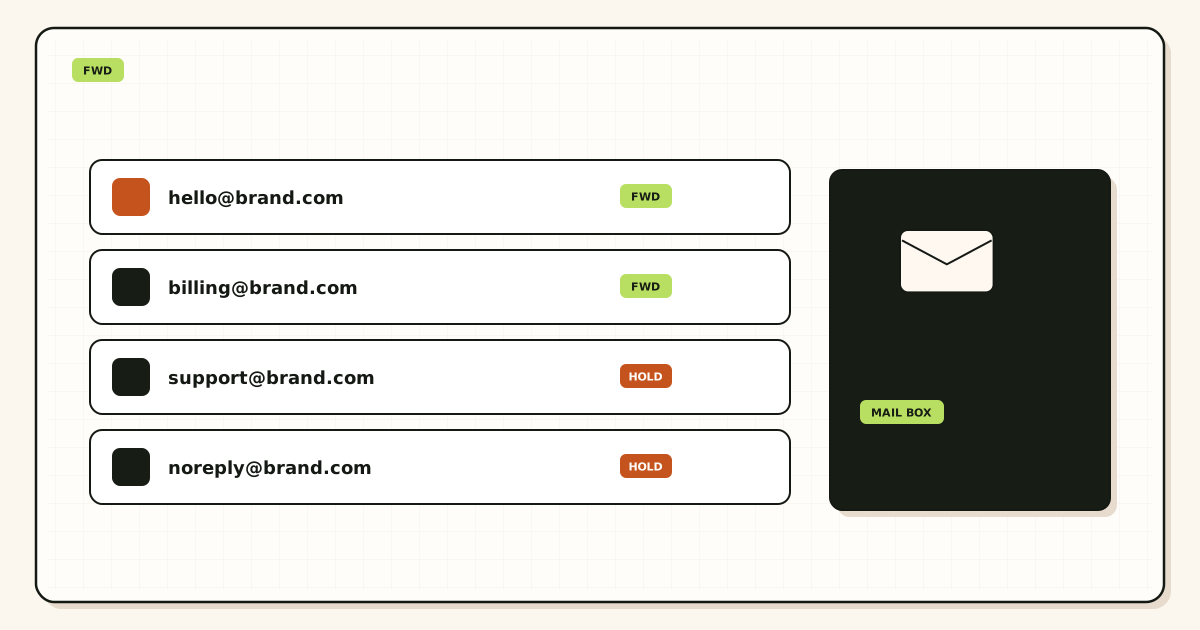
Use email forwarding when the job is a public domain identity and an inbox you already trust. A customer writes to hello@yourdomain.com. The internet looks up MX. A forwarder accepts the message, keeps the visible From, and relays a copy into Gmail or Outlook. You keep reading mail where you already read mail. MailerZ is one product in that class: inbound MX plus optional paid send-as. It is not a hosted mailbox.
Use email hosting when the job is a mailbox you log into, an archive the vendor holds, and usually admin, calendar, or shared mailboxes. Google Workspace, Microsoft 365, Fastmail, and similar products are hosting. They answer MX, store the message, and give you IMAP, Exchange, or webmail. That is a different purchase than a forwarder, even when the marketing copy says “custom domain email.”
The safest email forwarding vs email hosting setup is sequential. Name the store. Publish only that stack’s MX. Delete leftover records from the other stack. Prove inbound from a mailbox that is not the destination. Only then decide how replies leave. Forwarding that still sends as @gmail.com is incomplete if recipients must see the domain. Hosting that still has registrar MX beside Workspace MX is also incomplete. Split MX loses mail in a pattern that looks random.
People collapse three jobs because the UI labels look similar. Receiving is an MX problem. Reading is a mailbox problem. Sending as the domain is an SMTP identity problem. Hosting often sells all three as one seat. Forwarding sells the first job, and sometimes the third, while you keep the second. If you need the protocol picture for receiving without rewriting the visible sender, start with custom-domain email forwarding.
MailerZ’s inbound rule is narrow. Envelope MAIL FROM can use Sender Rewriting Scheme so bounces stay coherent. Header From is never rewritten. Subject, Date, Message-ID, body, and MIME stay as received. That is a forwarding contract, not a hosting contract. Free is one domain, ten aliases, one seat, a 14-day store, send-as disabled, SMTP and API disabled, and unrouted mail held or rejected only. Paid plans keep a 90-day store and add send-as within published limits. Solo is $40 per year. Starter is $8 monthly or $80 yearly. Business is $19 or $190. Agency is $39 or $390. Unlimited is $99/month or $990/year. Confirm numbers on MailerZ pricing before you quote them.
The user problem and the decision criteria
The usual complaint is mixed. Founders want you@brand.com on invoices. They already live in Gmail. A host offers “free email with the domain” that turns out to be a tiny webmail box they will never open. A suite quote looks like rent for Calendar they do not use. A cheap forwarder delivers mail but rewrites From, so replies and filters rot. The thread then asks the wrong question: “Which email is best?” The useful question is “Where should the store live?”
That confusion is old and public. A self-hosted Reddit thread on domain forwarding versus running a mail server is a useful snapshot of the pain, not a product review: r/selfhosted — email forwarding. Treat comments as anecdotes. Treat RFCs and vendor help pages as the rules.
Decide with tests, not adjectives. This email forwarding vs email hosting guide is a checklist you can fail in public before you cut production MX.
| Question | If yes | If no |
|---|---|---|
| Do you already trust Gmail or Outlook as the archive? | Forwarding can keep that store. | You are shopping for hosting, or for a new archive you control. |
| Do you need hosted mailboxes, Calendar, Drive, and admin for every user? | Hosting or a suite is the product. | A delivery layer plus the inbox you have can be enough. |
| Must recipients see the domain on replies? | You need authenticated SMTP or a hosted send identity, not inbound alone. | Inbound forwarding may be the whole job. |
| Do legal holds or eDiscovery require a vendor mailbox you administer? | Buy hosting with an archive you can defend. | Gmail’s store plus a short recovery window may be acceptable. |
| Can you publish DNS and delete leftover MX? | Cutover is possible for either path. | Do not start. Split MX will lose mail. |
| Is sending personal or operational, not bulk? | MailerZ SMTP is in scope on a paid plan. | Use a campaign platform. Neither a forwarder nor a mailbox suite is a newsletter engine. |
Forwarding is a good fit when the domain is an identity, the inbox habit is already formed, and you can tolerate published send limits if you add SMTP later. It is a poor fit when every teammate needs a managed mailbox, when you want the vendor to be the system of record for seven years of mail, or when you expect the forwarder to promise Primary-tab placement. No forwarder controls that last part.
Hosting is a good fit when the company mailbox is the product: shared inboxes, retention policies, device management, and a login you can revoke. It is a poor fit when one founder wants a professional From line and already pays for Gmail as a consumer. If you are comparing the suite itself, read MailerZ versus Google Workspace. Workspace is a productivity suite with hosted mail. MailerZ is a delivery layer around an inbox you already own.
Technical mail flow
Internet mail is a sequence of SMTP conversations. IETF RFC 5321 — Simple Mail Transfer Protocol is the transport standard. A sending server looks up MX, connects, offers a return path in MAIL FROM, names recipients in RCPT TO, and then transfers content. Those envelope commands are not the same object as the header block people see in Gmail. Email forwarding vs email hosting changes who answers MX and who stores the bytes after SMTP 250.

What forwarding actually does
In a forwarding path, the public MX points at the forwarder. The customer’s server delivers there. The forwarder checks that the domain is verified and that the recipient matches an alias, a route, or an intentional catch-all rule. MailerZ stores required content and metadata before it returns 250. After storage, it forwards to the destination you verified. The visible From stays the original sender. The envelope return path may be rewritten with SRS so bounce handling does not impersonate that sender. Delivery history records the destination response.
Gmail can still file the message in spam, promotions, or a filter. That is Gmail’s decision. MailerZ can record “delivered” when the destination SMTP server said yes. Those statements can both be true. A hosting product makes a similar accept/store split inside one vendor. You just log into that vendor instead of waiting for a second hop.
What hosting actually does
In a hosting path, MX points at the mailbox vendor. The message is stored in a mailbox you authenticate against. Clients use IMAP, Exchange ActiveSync, or a web app. Outbound mail usually leaves through that vendor’s SMTP or submission service, signed with that vendor’s DKIM. You are no longer asking Gmail consumer to be the system of record. You are asking the host. That is why migrations hurt: the archive moves, devices need new passwords, and old forwarding rules become leftover MX.
Hosting is not “more professional” by itself. It is more complete when the mailbox is the workplace. It is heavier when the workplace is already Gmail and you only needed MX plus a From identity.
Authentication sits on both paths
SPF, DKIM, and DMARC do not make mail inbox. They help receiving systems evaluate authorization. IETF RFC 7208 — Sender Policy Framework (SPF), IETF RFC 6376 — DomainKeys Identified Mail (DKIM), and IETF RFC 7489 — Domain-based Message Authentication, Reporting, and Conformance (DMARC) are the primary documents. Alignment still depends on the visible From domain matching what those records authorize. A forwarder that rewrites Header From breaks that alignment for the original sender. MailerZ does not do that rewrite. A host that signs as your domain is solving a different alignment problem: your outbound identity, not the inbound customer’s.
Recovery storage is not hosting. MailerZ keeps a recovery window of 14 days on Free and 90 days on paid plans so a failed hop can be inspected or retried. That store is not a second archive and not a compliance vault. If you need long-term legal hold, keep it in the mailbox you already run or buy hosting with retention you can explain to counsel.
Step-by-step setup and decision path
This is the email forwarding vs email hosting setup path. Do it in order. Skipping the store decision and publishing MX “to see what happens” is how teams lose weekend mail.
Write the job in one sentence
“Customers write to a domain address and I read it in Gmail” is forwarding. “The company mailbox is the system of record and everyone logs into Workspace” is hosting. If both sentences are true, you have two jobs. Do not solve them with two MX sets.
Pick the store before you pick the logo
If the archive you will search in two years is Gmail, keep Gmail. If the archive must live in a tenant you administer, buy hosting. MailerZ will not become IMAP because a comparison page mentioned folders.
Add one domain you control
For MailerZ, use the root domain, not a mailbox and not
https://. Publish the unique verification TXT on the authoritative nameservers. Receiving and sending stay off until that check passes. Hosting vendors have their own ownership proofs. Finish that proof before you touch MX.Create the alias or the hosted user
Forwarding maps
hello@,you@, or a role address to a destination inbox. Complete destination verification if asked. Do not point a destination back at the same alias. Hosting creates a user or shared mailbox inside the tenant. Those are not interchangeable objects.Publish one MX set and delete leftovers
Copy the exact hosts and priorities from the dashboard you chose. Then look at the public MX set. Old Google, Microsoft, registrar, or host records sitting beside the new ones split inbound traffic. Treat leftover MX as a hard stop until those records are gone. Query from more than one resolver. Propagation is a cache problem, not a progress bar.
Prove inbound from a different mailbox
Send a uniquely titled message from an unrelated provider. Open the destination. Confirm the visible sender is the original person, not a rewritten relay identity. Open delivery history if you use MailerZ and read the destination response. If you email yourself from the same Gmail account, Gmail can short-circuit the path and you will debug a ghost.
Decide outbound only after inbound is boring
Forwarding without send-as still replies as the destination identity unless you add SMTP. MailerZ Free stops before send-as on purpose. Paid plans add authenticated SMTP. Hosting already has outbound. Do not bolt a random third SMTP onto a host that already signs mail. Two signers with one From domain is how DMARC reports get ugly.
Keep a rollback plan until the external test passes
Write down the previous MX. Lower TTL before cutover if you can. Do not delete the old mailbox on day one if hosting is the destination. If forwarding is the destination, do not cancel the old host until two external probes land. The migration planner exists for that sequencing.
| Record | Job on forwarding | Job on hosting |
|---|---|---|
| Verification TXT | Prove you control the zone for MailerZ | Prove the tenant owns the domain |
| MX | Send internet mail to the forwarder | Send internet mail to the mailbox vendor |
| SPF / DKIM / DMARC | Authorize paid send-as if you use it | Authorize the host’s outbound servers |
| Leftover MX removal | Stop split delivery | Stop split delivery |
Failure modes and proof
Most “forwarding is broken” reports are leftover MX, a destination that never verified, or a self-send test. Most “hosting is broken” reports after a half-migration are the same leftover MX plus a client still talking to the old IMAP host. Work the evidence.
| What you see | Likely cause | Proof to collect |
|---|---|---|
| Some senders reach the old host | Leftover MX or cached answers. | Public MX from two resolvers. Remove obsolete records only after the intended set is live. |
| Nothing arrives anywhere | Wrong MX, unverified domain, or alias not created. | Exact recipient, dashboard verification state, SMTP response in history. |
| Mail arrives rewritten | A different forwarder or host rewrite, not MailerZ Header From policy. | Raw headers on the destination copy. Look at From, not the envelope you cannot see in the UI. |
| Self-send never appears | Gmail short-circuited a message to itself. | Repeat from a different provider. This is expected, not an outage. |
| Held or missing unknown addresses | Free holds unknown recipients. Catch-all forward is a paid policy. | Plan and catch-all setting. Do not assume “complete” means open relay. |
| Replies leave as @gmail.com | You chose forwarding inbound and never added SMTP, or Gmail kept the default identity. | From selector. Paid send-as credential. Outbound history. |
| SMTP 550 on send | Unhosted domain, unauthorized From, or open-relay refusal. | Exact SMTP response. MailerZ is not an open relay. |
| Hosted login works, public mail does not | You created users but MX still points at a forwarder or registrar. | Public MX versus the vendor’s required hosts. |
Proof is a pair of artifacts: a destination inbox header block you sanitized, and the receiving system’s event with timestamp plus remote response. Do not send SMTP passwords to support. Do not publish verification tokens. If you open a body for break-glass recovery in MailerZ, expect an audit row. That is a control, not a marketing badge.
Inbox placement is not proof of a correct setup, and a spam folder is not proof of a broken one. If you need diagnostic DNS reads, use troubleshooting and DNS diagnostics. Those tools are DNS-only. They do not grab SMTP banners or invent a score. Failed hops and retries are a delivery recovery problem once MX is exclusive and the destination said no.
MailerZ workflow and product boundary
MailerZ is a custom-domain email delivery layer operated by Secuno LLC. Point MX at MailerZ. Mail for a hosted, verified domain can land in Gmail or Outlook. Paid plans add authenticated SMTP so the same domain can send and reply. The live site is mailerz.net. The app is mail.mailerz.net. The feature list lives on MailerZ features.
That sentence is the whole email forwarding vs email hosting best practice for this product: MailerZ is the inbound routing and delivery-evidence layer. It is not the mailbox. If you need send-as from Gmail without buying Workspace, the already shipped guide is how to send as your custom domain from Gmail without Workspace.
What MailerZ does in this workflow
- Accept inbound mail for verified domains and configured recipients.
- Preserve Header From on the forward into Gmail or Outlook.
- Hold or forward unknown recipients according to plan and settings.
- Store messages for 14 days on Free or 90 days on paid plans for recovery and evidence.
- Send through authenticated SMTP from approved identities on paid plans.
- Record delivery history for inbound and outbound hops.
- Surface leftover MX and other DNS problems as diagnostics, not as a guaranteed health score.
What MailerZ does not do
- Replace Gmail or Outlook with IMAP or webmail.
- Rewrite header From, Subject, Date, Message-ID, body, or MIME.
- Offer send-as on Free.
- Promise inbox placement, uptime SLAs, or review counts.
- Claim SOC 2, ISO 27001, or HIPAA. Those certifications are not held. Controls and wording live on Security and Trust Center.
- Act as an open relay. Unauthorized send gets 550 / 550 5.7.1.
- Send newsletters, purchased lists, or cold blasts.
Aliases are addresses and routes, not extra Gmail accounts. Catch-all is a policy, not a completeness trophy. Multi-domain use is a plan-capacity question: Free is one domain. Solo is five domains; Starter, Business, and Agency raise the domain and alias ceilings. If the honest job is a hosted mailbox for every employee, stop and buy hosting. MailerZ will not grow a suite because the comparison was inconvenient.
Cost, alternatives, and trade-offs
Hosting prices are per-user suite costs. Google’s current packaging lives on the Google Workspace — product overview page and changes. Do not treat a blog number as Google’s price list. The comparison that matters is economic shape: you pay per hosted user for a mailbox and extras, or you pay a delivery layer while Gmail remains the seat you already have.
| Approach | You get | You give up |
|---|---|---|
| Email hosting / Workspace | Hosted mailbox, admin, often Calendar and Drive, vendor identity. | Per-user cost and a mailbox migration if you already live in consumer Gmail. |
| Email forwarding plus MailerZ | Domain identity, forwarding evidence, paid SMTP send-as, existing inbox habits. | No hosted mailbox, no suite, published send limits, you operate DNS. |
| Inbound-only forwarder | Cheaper receiving if send-as is out of scope. | Replies still leave as the destination identity unless you add SMTP somewhere else. |
| Registrar “free email” | A small webmail box bundled with DNS. | Usually a store nobody uses, plus leftover MX when you later add a real stack. |
| Self-hosted mail server | Full control if you already run it well. | IP reputation, abuse desk, backups, and nights you did not want. |
MailerZ Free is the right first purchase when you only need to prove inbound. It is the wrong plan if the acceptance test includes “recipient sees my domain on the reply.” Solo exists for one person who needs more aliases, 90-day store, catch-all forwarding, and 20 send-as messages per hour with 2,500 outgoing per month. Starter, Business, and Agency raise domains, seats, aliases, and send ceilings. Annual Starter, Business, and Agency billing includes two months free relative to paying monthly for a year. Solo has no monthly option.
Cloudflare Email Routing is inbound routing. It is not this article’s product and it does not become MailerZ leftover-MX handling, stored failed hops, or authenticated send-as because a blog post mentioned it. Read Cloudflare — Email Routing documentation if that is the stack you actually run. ImprovMX is the closest commercial class for forwarding; compare current plans on the site rather than memory: ImprovMX — product documentation.
A hybrid that usually fails: MX at a host, a forwarder “just in case,” and Gmail still receiving a copy through an old filter. That is three stores and one confused audit trail. Pick one receiving answer. If you later need the other model, migrate on purpose.
FAQ
What is the safest way to handle email forwarding vs email hosting?
Name the store first. If Gmail or Outlook already holds the archive you trust, publish one MX set to a forwarder, delete leftover host records, and prove inbound from a different mailbox. If you need a vendor mailbox, admin, or a suite, buy hosting and migrate once. Do not run both MX sets.
Does this require a new mailbox?
Forwarding does not. MailerZ is Mail Box portal webmail (Inbox, Sent, New email). It is not IMAP or POP. The destination inbox stays Gmail or Outlook. Hosting does require a new mailbox login because the vendor becomes the store.
Will it work with Gmail or Outlook?
Yes for inbound forwarding when the destination is a verified mailbox those products already provide. Paid MailerZ send-as uses authenticated SMTP from Gmail Send mail as or a manual Outlook SMTP identity. Hosting works with those clients only if you connect IMAP or Exchange to the hosted mailbox instead.
What DNS records are involved?
A verification TXT, one MX set, and the SPF, DKIM, and DMARC values the sender stack shows. Leftover Google, Microsoft, or registrar MX must be removed at cutover. Hosting uses the suite’s MX instead of a forwarder’s.
What should I test before production?
Send a uniquely titled message from an unrelated provider into the alias. Confirm Header From and delivery history. Then send outward from the identity you will use in public. Self-send from Gmail to the same Gmail account can hide routing errors.
Key takeaways
- Email forwarding vs email hosting is a store choice: keep Gmail or Outlook, or buy a vendor mailbox.
- Forwarding answers MX and relays. Hosting answers MX and stores a login.
- Header From should stay the original sender on inbound. Envelope SRS is the rewrite MailerZ allows.
- Leftover MX is a hard stop on both paths. Split records lose mail.
- Test inbound from a different mailbox. Self-send lies.
- Free has no send-as. Add a paid plan before SMTP will have a legal identity to use.
- Hosting is the right buy when you need the suite or a tenant archive. It is optional when you only need the domain identity.
- Delivery history is evidence. Inbox tabs are the destination’s.
- MailerZ is not SOC 2, not IMAP, and not a bulk sender. Quote those boundaries out loud.
Conclusion and next action
If you came here for email forwarding vs email hosting, the useful ending is narrower than the forums. Keep the inbox if the inbox already works. Take the domain through verification, one MX set, leftover cleanup, and an external inbound probe. Buy hosting if the mailbox itself is the workplace. Do not run both answers hoping the internet will pick the convenient one.
MailerZ fits when you want forwarding with delivery history and a recovery window you can see. It does not fit when you need a hosted mailbox for every user, a certified compliance report, or campaign-scale sending. Start on Free if you only need to watch inbound. Move to Solo or another paid plan when the From identity has to leave as your domain.
Next action: add one domain, create one alias, and send a uniquely titled message from a mailbox that is not the destination. When that lands, decide whether SMTP send-as or a suite migration is still necessary. The register path is one domain, not a tenant migration.
Ready to test inbound
Start free with one domain and prove the path.
Inbound on Free. Paid send-as when the From identity has to travel. Sign in if the domain is already there.
Published 23 December 2022. Review quarterly, or sooner if MailerZ plan limits, provider MX behavior, or hosting packaging changes. Author: MailerZ editorial, Secuno LLC.