DNS correct email not working is usually not “DNS” anymore. If two public resolvers already show only MailerZ MX, the next failures are a missing alias, HOLD on an unknown local-part, a destination filter after a 250, or a self-send that never used MX. If leftovers still appear in public DNS, stop and delete them. Pretty panels do not move mail.
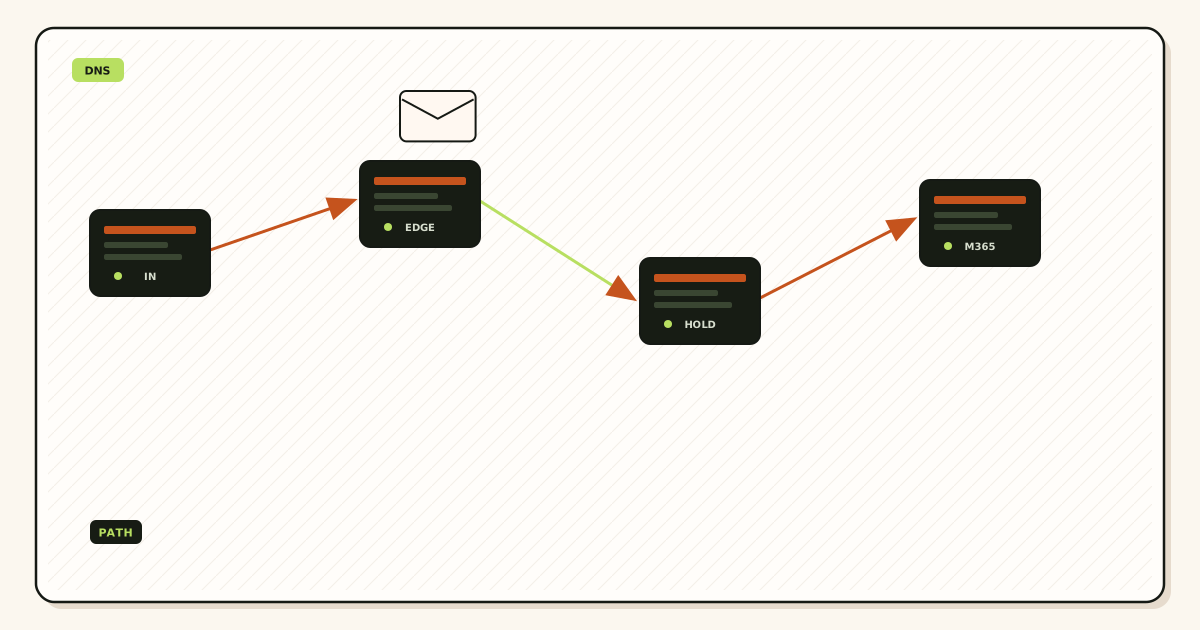
Quick answer for dns correct email not working
Split the ticket. First: is public MX exclusive? Query two resolvers. If Google, Microsoft, registrar, or old Cloudflare routing MX remains, that is leftover MX. Delete it. Product path: troubleshooting and the tools hub. Do not debug Gmail filters while ASPMX is still published.
Second: if public MX is only MailerZ, open delivery history for the exact probe. Empty history means MailerZ never accepted the envelope—wrong name, wrong zone, or the probe never left. History with 250 and an empty inbox is the destination. HOLD on a made-up local-part is Free doing its job. Create the named alias you printed.
Transport still follows IETF RFC 5321 — Simple Mail Transfer Protocol. Senders look up MX, offer a recipient, and transfer content. Names resolve as in IETF RFC 1035 — Domain names. Envelope SRS may rewrite the return path. Header From, Subject, Date, Message-ID, body, and MIME stay as received. None of that runs if the sender never reached MailerZ, or if you tested Gmail-to-Gmail and skipped MX.
Cloudflare’s routing docs describe their MX if that is the leftover you forgot; see Cloudflare Email Routing. Dual-publishing their MX beside MailerZ is leftover MX. One inbound owner.
Google’s people-first guidance is about pages, not SMTP; see creating helpful, reliable, people-first content. A “DNS looks fine” post that never mentions HOLD, history, or self-send will send you in a circle. MailerZ Free proves inbound on one domain: ten aliases, 14-day store, unknown held, no send-as. Solo is $40 per year when the domain must send. Confirm MailerZ pricing.
The user problem and the decision criteria
People say DNS looks correct because they pasted the dashboard MX into a panel and the panel echoed it back. Public resolvers may still serve yesterday. Or the panel is not the authoritative zone. Or MX is clean and the printed address was never created. The phrase “DNS looks correct” is a claim. Two resolver listings are evidence.
| Question | If yes | If no |
|---|---|---|
| Do two public resolvers show only MailerZ MX? | Leave the leftover-MX article. Continue here. | Delete extras. This page is premature. |
| Is the local-part a named alias? | Check history versus inbox. | Free HOLD or reject. Create the name. |
| Does history show 250? | Destination filter or wrong inbox. | Envelope never landed. Name, zone, or probe. |
| Was the probe from another provider? | You can trust the hop a bit more. | Self-send may have skipped MX. |
| Are you debugging send-as? | Different hop. Free cannot send. Prove inbound first. | Stay on inbound until history matches. |
The most common “correct DNS, dead mail” pattern on Free is a customer typing suport@ when you created support@. HOLD has the body. Gmail does not. You will swear DNS is wrong because the inbox is empty. Open recovery. Create the typo or teach the customer. Do not enable leftover FORWARD to hide missing names.
The second pattern is history 250 and Gmail Promotions or spam. That is not leftover MX and not an inbox-placement SLA. Search the destination. MailerZ forwarded. The store filtered.
The third pattern is Gmail Send mail as failing after inbound “worked” via self-send. Confirmation mail used public MX. Self-send did not. Exclusive MX plus an external inbound probe is the prerequisite. Then paid SMTP. Docs: MailerZ docs.
The fourth pattern is NS mismatch. You edited the registrar. Cloudflare still answers. The dashboard copy looks correct in the unused panel. Public MX is yesterday. That is still a DNS job. Read NS first. This page assumes you already did that and public MX is exclusive.
Technical mail flow
Exclusive MX means senders connect to MailerZ. MailerZ accepts a verified domain and a matching alias, stores required content, and forwards to the destination you verified. Envelope SRS may rewrite the return path. Header From stays the author. Unknown local-parts on Free are held. Paid plans can FORWARD leftovers when you enable that policy. History records the attempt. Gmail records what it decided to show.
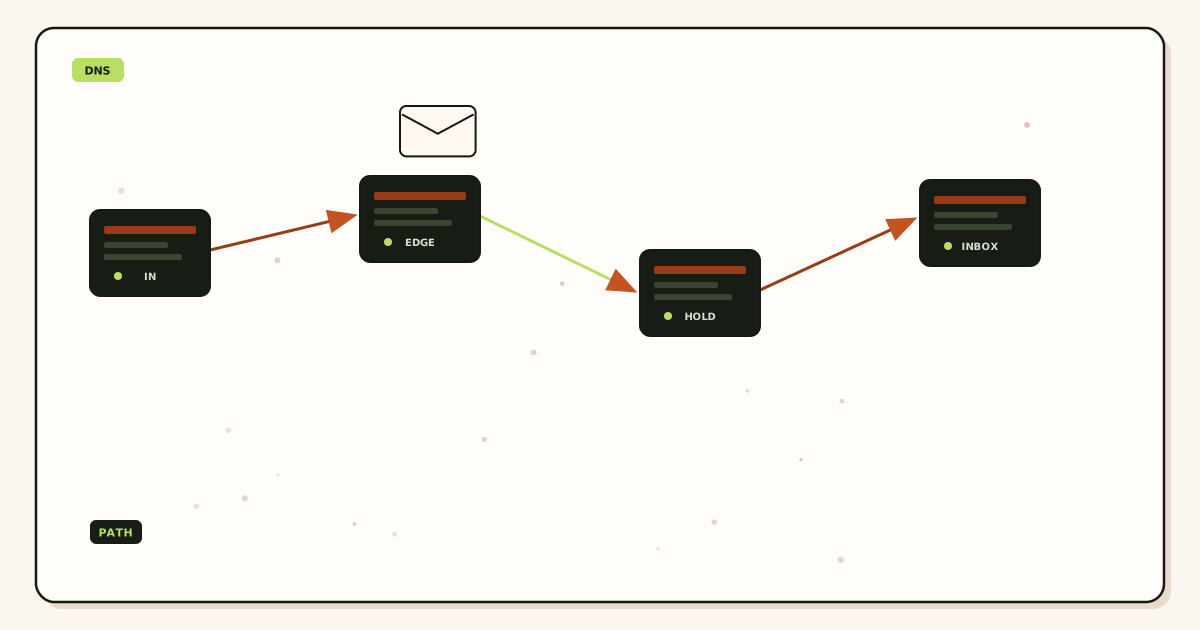
Empty history after an external probe means the envelope did not arrive. Causes: leftover MX you missed on the second resolver, wrong hostname (apex versus www), alias on a different MailerZ domain, or the sender never sent. Pretty DNS in one panel does not contradict empty history. History is closer to the hop.
Destination 4xx or 5xx in history means MailerZ accepted and the inbox rejected or deferred. Retry windows exist. Recovery is 14 days on Free and 90 days on paid. That store is hop evidence, not a second archive. Open the body there if Gmail never got a 250.
Self-send from Gmail to the same Gmail account can short-circuit. Thunderbird “send later” does not change that. Outlook same-tenant send can also hide MX. Budget an external mailbox. This is the check people skip when they say DNS looks correct.
SPF, DKIM, and DMARC evaluate authorization. IETF RFC 7208 — Sender Policy Framework (SPF), IETF RFC 6376 — DomainKeys Identified Mail (DKIM), and IETF RFC 7489 — Domain-based Message Authentication, Reporting, and Conformance (DMARC) are the documents. They do not move a missing alias into Gmail. They do not empty HOLD. They do not override a destination spam folder. Fix inbound delivery first. Then send-as.
Outbound SMTP is a different conversation. Free has no send-as. Unauthorized From returns 550 / 550 5.7.1. People mix “I cannot send as the domain” with “inbound failed.” Split those tickets. Inbound history first.
Loops look like DNS because mail never settles. Destination equals an address on the same domain that routes back. MailerZ will not save a loop you configured. Map to a Gmail or Outlook inbox you already read.
Plus addressing is not a domain alias. you+billing@gmail.com is a filter tag. Forms reject plus signs. If the customer sent to billing@yourdomain and you only created hello@, HOLD or empty history is expected. Create billing@.
Subdomain mail has its own MX. Cleaning example.com does not fix staff.example.com. If the printed address is on a name you never published MX for, DNS can look correct on the apex and still fail for that name.
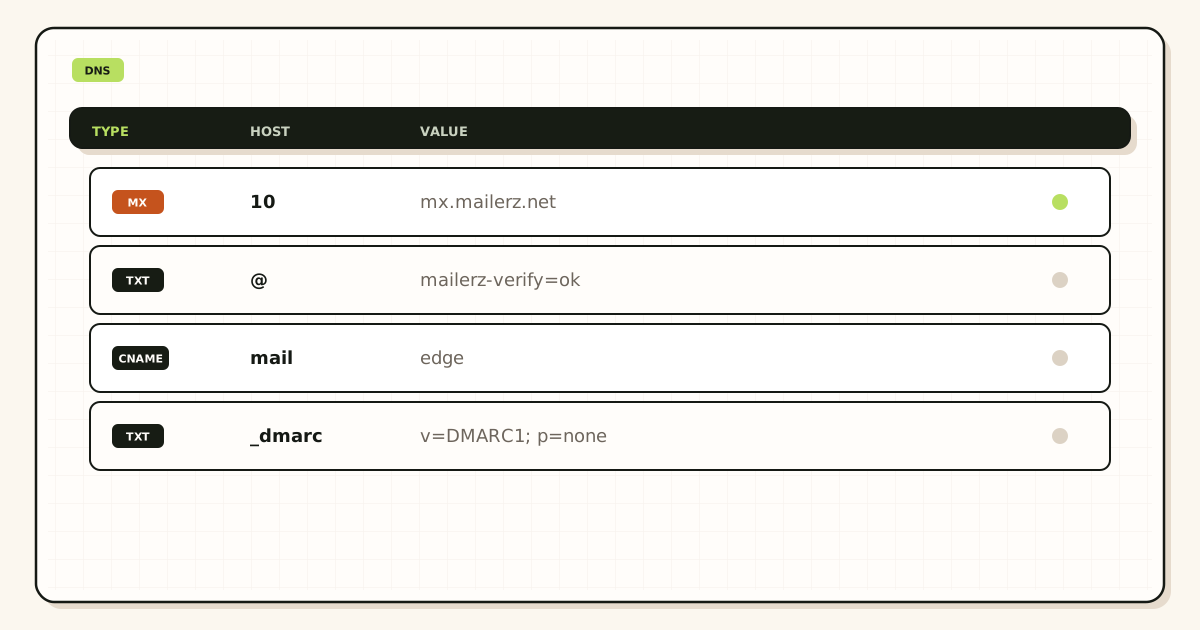
Verification TXT proves you own the zone in MailerZ. It does not receive mail. A green verify badge with leftover MX or a missing alias still fails inbound. Do not treat verify as a delivery test.
TTL can make one resolver look correct and another stale. “DNS looks correct” on 1.1.1.1 plus leftover on 8.8.8.8 is leftover MX. Wait out TTL after deletes. Do not add the old host back to “help” one sender.
Destination mailbox full, disabled, or rejecting your forwarder is a far-side problem. History will say so. That is not MailerZ leftover MX and not an inbox SLA. Fix the destination or remap.
Step-by-step setup and decision path
Prove public MX is exclusive
Two resolvers. Only MailerZ hosts. If not, delete leftovers and stop this checklist. Read NS so you edit the real zone.
Confirm the exact local-part exists
The string the customer typed, not the string you meant. Create it. Free allows ten aliases. Solo allows twenty-five.
Send an external probe
Unique subject from another provider. Not Gmail-to-same-Gmail. Note the time.
Read history before the inbox
Empty: envelope missed MailerZ. 250: look at Gmail spam and the mapped address. HOLD: open recovery. Far-side error: remap or fix the destination.
Only then touch send-as
Paid plan. Dashboard SMTP pair. Outward probe. Confirm pricing. Free cannot finish this hop.
Write the result in one line
“MX exclusive, alias present, history 250, inbox filtered” is a finished diagnosis. “DNS looks correct” is not. More setup notes: docs.
Failure modes and proof
| What you see | Likely cause | Proof |
|---|---|---|
| Panel matches dashboard, public does not | Wrong zone or leftover TTL. | NS plus two resolvers. |
| Public MX clean, history empty | Wrong name, self-send, or sender never sent. | External probe. Exact local-part. |
| History 250, inbox empty | Destination filter. | Spam, promotions, search. No inbox SLA. |
| Made-up address “missing” | Free HOLD. | Recovery. Create the name if real. |
| Some customers fail | Leftover MX on one resolver or one name. | Second resolver. Subdomain MX. |
| Send mail as will not verify | Inbound unproven or still on Free. | External inbound first. Then paid SMTP. |
| 550 on send | Unauthorized From or cap. | SMTP text. Not inbound DNS. |
| Mail loops or never settles | Destination on the same domain. | Map to Gmail or Outlook. |
Proof is a resolver listing plus a history row plus, if claimed delivered, a destination screenshot of spam or the inbox. Do not send SMTP passwords. Do not publish verification tokens. “DNS looks correct” is not proof.
Shared Microsoft 365 mailboxes and Google Groups follow suite MX. If MX is MailerZ, those objects do not receive. Dual MX is leftover MX. Pick one owner.
Phone auto-complete invents local-parts. HOLD will show the miss. Creating catch-all FORWARD to hide it trains Gmail on harvested names. Name the string the phone stored.
Two MailerZ domains with similar names (example.com versus example.co) produce “DNS is fine” on the wrong zone. Read the recipient domain character by character.
MailerZ workflow and product boundary
MailerZ is a custom-domain delivery layer operated by Secuno LLC. Point exclusive MX at MailerZ. Named aliases land in Gmail or Outlook. Unknowns are held on Free. Paid plans add optional FORWARD and SMTP. Site: mailerz.net. App: mail.mailerz.net.
- Free $0: 1 domain, 10 aliases, 14-day store, send-as disabled, SMTP and API disabled.
- Solo $40/yr: 5 domains, 25 aliases, 90-day, 2,500 outgoing, 20 send-as/hr.
- Starter $8/$80: 8 / 50 / 5 seats, 5,000 outgoing, 40/hr.
- Business $19/$190: 25 / 200 / 25, 12,000 outgoing, 60/hr.
- Agency $39/$390: 100 / 500 / 50, 20,000 outgoing, 60/hr.
MailerZ is not IMAP, not a suite, not an open relay, not an inbox SLA, not SOC 2 / ISO 27001 / HIPAA. Controls: Security and Trust Center. Unauthorized send returns 550 / 550 5.7.1. Annual Starter, Business, and Agency include two months free versus monthly. Solo has no monthly option. Limits are not an inbox promise.
Cost, alternatives, and trade-offs
The cheap-looking choice is arguing about DNS for a week. The expensive choice is a missing alias or leftover MX you never queried publicly. Free can finish the inbound diagnosis. Solo at $40 per year does not fix a destination spam folder. Do not upgrade to Agency to “make DNS work.”
| Approach | You get | You give up |
|---|---|---|
| Two-resolver MX plus history | A real split between leftover, alias, and filter. | The comfort of a pretty panel. |
| Self-send only | A fast green checkbox. | Truth about public MX. |
| Catch-all FORWARD to hide names | Typos in Gmail plus harvested noise. | A readable inbox. |
| Buy a suite mailbox | A new store. Quote live. | The Gmail archive you already have. |
Time is a line item. One external probe costs less than another day of “DNS looks fine.” Leftover MX costs more than Solo. A Free-plan send-as argument costs more than the upgrade.
Registrar cost sits next to MX. Included email may republish leftover MX on save. Watch for that after you “fixed DNS.”
Monthly versus yearly is unrelated to this diagnosis. Clean inbound on Free. Pay when send-as is a named job.
If every teammate needs a hosted mailbox, a suite is the honest product. A forwarder will look incomplete because it is incomplete for stored humans. Pretty MailerZ DNS will not become IMAP.
Open a held body for break-glass recovery and expect an audit row. That is a control, not a SOC 2 badge. Do not send zone or SMTP passwords to support. The artifacts that close a dns correct email not working ticket are two resolver listings, a history row, and either an inbox hit, a HOLD body, or a far-side SMTP error.
Agencies should run this checklist per zone. Client A can have exclusive MX while Client B still has outlook.com. Dashboard green on the wrong domain is how “DNS looks correct” spreads.
Helpdesks that ingest the alias are destinations. If the helpdesk rejects the hop, history will show it. That is not leftover MX. Remap or fix the helpdesk inbound address.
Quote vendors the day you debug. Gmail spam UI changes. Microsoft junk names change. MailerZ history labels can change. The order does not: exclusive public MX, named alias, external probe, history versus inbox, send-as last.
Legal hold is not the 14-day Free store. If counsel needs years, Gmail Vault or Microsoft retention is the archive. Do not treat HOLD as compliance because inbound failed last Tuesday.
Two-factor on the destination Gmail is still required. A “DNS” ticket that ends in a compromised destination is a different incident. Fix delivery, then lock the store.
Registrar versus DNS host confusion
Another reason DNS looks correct in one panel and fails in public resolvers is that you edited the wrong product. Many operators keep the domain at a registrar and host the zone at Cloudflare, Route 53, or a reseller nameserver set. The registrar still shows an Advanced DNS tab. That tab is live only if the nameservers still point at the registrar. If NS records point elsewhere, the registrar tab is leftover UI. You can add MX there all afternoon and the public internet will never see it.
The reverse also happens. You update Cloudflare because that is where you remember the zone lives, but last quarter someone changed nameservers back to the registrar during a certificate experiment. Cloudflare still shows your MX. Public resolvers follow the registrar. Two panels, two truths, one failing inbox.
The check is mechanical. Query NS for the domain. Open the product those nameservers belong to. Edit only that product. Ignore every other DNS screen until the nameservers change on purpose. If you need a second opinion, use the DNS and MX check tools on the MailerZ site rather than a screenshot from a panel you are not sure is authoritative.
This mix-up is especially common after a domain transfer. The new registrar copies a zone snapshot. The old DNS host still has a prettier UI. Operators keep editing the old host for weeks. Mail that used to work slowly dies as TTLs expire and resolvers stop using cached data from the previous nameservers.
Agency dashboards make the same mistake at scale. A technician opens Client A in Cloudflare and Client B in the registrar, then pastes the MailerZ MX into whichever tab is already open. One client goes live. The other stays on leftover Google MX. Both tickets say DNS looks correct because both technicians looked at a green panel. Query NS first, every time, for the exact zone on the ticket.
TTL and stale resolver cache
Time to live is not a suggestion. If MX had a one-hour TTL and you changed it twelve minutes ago, some resolvers still have the old answer. Your laptop might have the new one because you flushed or used a different resolver. A sender in another country might still be talking to the previous provider. That looks like DNS is correct but email still fails when the honest sentence is DNS is correct for me and stale for them.
Lower TTL a day before a planned cutover if you can. After the cutover, wait at least the old TTL plus a buffer before you declare the world consistent. Do not use a single web what-is-my-MX widget as proof the planet has updated. Query two public resolvers and one resolver in a different region if you have access.
Corporate resolvers add another layer. Some offices pin DNS or cache far longer than the published TTL. A colleague on the same Wi-Fi can send you a test that still hits the old MX while your phone on LTE hits the new one. Split the tests by network, not by person.
If you are mid-migration and cannot wait, do not stack a second MX as a workaround. That recreates the leftover-MX split. Wait, or keep the old provider as the only MX until you are ready to cut exclusively. Parallel receive is a product decision, not a DNS trick.
Flushing your own OS cache is useful for your laptop and useless for Gmail’s resolvers. You cannot flush a sender you do not operate. The only lever you own is exclusive MX with a sane TTL and enough wall-clock time. If a VIP sender still fails after two TTLs, ask that sender which MX their mail logs show. If they still list the old host, their resolver or their smart host is the remaining cache.
Envelope To versus Header To
Operators sometimes debug the wrong address. The message they open in Gmail shows a Header To of hello@example.com. The envelope that actually drove routing was sales@example.com because the sender used a mailing list or a BCC. MailerZ matches the envelope recipient against aliases. A missing sales alias drops or HOLDs that copy even though the header looks like a message you expected to keep.
The same confusion appears in plus-addressing and display names. A sender types Support Team <help@example.com>. The envelope is still help@example.com. If you only created support@, the message does not match. Read the envelope in raw headers or in MailerZ history, not the friendly From and To line in the inbox preview.
Forwarding does not rewrite the Header From. That is why a forwarded message still looks like it came from the original person. It also means you cannot use Header From as proof the message was accepted for your domain. Acceptance is an envelope event. History 250 is the acceptance proof. Inbox presence is a later, separate event at the destination.
If you want the long form of that split, stay with docs and the Received chain until you can name which hop accepted the envelope. Then open delivery recovery only when history already shows the hop and the destination is the remaining unknown.
Role addresses make this worse. A contact form may envelope-send to webmaster@ while the template Header To says hello@. You created hello. History is empty. The form is not broken. The alias is. Print the envelope from the form logs before you change MX again.
When to open a ticket
Open a ticket when you have already collected the cheap evidence and the picture is still incomplete. Cheap evidence means exclusive MX on two resolvers, alias exists and is not HOLD, history 250 or a visible bounce, destination not filtering the test, and a second resolver agreeing on NS and MX. If any of those is missing, finish the local check first. A ticket that says DNS looks fine without those five facts usually bounces back as a request for the same screenshots.
Include the message-id, the approximate UTC time, the recipient alias, and the destination inbox. Do not paste passwords. Do not paste full raw messages that contain other people’s personal data if you can avoid it. A header block plus the history row is enough for most inbound failures.
If history is empty and MX is exclusive, the sender never reached MailerZ. The ticket cannot invent a log that does not exist. The next move is on the sender side or on a DNS path you have not queried yet. If history is 250 and the destination is empty, the ticket is really a destination or HOLD question, not a DNS question.
That classification is the whole point of this article. DNS looking correct is the start of the debug, not the end. The next checks are alias state, HOLD, history, destination policy, and whether you are debugging send or receive. Once those are named, the leftover feeling that email is broken for mysterious DNS reasons usually collapses into one boring, fixable row.
If you want a second operator to repeat the same order without a call, send them this page and the leftover-MX article together. The pair covers the two most common we-already-checked-DNS failures: more than one MX still live, and one MX live with a routing or destination miss after that.
Paid plans do not change the order. Solo, Starter, Business, and Agency still need exclusive MX and a named alias. The upgrade changes send-as and limits. It does not make a missing local-part appear in Gmail. Do not buy a plan to fix a DNS-looking inbound miss unless the miss is actually a Free-plan send-as attempt.
FAQ
What is the safest way to handle dns correct email not working?
First prove public MX from two resolvers is only MailerZ. If leftovers remain, that is a leftover-MX job, not this one. If MX is exclusive, check the named alias, HOLD for unknowns, delivery history versus the inbox, and an external probe. Self-send from Gmail to the same Gmail account is not proof.
Does this require a new mailbox?
No. Pretty DNS does not demand a new store. Gmail or Outlook can stay the destination. MailerZ is not IMAP. Buy hosting only if you need folders on the domain instead of Gmail.
Will it work with Gmail or Outlook?
Yes when the alias is mapped and the hop actually reaches MailerZ. History that says 250 with an empty inbox is a destination filter. Leftover MX still sends some customers to the old host even when your panel looks clean. Free has no send-as.
What DNS records are involved?
MX must be exclusive and served by the NS you think you are editing. Verification TXT must match. SPF, DKIM, and DMARC matter when you send, not when inbound never arrives. A correct-looking panel is not public DNS.
What should I test before production?
Two-resolver MX listing, a uniquely titled inbound probe from another provider, Header From intact, history present, destination inbox or HOLD explained. Then, if you send, a paid outbound probe. Do not use self-send as the only test.
Key takeaways
- DNS correct email not working: prove public MX first, then alias, history, and destination.
- Leftovers on a second resolver are leftover MX, not a Gmail mystery.
- Empty history means the envelope missed MailerZ. 250 empty is a filter.
- Free HOLD is why unknown names never reach Gmail. Create the printed alias.
- Self-send lies. Probe from another provider.
- Free receives. Solo $40/yr starts send-as. Confirm /pricing.
- Envelope SRS only. Header From untouched. Not an inbox SLA.
- Not IMAP, not an open relay, not SOC 2. Split inbound tickets from SMTP tickets.
Conclusion and next action
If DNS looks correct and mail still fails, stop repeating the panel screenshot. List public MX twice. Create the exact local-part. Probe from somewhere else. Read history before you blame Gmail. MailerZ can show the hop. It cannot invent an alias you did not create or file Primary. Start free on one domain and run the order.
Ready to prove the hop
Start free with one domain and an external probe.
Inbound on Free. Solo when send-as is the job. Sign in if the domain is already there.
Review quarterly, or sooner if MailerZ history labels or provider junk folders change. Author: MailerZ editorial, Secuno LLC.