Gmail custom domain without email hosting is a receive design: the domain never gets IMAP. MX points at a forwarder. A named alias lands in the Gmail you already search. Gmail is the store, not the domain host. You still publish DNS. You still cut leftover suite MX. You still probe from another mailbox. Branded send is optional and paid. Workspace is the other design — Google hosts the mailbox on the domain.
Quick answer for gmail custom domain without email hosting
Yes, Gmail can receive a custom domain without hosting a mailbox on that domain. Publish one MailerZ MX set. Create a named alias to your Gmail. Delete leftover hosts. Probe from an unrelated mailbox. The domain has no IMAP login.
Custom domain Gmail in this design is a destination, not an MX. Email forwarding to Gmail is the hop. A free @gmail.com account cannot answer yourdomain.com by itself.
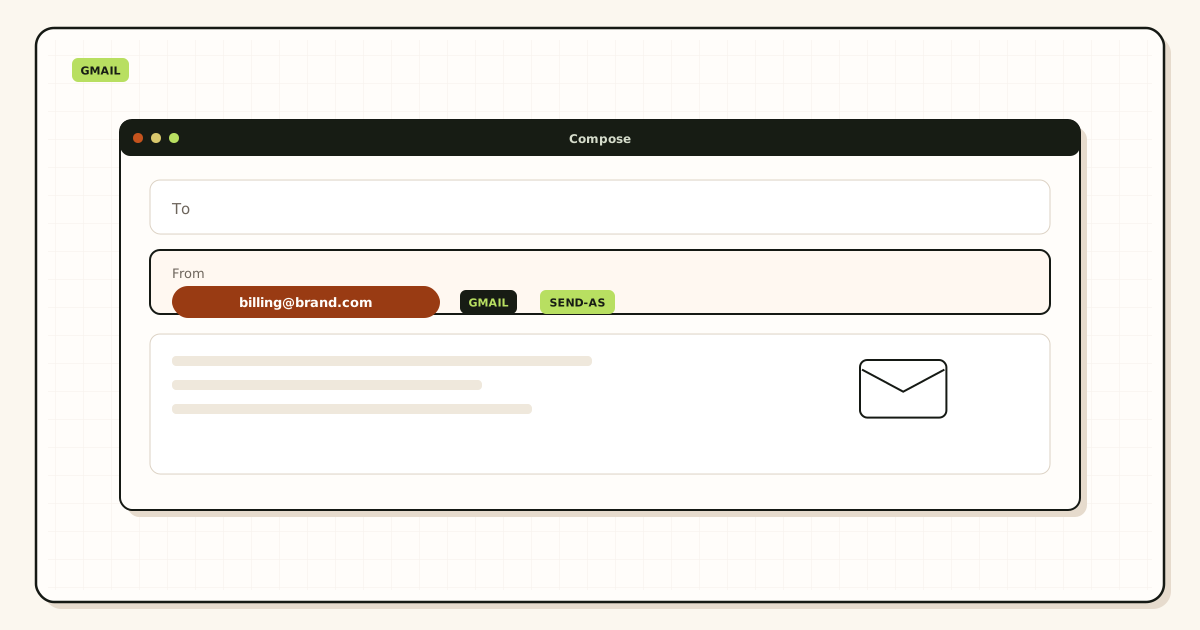
Gmail send as is not required for the yes. It is required if you must reply as the domain. Free has no send-as.
If you need a hosted mailbox, buy Workspace or another suite. That is a different question.
MailerZ Free is one domain, ten aliases, one seat, a 14-day store, send-as disabled, SMTP and API disabled, and unrouted mail held or rejected only. Solo is $40 per year only. Starter is $8 monthly or $80 yearly. Business is $19 or $190. Agency is $39 or $390. Unlimited is $99/month or $990/year. Confirm numbers on MailerZ pricing. Limits are not an inbox-placement promise.
Google’s own Send mail as steps live in Google Gmail Help — Send mail from a different address. Workspace as a product is described on Google Workspace — product overview. Transport still follows IETF RFC 5321 — Simple Mail Transfer Protocol.
custom domain gmail: the real decision
People want hello@ without paying for hosting and without understanding MX. They add a Gmail send-as identity and never publish MX. Inbound never arrives.
They compare this design to Proton or Workspace as if the store lived on the domain.
They certify with self-send and ship the homepage.
Criteria: can a stranger reach the printed name, does Header From survive, do you accept that send is a second product decision.
| Claim | True if | False if |
|---|---|---|
| Gmail gets the copy | Forward hop works | Leftover MX still answers |
| Domain hosts IMAP | Never in this design | You bought a suite |
| Reply as hello@ | Paid send-as | Free or skipped identity |
| No DNS work | Never | You skipped verify or MX |
Prove inbound from another mailbox before you print hello@ on a homepage.
Start free — one domainTechnical mail flow for gmail custom domain without email hosting
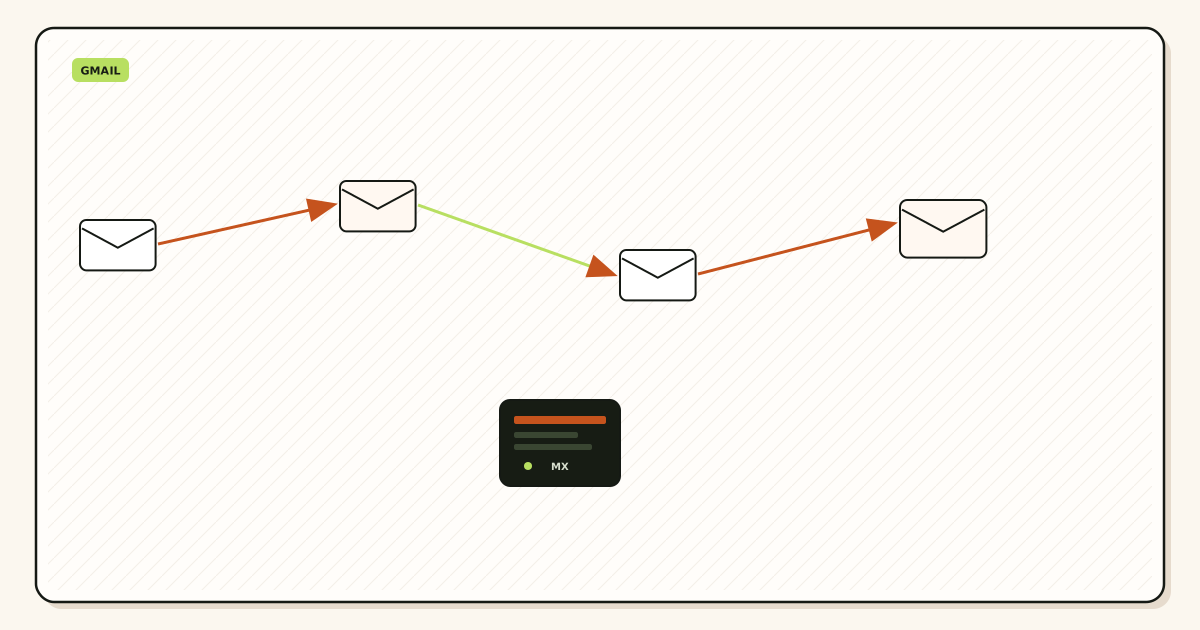
Sender looks up MX, not Gmail. MailerZ accepts RCPT TO for the alias and opens a second SMTP session to Gmail. Header From stays. SRS may rewrite the envelope.
Gmail stores and classifies. That classification is not hosting.
Unknown local-parts are held on Free. Hosting a mailbox would have accepted more names by default. This design does not.
Outbound is unrelated until you attach SMTP.
MailerZ is inbound MX plus authenticated SMTP from Secuno LLC. Envelope SRS only. Header From, Subject, Date, Message-ID, body, and MIME are never rewritten. Not Google Workspace, not IMAP or POP, not an open relay. Unauthorized send is SMTP 550 / 550 5.7.1. Leftover MX is a hard stop. Self-send from Gmail to the same Gmail account can hide routing errors. Not SOC 2, not ISO 27001, not HIPAA.
gmail send as
Prove receive before you argue hosting.
- Decide the Gmail that will store copies.
- Add and verify the domain.
- Create the printed aliases.
- Publish MailerZ MX. Delete leftover hosts.
- Probe from another mailbox.
- Leave send-as off until a From must travel.
- Do not enable catch-all on day one.
- Document that the domain has no IMAP login.
Failure modes and proof
Added send-as only. Never published MX.
Thought Gmail was the MX.
Left Workspace MX in place.
Self-send.
Expected MailerZ to be webmail.
Leftover MX is the usual ghost. Check a public lookup before you blame Gmail.
Open leftover MX troubleshootingMailerZ workflow and product boundary
MailerZ is the hop that makes the yes true. Not IMAP or POP. Mail Box is portal webmail. Not an open relay. Related: email forwarding, send and reply, compare Google Workspace, docs.
Free is enough for the receive yes on one domain and ten aliases.
Related pages: email forwarding, send and reply, compare Google Workspace, and docs.
email forwarding to gmail
Avoided mailbox hosting is the point. Do not replace it with three Workspace seats. Do not replace it with a VPS you will not pager. Confirm pricing.
Solo exists when the yes must become a reply.
MailerZ Free is one domain, ten aliases, one seat, a 14-day store, send-as disabled, SMTP and API disabled, and unrouted mail held or rejected only. Solo is $40 per year only. Starter is $8 monthly or $80 yearly. Business is $19 or $190. Agency is $39 or $390. Unlimited is $99/month or $990/year. Confirm numbers on MailerZ pricing. Limits are not an inbox-placement promise.
Field notes you can reuse
Say “store” and “hop” out loud. The argument ends sooner.
Outlook can be the store. Same yes.
Privacy-mask products are not this yes.
Hold unknowns. Hosting habits do not apply.
Legal hold is not this design.
Agencies: per-domain hops. The store can be one Gmail.
Review leftover MX after host changes.
This page answers receive, not marketing inbox rates.
Deeper field notes for gmail custom domain without email hosting
Yes — if you mean receive, not host
Gmail can receive a custom domain without hosting a mailbox on that domain. The domain’s MX points at a forwarding operator. The operator accepts RCPT TO for a named alias and sends the message onward to a Gmail address you already have. Gmail stores the copy. The custom domain never had IMAP. That is gmail custom domain without email hosting as a receive design.
People hear “without hosting a mailbox” and think Gmail somehow becomes the domain’s MX. It does not. A free @gmail.com account is not an MX target for yourdomain.com. You still need a hop that accepts the domain and forwards. Registrar toys, Cloudflare routing, or MailerZ are those hops. Workspace is the other design: Google hosts the mailbox on the domain. Those are different products.
What Gmail is storing
After a successful forward, Gmail holds the message in the destination account. Header From should still show the original author if the forwarder did not rewrite it. MailerZ does not rewrite Header From, Subject, Date, Message-ID, body, or MIME. Envelope SRS may change the envelope so SPF at Gmail can pass for the hop. That is not a hosted mailbox on your domain. It is a store you already pay Google nothing extra for, plus a route you pay or use Free for.
Search, labels, and phone notifications are Gmail features. They are not proof the domain hosted mail. If you close the Gmail account, the domain route still exists until you delete the alias, but you will not read the store. The domain never had its own login.
What you cannot skip
You still need DNS you control. A verification TXT. One MX set on the authoritative nameservers. Leftover hosts deleted. Named aliases for printed local-parts. A probe from a mailbox that is not the destination. Self-send from Gmail to the same Gmail can hide the hop. That green result is why people swear the domain works while customers vanish.
You still cannot send as the domain on Free. Receive is the Free job. Branded send is paid SMTP plus Gmail Send mail as. If the question was “can I look like hello@ without Workspace and without paying,” the honest answer is receive yes, send not on Free.
Hosting a mailbox versus pointing MX
Hosting a mailbox means IMAP or a webmail login on the domain, a quota, and usually a suite. Pointing MX means the public internet offers the message to whoever answers the lookup. That answer can be a forwarder. The forwarder is not your mailbox. Confusing the two is how buyers compare MailerZ to Proton or Workspace as if they were the same aisle.
Privacy-mask products hide a destination on a provider domain. They are not custom-domain MX for a business homepage. Cite their docs if you compare. Do not invent parity.
Outlook as the store
The same receive design works if the destination is Outlook.com or a Microsoft 365 personal mailbox you already have. The domain still does not host a mailbox. The store is Microsoft. The hop is still MX plus alias. Outlook send-as is a manual SMTP identity, not Gmail’s Send mail as wizard. Document which store you chose before you print the address.
When you do need a hosted mailbox
Shared company search with admin legal hold, device management, or Calendar as the system of record. Then buy a suite. Do not stretch forwarding into Vault. MailerZ is not SOC 2, not ISO 27001, and not HIPAA. The store windows are recovery, not legal hold.
A complete worked story
A founder who thought send-as was inbound
She added hello@ in Gmail Send mail as, printed it on a launch page, and waited. Customers wrote hello@. Nothing arrived. Gmail had an outbound identity and no inbound hop. The domain’s MX still pointed at a registrar parking host. She verified MailerZ, created the alias, published MX, deleted the parking MX, and probed from a friend’s Outlook. The next customer landed. She stayed on Free for three months because she replied from Gmail on purpose. That is a valid yes: receive without hosting, send later or never.
A peer bought Workspace the same week because a thread said you cannot use a custom domain without hosting. Both founders have hello@ in a Gmail window. Only one pays seats. The difference is the hop.
Operator brief
A longer operator brief for gmail custom domain without email hosting
Teams that bookmark Can Gmail Receive a Custom Domain Without Hosting a Mailbox? usually arrive after a missed invoice, a form that never notified anyone, or a migration that looked clean in one resolver. The useful brief is still boring. Name the store. Name the printed local-parts. Name the nameservers that actually answer. Publish one MailerZ MX set. Delete leftover hosts. Probe from a mailbox that is not the destination. Only then talk about gmail custom domain without email hosting as a send-as, catch-all, or comparison problem.
MailerZ remains inbound MX plus authenticated SMTP around Gmail or Outlook. Envelope SRS only. Header From, Subject, Date, Message-ID, body, and MIME stay intact. It is Mail Box portal webmail, not IMAP, not POP, and not an open relay. Unauthorized send is 550 / 550 5.7.1. Free cannot finish send-as: SMTP and API stay off. Solo is $40 per year when the domain From must travel. Starter is $8 or $80. Business is $19 or $190. Agency is $39 or $390. Unlimited is $99/month or $990/year. Confirm the live pricing page. Those numbers are ceilings, not an inbox-placement service-level agreement.
If leftover Google, Microsoft, Cloudflare routing, or registrar MX is still public, stop widening gmail custom domain without email hosting. The map you built never saw that copy. Priority numbers are an order, not load balancing. A higher preference host is idle while a leftover host still accepts mail. Save the old MX set before you delete anything. Check more than one public view because TTL lies.
Catch-all forward is not a safety feature for can gmail receive a custom domain without hosting a mailbox. Hold unknowns on everyday production. Review the store. Promote a leftover only when a real person used it. Paid forward belongs to a dated cutover. Fan-out of unknowns into two inboxes trains two spam buttons. Plus addressing on Gmail is not a custom-domain unknown policy. MailerZ will not strip plus tags on your domain the way Gmail does on @gmail.com.
Send-as is a second hop. Creating an inbound alias does not approve outbound. Catch-all does not mint a From. Copy the dashboard host, port, and TLS pair together. Set From to an identity you created. Do not paste a Gmail password into a CMS, a cron file, or a ticket. Do not mail SMTP secrets to support. Send a 550 line, a timestamp, and a Message-ID. Rotate if a secret already leaked.
Self-send from Gmail to the same Gmail account can short-circuit. That green result is why people swear gmail custom domain without email hosting works while customers vanish. Use a second provider. Put a unique subject on the probe so delivery history is searchable. If Header From was rewritten by some other forwarder, authentication stories get noisier. MailerZ does not rewrite Header From on inbound.
Agencies should keep gmail custom domain without email hosting per client zone. Separate SMTP credentials. Do not pour every client into one catch-all because the spreadsheet got long. Agency plan capacity exists so you can hold more domains and aliases. It does not replace a named list. Offboard means delete MX you own, revoke SMTP, and stop forwarding leftovers into the agency inbox.
Legal and security questions have published answers on the security, privacy, terms, DPA, and subprocessors pages. MailerZ is not SOC 2, not ISO 27001, and not HIPAA. The 14-day Free store, the 90-day Solo–Agency store, and the 180-day Unlimited store are recovery windows for hops this layer saw. They are not an archive and not legal hold. If counsel wants eDiscovery, buy eDiscovery.
Comparisons only help after the hop is honest. Cloudflare Email Routing is inbound routing. A privacy-mask product hides a destination on a provider domain. A suite hosts mailboxes, Calendar, and admin. Proton-class mailboxes encrypt a store. MailerZ is the delivery layer when you already have Gmail or Outlook and you need a domain route you can prove. Cite the other product’s documentation. Do not invent feature parity.
When Can Gmail Receive a Custom Domain Without Hosting a Mailbox? is closed, the next physical action is a lookup and a probe, not another tab. Start free on one domain you can break. Sign in if the zone already lives here. Review quarterly, or sooner after a nameserver move, a plugin swap, or a staff departure. That is how gmail custom domain without email hosting stays a runbook instead of an incident.
A second worked pass for gmail custom domain without email hosting: write the last change on a sticky note before you open the dashboard. Nameserver move, leftover MX, new form plugin, contractor laptop, or a registrar forwarding toggle are the usual five. MailerZ history only shows hops that reached this layer. If the sticky note says leftover MX, you do not have a gmail custom domain without email hosting mystery. You have a split. Delete the leftover. Wait for TTL. Probe again.
A third worked pass: print the public list. If you cannot print it, you are not ready for production unknowns and you are not ready for a bigger alias ceiling. Unlimited aliases as marketing will not save a missing list. Ten named aliases on Free are enough to stop printing a personal Gmail on a homepage. Grow the list when a real person used a leftover, not when a harvest guessed admin@.
More working detail
The sentence that ends the hosting argument
Hosting a mailbox means someone can log into IMAP or webmail as hello@yourdomain and see a store that lives on that identity. Receiving without hosting means someone logs into Gmail as a Gmail user and sees a copy that arrived because MX and an alias said so. If you cannot log into hello@ on a mail host, you are not hosting. If customers can still write hello@ and you can still read it, you are receiving. Those two sentences are the whole article. Everything else is leftover MX and send-as.
Apple Mail, Thunderbird, and Outlook desktop can still download the Gmail store over IMAP. That does not mean the domain hosts IMAP. The client is talking to Gmail, not to yourdomain.com. People point at a desktop client and say “see, we hosted it.” They hosted a Gmail password in a client. The domain still has no mailbox.
Null MX is the opposite design: the domain publishes that it accepts no mail. Do not publish null MX and a forwarder. Do not publish a suite and a forwarder. One answer to “does this domain receive?” Publish MailerZ MX if the answer is yes via Gmail. Publish a suite if the answer is yes via a hosted mailbox. Publish null MX if the answer is no.
Resellers who sell “email hosting” and then only change MX to a forwarder are selling this design under the wrong name. Ask them whether you get an IMAP login on the domain. If the answer is no, you bought forwarding. Price it like forwarding. MailerZ Free is the honest version of that buy for up to ten names.
FAQ
- What is the safest way to handle gmail custom domain without email hosting?
- Yes for receive: verify the domain, create named aliases into Gmail, publish one MailerZ MX set, delete leftover hosts, and probe from another mailbox. The domain does not host IMAP. Send-as is a separate paid decision.
- Does this require a new mailbox?
- No. MailerZ is Mail Box portal webmail (Inbox, Sent, New email). It is not IMAP or POP. Gmail or Outlook remains the store unless you separately buy a hosted mailbox product.
- Will it work with Gmail or Outlook?
- Yes for inbound when the destination is a verified mailbox. Branded replies need paid send-as plus Gmail Send mail as or a manual Outlook SMTP identity. Free has no send-as.
- What DNS records are involved?
- A verification TXT, one MailerZ MX set on the authoritative nameservers, leftover host MX removed, and SPF, DKIM, and DMARC if you also send as the domain.
- What should I test before production?
- Send a uniquely titled message from an unrelated provider into each named alias. Confirm Header From and delivery history. Do not email yourself from the same Gmail account.
Key takeaways
- Receive yes.
- Hosted IMAP no.
- Gmail is not MX.
- One forward hop.
- Probe externally.
- Send is optional paid.
- Hold unknowns.
- Suite if you need a mailbox.
Conclusion and next action
Gmail can receive your domain without a mailbox on that domain. You still need a verified MX hop and a named alias. MailerZ is that hop. Workspace is the mailbox product if you change your mind.
Start free. Sign in if you already pointed MX and inbound is still silent.
Receive without a hosted mailbox
Start free, verify the domain, prove inbound from another mailbox.
Gmail stores. MailerZ accepts. The domain stays mailbox-free.
Review quarterly, or sooner if Gmail, Workspace, or MailerZ scope changes. Author: MailerZ editorial, Secuno LLC.