The best email forwarding service with delivery logs and recovery is the one that records what the destination SMTP server said, keeps a short window to inspect a failed hop, and does not pretend that a 250 is Primary. Keep Gmail or Outlook as the store. Publish one MX set. Probe from another mailbox. Match history to the inbox before you trust the domain in production.
Quick answer for email forwarding service delivery logs
You want three artifacts when a customer swears they sent mail: the public MX set, the receiving event with timestamp and remote response, and the destination inbox or its spam folder. A forwarder that cannot show the middle artifact leaves you arguing from memory. MailerZ records inbound and outbound hops, stores content for 14 days on Free, 90 days on Solo through Agency, or 180 days on Unlimited, and preserves Header From on the forward. Envelope MAIL FROM may use SRS. It is not IMAP. It is not an archive product. It is not an open relay.
“Best” here means a stack you can test. Google’s people-first content guidance is the evidence style, not a ranking trophy: Creating helpful, reliable, people-first content. A log that says delivered while Gmail hid the message is still a useful log. A product that promises Primary is selling a thing no forwarder owns.
MailerZ Free is one domain, ten aliases, one seat, a 14-day store, unknown mail hold or reject, and send-as, SMTP, and API off. Paid Solo through Agency keep a 90-day store. Unlimited keeps 180 days. Every paid plan adds send-as, SMTP, and API. Solo is $40 per year: 5 domains, 25 aliases, 2,500 outgoing, 20 per hour. Starter is $8 monthly or $80 yearly: 8 / 50 / 5,000. Business is $19 or $190: 25 / 200 / 12,000. Agency is $39 or $390: 100 / 500 / 20,000. Unlimited is $99 monthly or $990 yearly: uncapped domains and aliases, 100,000 outgoing. Confirm numbers on MailerZ pricing. Capability list: MailerZ features. Failed hops after a clean MX set: delivery recovery.
Cloudflare Email Routing and other inbound routers can move mail without giving you the same stored-hop model. Read Cloudflare — Email Routing documentation if that is the stack you run. ImprovMX is the closest commercial class; compare current plans on their site: ImprovMX — product documentation. Do not migrate because a blog used the word best. Migrate because you can name the artifact you were missing.
The user problem and the decision criteria
Teams shop for delivery logs after a weekend argument. A customer has a sent folder. Gmail is quiet. The old forwarder has a green check or nothing at all. Support guesses leftover MX, a filter, or a lie. Without a destination SMTP response, every guess is equally expensive.
Recovery is the sibling problem. A hop fails at 6 p.m. Friday. Monday the body is gone. A 14-day or 90-day window is not seven-year hold. It is enough to retry or to prove what arrived. If you need a legal archive, keep it in Gmail or buy hosting. Do not buy forwarding logs and then ask for eDiscovery.
| Question | If yes | If no |
|---|---|---|
| Do you need the destination SMTP response in writing? | Require delivery history. MailerZ records it. | A blind pipe may be enough until the first dispute. |
| Do you need to inspect a failed hop days later? | 14 days Free, 90 days paid. Not an archive. | Inbound-only routing without a store may be acceptable. |
| Is Gmail already the system of record? | Keep it. Logs sit on the hop, not in a new IMAP box. | You are shopping for hosting. |
| Must replies show the domain? | Paid SMTP. History should cover outbound too. | Inbound logs may be the whole purchase. |
| Can you delete leftover MX? | Cutover is possible. Logs will then mean something. | History will show a random subset of senders. |
| Is sending operational, not bulk? | MailerZ SMTP is in scope on a paid plan. | Use a campaign platform with its own event stream. |
A logging forwarder is a poor fit when you need tenant eDiscovery, when you want the vendor to promise inbox placement, or when you will never open the history UI. It is a good fit when a customer dispute must end with a timestamp and a remote code.
Technical mail flow
Logs attach to SMTP conversations. IETF RFC 5321 — Simple Mail Transfer Protocol is the transport. The sender looks up MX, delivers, and is done. Your forwarder then starts a second conversation with Gmail. Email forwarding service delivery logs should record both, or at least the second hop’s response. Inbox tabs are not in that transcript.
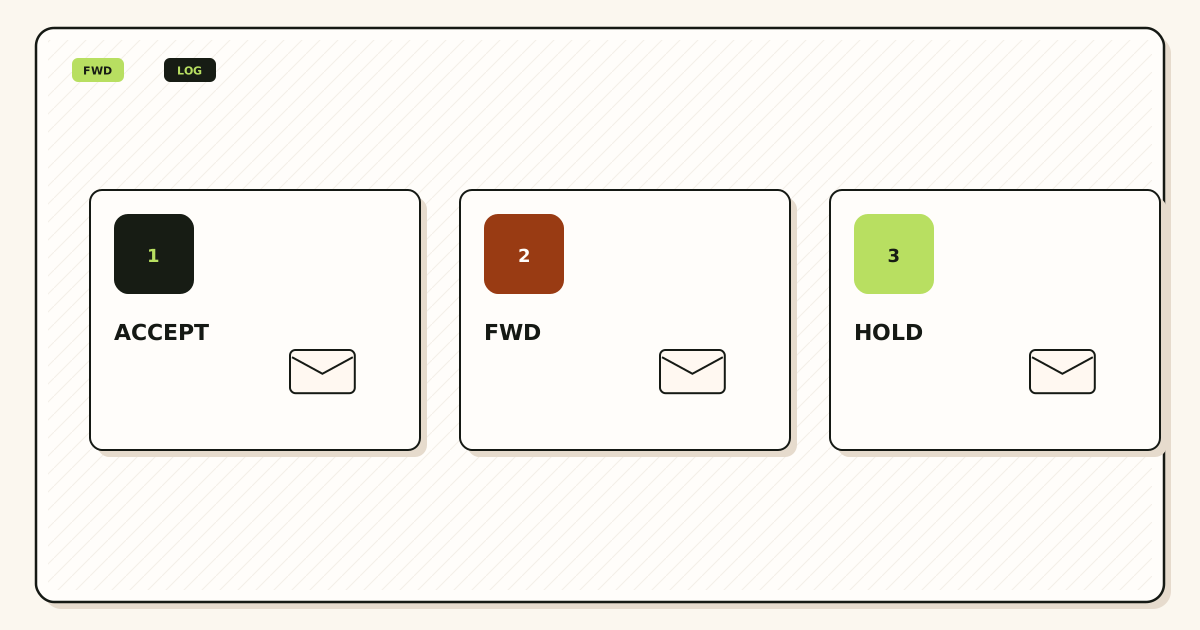
What MailerZ records
After verification and an alias match, MailerZ stores required content and metadata, returns 250 to the sender, and forwards. Header From stays the original sender. Delivery history keeps the destination response. If Gmail accepts and files the message in spam, history can still say delivered. That pair is the point of the product, not a contradiction.
Unknown recipients on Free are held. The hold is itself evidence: the local-part was not on the allow-list. Buying logs does not turn catch-all hold into a silent forward. Name the alias or enable paid catch-all forward when you mean it.
What recovery is
The store exists so a failed hop can be inspected or retried during the window. Opening a body for break-glass recovery can create an audit row. That is a control, not a marketing badge. After 14 days on Free, 90 days on Solo through Agency, or 180 days on Unlimited, the window closes. Gmail remains the archive if the forward succeeded.
Outbound logs matter once you add paid SMTP. Authentication failures, 550 on unauthorized recipients, and plan-limit refusals should appear as SMTP facts, not as “Gmail is broken.” Unhosted or unauthorized send gets 550 / 550 5.7.1. MailerZ is not an open relay.
SPF, DKIM, and DMARC are outbound authorization. IETF RFC 7208 — Sender Policy Framework (SPF), IETF RFC 6376 — DomainKeys Identified Mail (DKIM), and IETF RFC 7489 — Domain-based Message Authentication, Reporting, and Conformance (DMARC) are the texts. They do not write your inbound log. They do not place mail in Primary.
Message-ID is the other join key. Gmail’s UI hides it. Raw headers show it. MailerZ history should let you correlate the stored copy with the destination copy without guessing from timestamps. If two probes used the same subject, you will merge events in your head and file a false incident. Unique subjects are not a style preference. They are how a small team avoids lying to itself.
Retry behavior belongs in the runbook. A 4xx from Gmail is not the same as a 5xx. A timeout is not a filter. If you retry from the recovery store, record that you retried. A customer who sends once and a support agent who retries twice can look like three incidents in a sloppy spreadsheet. The log is only as good as the person reading the code, not the color of the badge in the UI.
Step-by-step setup and decision path
This is the email forwarding service delivery logs setup path. Get a matched pair of artifacts before you cut production MX.
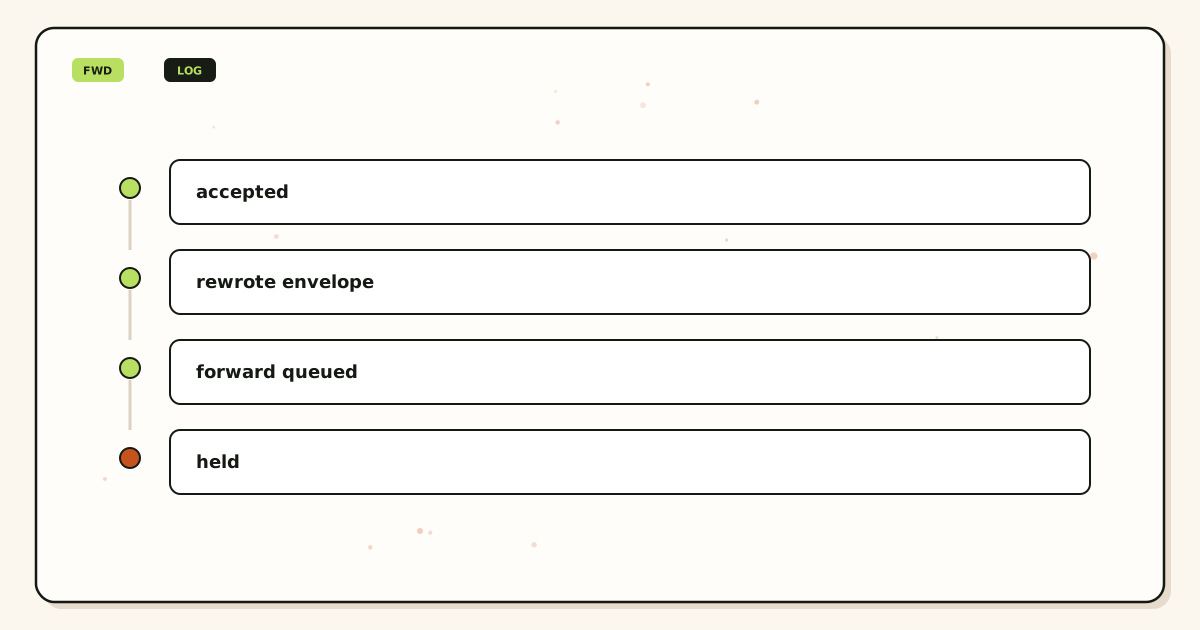
Write the artifact you are missing
If you already have Gmail and only lack a hop transcript, you are in this article. If you lack a mailbox, you are shopping for hosting. If you lack Calendar, you are shopping for a suite.
Add one domain and verify TXT
Use the root domain. Publish the unique verification TXT. Receiving stays off until the check passes. Logs for an unverified domain will not exist yet.
Create a named alias and verify the destination
Map
hello@to the Gmail you will search. Complete destination verification. A probe to an unverified destination wastes the first history row.Publish one MX set and delete leftovers
Copy exact hosts. Remove leftover Google, Microsoft, registrar, or prior forwarder MX. Query two resolvers. History cannot explain mail that never arrived because a second MX stole it. Use the migration planner if you are leaving another vendor.
Send a uniquely titled probe from another mailbox
Open Gmail. Open MailerZ history. Match subject, timestamp, and destination response. Self-send from the same Gmail account can skip the hop and leave an empty log.
Practice one recovery while the window is open
If a test hop fails, use the store inside 14 or 90 days. Do not wait a quarter. Confirm you know where the event lives before a customer is involved.
Add paid send-as only if outbound logs are in the acceptance test
Free has no send-as. Solo and above add SMTP. Send to a second external inbox and read the outbound event. Plan limits: Solo 20/hour and 2,500/month; Starter 40 and 5,000; Business 60 and 12,000; Agency 60 and 20,000.
Failure modes and proof
Most “logs are useless” reports are leftover MX, a self-send test, or a team that expected history to override Gmail’s spam folder. Separate the cases.
| What you see | Likely cause | Proof to collect |
|---|---|---|
| No history row | Mail never reached MailerZ. Leftover MX or wrong alias. | Public MX from two resolvers. Alias list versus envelope recipient. |
| History 250, Gmail quiet | Destination accepted, then filtered. | Spam, promotions, filters. This is not a missing log. |
| Held unknown recipient | Free hold policy. Local-part not created. | Create the alias or review paid catch-all. Do not call it data loss. |
| Self-send empty | Gmail short-circuited a message to itself. | Repeat from a different provider. |
| Recovery empty on day 20 | Free window is 14 days. | Paid 90-day store if the hop still matters. Gmail is the long archive. |
| Outbound 550 | Unauthorized From, unhosted domain, or open-relay refusal. | Exact SMTP response in history. |
| SMTP auth failed | Wrong credential or still on Free. | Re-copy dashboard values. Confirm the plan includes send-as. |
Proof is always a pair: sanitized destination headers and the MailerZ event. Do not send SMTP passwords to support. Do not publish verification tokens. DNS-only tools: troubleshooting.
MailerZ workflow and product boundary
MailerZ is a custom-domain email delivery layer operated by Secuno LLC. Point MX at MailerZ. Mail for a hosted, verified domain can land in Gmail or Outlook. Paid plans add authenticated SMTP. Site: mailerz.net. App: mail.mailerz.net.
Positioning: a focused custom-domain forwarding plus authenticated SMTP option with hop evidence. That is the delivery-logs job. It is not a SIEM and not a mailbox host.
What MailerZ does
- Accept inbound mail for verified domains and configured recipients.
- Preserve Header From on the forward.
- Hold or forward unknown recipients according to plan and settings.
- Store messages 14 days on Free or 90 days on paid plans.
- Record delivery history for inbound and outbound hops.
- Send through authenticated SMTP on paid plans.
- Surface leftover MX as a diagnostic hard stop.
What MailerZ does not do
- Replace Gmail with IMAP or webmail.
- Rewrite header From, Subject, Date, Message-ID, body, or MIME.
- Offer send-as on Free.
- Promise inbox placement, uptime SLAs, or review counts.
- Claim SOC 2, ISO 27001, or HIPAA. Controls: Security.
- Act as an open relay or a campaign sender.
- Keep mail forever. The window closes.
Cost, alternatives, and trade-offs
You pay for the window and the transcript, not for a trophy log. Free is enough to learn whether history matches Gmail. Paid 90-day store is for operators who will actually open a failed hop next month. Solo is $40 per year when send-as and the longer window travel together.
| Approach | You get | You give up |
|---|---|---|
| MailerZ | Hop history, 14/90 day store, paid SMTP, Header From preserved. | No IMAP, published send limits, you operate DNS. |
| Inbound-only router | Often cheaper receiving. | Weaker stored-hop evidence. See Cloudflare docs if that is your stack. |
| Hosted mailbox suite | Vendor store and admin search. | Per-user seats. Different product. Google Workspace — product overview |
| Campaign ESP events | Bulk telemetry. | Not custom-domain forwarding for human mail. |
Annual Starter, Business, and Agency billing includes two months free versus monthly. Solo has no monthly option. Alias ceilings are 10 on Free, 25 on Solo, 50 on Starter, 200 on Business, 500 on Agency, and uncapped on Unlimited. If you cannot find a history row, raise leftover MX, not the plan, until public DNS is exclusive.
Shared inboxes produce noisy logs if three people forward the same alias into three Gmail accounts and only one of them filters aggressively. The history row will show three destination responses or one, depending on how you configured fan-out. Read the event, not the loudest founder. If only one destination is configured, only one 250 matters. The other two people are looking at a mailbox that was never on the route.
Time zones show up in disputes. A customer in UTC+9 sent at 09:00 their clock. Your history is UTC. Gmail’s sent folder is the customer’s local time. Teach support to compare Message-ID and the unique subject, not the wall clock. The join key you wrote in the probe is the same join key you need in production when the subject is an invoice number.
Agencies watching client domains should not treat history as a status page for the client’s Gmail. You can prove MailerZ accepted and that Gmail’s SMTP said yes. You cannot prove the client’s intern did not file the message. Put that sentence in the retainer. It prevents a refund argument that no log can win.
Break-glass recovery is for failed hops, not for curiosity. If someone opens bodies as a habit, you have an access problem, not a retention problem. Rotate who can open the store. Keep SMTP passwords out of tickets. The audit row exists so that a later reviewer can see the open, not so you can advertise a badge.
What a useful delivery log should contain
A forwarding log is useful when a later human can reconstruct the hop without guessing. The fields that matter are boring: timestamp in UTC, envelope recipient, Header From as received, Message-ID, destination host, SMTP reply code, and the first line of the remote response. Color badges are optional. Those seven fields are not. If a vendor shows a green check and hides the remote code, you are back to arguing from memory the first time Gmail says 421.
Envelope recipient and Header From are different strings. A customer writes to support@yourdomain.com. The visible From is their personal address. The log that only stores “from the customer” without the local-part you accepted will not tell you whether support@ or a typo hit HOLD. Write both. MailerZ preserves Header From on the forward; the envelope may use SRS. Read the pair, not one of them.
Destination host and reply code close the “did we even talk to Gmail” question. A 250 from Google is not the same as a 550 from an old leftover host you thought you deleted. If history names a host you do not recognize, you still have leftover MX or a stale alias destination. That is a DNS or map problem, not a “logs are down” problem.
Message-ID is the join to Gmail’s raw headers. Support tickets that only paste a timestamp waste a round trip. Teach the team to copy Message-ID from history before they ask anyone to search. Invoice numbers in the subject help humans. Message-ID helps the transport.
What the log should not store: SMTP passwords, verification TXT tokens, full raw bodies in a shared Slack export, and other people’s messages copied into a public ticket. Recovery lives in the product window. Evidence for support is the event row and sanitized headers. See Security for the control set. MailerZ does not claim SOC 2.
Worked scenarios
Friday 6 p.m. invoice. The customer has a sent folder. Gmail is quiet. History shows 250 and a Google host. Search spam and filters. Do not republish MX. Do not upgrade the plan to “fix Primary.” The log already answered the hop. The inbox did not.
Friday 6 p.m. invoice, history empty. Query two public resolvers. If ASPMX or an old registrar MX remains, delete leftovers and wait TTL. The customer’s copy went to a host MailerZ never saw. Recovery cannot invent a hop that did not arrive. Use the leftover MX tool before you open a ticket.
Unknown local-part on Free. History shows a hold, not a forward. Create the named alias or accept that HOLD is the policy. Paying for Solo turns unknown mail into Forward if you want that. It does not rewrite last week’s holds into Gmail.
Outbound contact form on Free. SMTP 550. History is doing its job. Upgrade if send-as is in the SOW, copy dashboard host and credentials, prove a unique send to a third mailbox. Folklore port 587 from a blog is not a log defect.
Agency with twelve client domains. One client swears mail died. Sample that zone’s MX and one probe ID, not the whole fleet. A missing history row on one brand is leftover MX or a deleted alias. A 250 plus quiet Gmail is the client’s filter. Put that distinction in the retainer so a transcript cannot be twisted into an inbox SLA.
Day 16 on Free, you need the body. The window closed. Gmail is the archive if the hop succeeded. If the hop failed and you waited, the lesson is operational, not a product defect. Paid 90-day store exists for operators who open failed hops next month. Unlimited’s 180-day store is still not seven-year hold.
Practice that keeps logs honest
Name a unique subject on every probe and every production incident you file. Reused subjects merge events in people’s heads. File the history ID next to the ticket. The next person on Sunday should not have to rediscover which 250 belongs to which invoice.
Probe from a mailbox that is not the destination. Gmail self-send can skip the hop and leave an empty row that looks like an outage. A third-party mailbox plus a Gmail search plus a history row is the acceptance test. Repeat it after every website launch that might republish MX.
Read reply codes, not badge colors. 4xx is deferral. 5xx is refusal. 250 is accept. Timeout is none of those. Retry from the store only after you write that you retried. Two retries plus the customer’s original send is three events. A sloppy spreadsheet will call that three outages.
Keep one destination per public alias unless you have a written fan-out reason. Three Gmail accounts on one hello@ produce three destination responses and three opinions. History will not pick a winner. The map will.
Confirm pricing before you promise a 90-day or 180-day window in a contract. Free is 14 days. Solo through Agency are 90. Unlimited is 180. Those numbers change only when the pricing page changes. They are not an inbox-placement promise and not a legal hold.
FAQ
What is the safest way to handle email forwarding service delivery logs?
Treat history as the destination SMTP response, not as inbox placement. Verify the domain, map aliases, publish one MX set, delete leftovers, and send a uniquely titled probe from another mailbox. Match the MailerZ event to the destination inbox. Use the 14-day Free, 90-day Solo–Agency, or 180-day Unlimited window only for failed hops, not as an archive.
Does this require a new mailbox?
No. MailerZ is Mail Box portal webmail (Inbox, Sent, New email). It is not IMAP or POP. Gmail or Outlook stays the store. Recovery storage is a short window for evidence and retry. It is not a second mailbox and not a compliance vault.
Will it work with Gmail or Outlook?
Yes for inbound forwarding to a verified destination. Paid send-as uses Gmail Send mail as or a manual Outlook SMTP identity. Logs cover both hops when you send. Free has no send-as. Destination filters can still hide a message that history marks delivered.
What DNS records are involved?
A verification TXT, one MX set, leftover host MX removed, and SPF, DKIM, and DMARC if you send as the domain. Logs cannot repair split MX. Two public MX answers lose mail before history can help.
What should I test before production?
Probe from an unrelated provider. Confirm Header From. Open delivery history for the destination response and timestamp. Then, if send-as is in scope, send outward to a second external inbox. Self-send from Gmail to the same Gmail account can hide the path.
Does a 250 in history mean the message is in Primary?
No. A 250 means the destination SMTP server accepted the hop. Gmail or Outlook can still file the message in spam, promotions, or a filter. History and the inbox are two artifacts. Treat a 250 plus a quiet inbox as a destination-filter problem, not a missing log.
How long does MailerZ keep a failed hop?
Fourteen days on Free. Ninety days on Solo, Starter, Business, and Agency. One hundred eighty days on Unlimited. That window is for inspection and retry. It is not a legal archive. Keep long copies in Gmail or a hosted mailbox if you need years.
Key takeaways
- The best email forwarding service with delivery logs records the destination SMTP response.
- A 250 is not Primary. Gmail can still hide the message.
- Recovery is 14 days on Free, 90 days on Solo–Agency, and 180 days on Unlimited. It is not an archive.
- Header From stays the original sender. Envelope SRS is the allowed rewrite.
- Leftover MX makes history look random. Delete it.
- Test inbound from a different mailbox. Self-send lies.
- No history row means mail never arrived. A 250 plus quiet Gmail means a filter.
- Free has no send-as. Paid SMTP logs outbound refusals.
- MailerZ is not SOC 2, not IMAP, and not a bulk sender.
Conclusion and next action
Buy logs because you need a timestamp and a remote code, not because a comparison table said visibility. Keep Gmail. Publish one MX set. Probe from another mailbox. Match history to the inbox. Use the recovery window while it is open. Add paid send-as only if the From identity must travel.
MailerZ fits that job. It does not fit a legal vault or campaign telemetry. Start on Free if you only need to watch inbound for 14 days. Move to a paid plan when 90-day store or send-as is the acceptance test.
Next action: add one domain, create one alias, send a uniquely titled message from a mailbox that is not the destination, and keep both the history row and the Gmail copy.
Ready to match history to the inbox
Start free with one domain and prove the path.
14-day store on Free. 90 days on paid. Sign in if the domain is already there.
Review quarterly, or sooner if MailerZ retention, destination SMTP behavior, or DNS guidance changes. Author: MailerZ editorial, Secuno LLC.